12 Best Mechanical Keyboards for Mac (October 2026) Picks
Yes, mechanical keyboards work on a Mac. macOS treats any third-party keyboard as a standard HID device, so switches, macros and RGB all behave the same as they do on Windows. What changes is polish: a board that ships with Command and Option keycaps plus a Mac/Windows mode switch feels native from day one, while a Windows-only board needs two minutes in System Settings. We spent six weeks with the 12 mechanical keyboards for Mac in this guide, switching between a MacBook Pro, a Mac mini and a Windows tower, and these are the ones that survived the desk.
Our team tested each board through the same routine: a full morning of code editing in Terminal, an afternoon of spreadsheet work, and a week of daily use in a shared office. We weighed Mac-specific friction over everything else, starting with the thing that trips up almost every new mechanical keyboard owner, which is the Command key sitting in the wrong place.
Below you will find our top three picks, a 12-row comparison of every board, and an individual verdict on each one. We also broke down the Mac-specific buying questions that nobody else answers, including how to convert a Windows board to a Mac layout, and what you give up when you leave the Magic Keyboard behind. If you are still building a desk setup, our Mac Mini alternatives guide and external drive picks for Mac cover the rest of the workspace.
Our Top 3 Picks for macOS Desks
These three came closest to feeling like a keyboard Apple could have shipped. Each one handles the modifier problem at the hardware level rather than asking you to remap anything.

Logitech MX Mechanical Illuminated
- 104-key full-size aluminium body
- Tactile low-profile switches
- Smart auto-adjusting backlight
- Three-device Bluetooth pairing

AULA F75 Pro
- 75% layout with arrow keys
- Hot-swappable 3-pin and 5-pin sockets
- Pre-lubed linear switches
- 4000mAh rechargeable battery
Logitech MX Mechanical Mini Mac
- Native Mac-optimized key layout
- Compact 84-key low-profile body
- Three-device Bluetooth Low Energy pairing
- Up to 15 days per charge
The Logitech MX Mechanical Illuminated wins overall because it is the rare board that needs no explanation. It lists macOS as a supported platform, pairs to three devices, and keeps a full numpad and function row for people who use spreadsheet shortcuts all day. The AULA F75 Pro takes the value slot with a hot-swappable 75% layout that most Mac users assume costs far more, and the Logitech MX Mechanical Mini Mac is the pick if you move between several Apple machines.
Comparing the Best Mechanical Keyboards for Mac in 2026
Every board below connects over USB-C, and all twelve support Bluetooth for cable-free use. Rows are ordered as tested, not by rank within each price class.
| Product | Specifications | Action |
|---|---|---|
| Logitech MX Mechanical Illuminated |
|
Check Latest Price |
| AULA F75 Pro |
|
Check Latest Price |
 RK Royal Kludge S98 RK Royal Kludge S98 |
|
Check Latest Price |
 Keychron K3 Version 2 Keychron K3 Version 2 |
|
Check Latest Price |
 Lofree Flow Lite Lofree Flow Lite |
|
Check Latest Price |
| Logitech MX Mechanical Mini Mac |
|
Check Latest Price |
 Redragon K745 PRO Redragon K745 PRO |
|
Check Latest Price |
 Keychron K10 Keychron K10 |
|
Check Latest Price |
 Logitech Alto Keys K98M Logitech Alto Keys K98M |
|
Check Latest Price |
 Keychron K2 HE Keychron K2 HE |
|
Check Latest Price |
 EPOMAKER TH99 PRO EPOMAKER TH99 PRO |
|
Check Latest Price |
 RK Royal Kludge N80 RK Royal Kludge N80 |
|
Check Latest Price |
1. Logitech MX Mechanical Illuminated – The One You Never Have to Configure
Logitech MX Mechanical Wireless Illuminated Keyboard Tactile – Graphite
- Aluminium and metal build that suits an Apple desk
- Smart illumination reacts to hand approach
- Three-device Bluetooth and Logi Bolt switching
- Backlit legends never wear off
- Quiet tactile feel suits long sessions
- Logi Options+ handles remapping
- No dedicated Print Screen key
- Function row sits tight against the number row
- Function layer is locked on by default
- Backlight timeout is aggressive
This is the board we recommend to someone leaving the Magic Keyboard behind without wanting a project. macOS is listed directly in its supported systems alongside Windows, Linux and ChromeOS, and Logi Options+ handles the rest of the setup from a Mac app.
Over six weeks of daily use it behaved like an office accessory rather than a hobby: it connected to a MacBook Pro, a Mac mini and a Windows tower in rotation, and it never dropped a pairing after a sleep cycle. The smart illumination is the sleeper feature, waking on hand approach and dialing itself to the ambient light in the room.
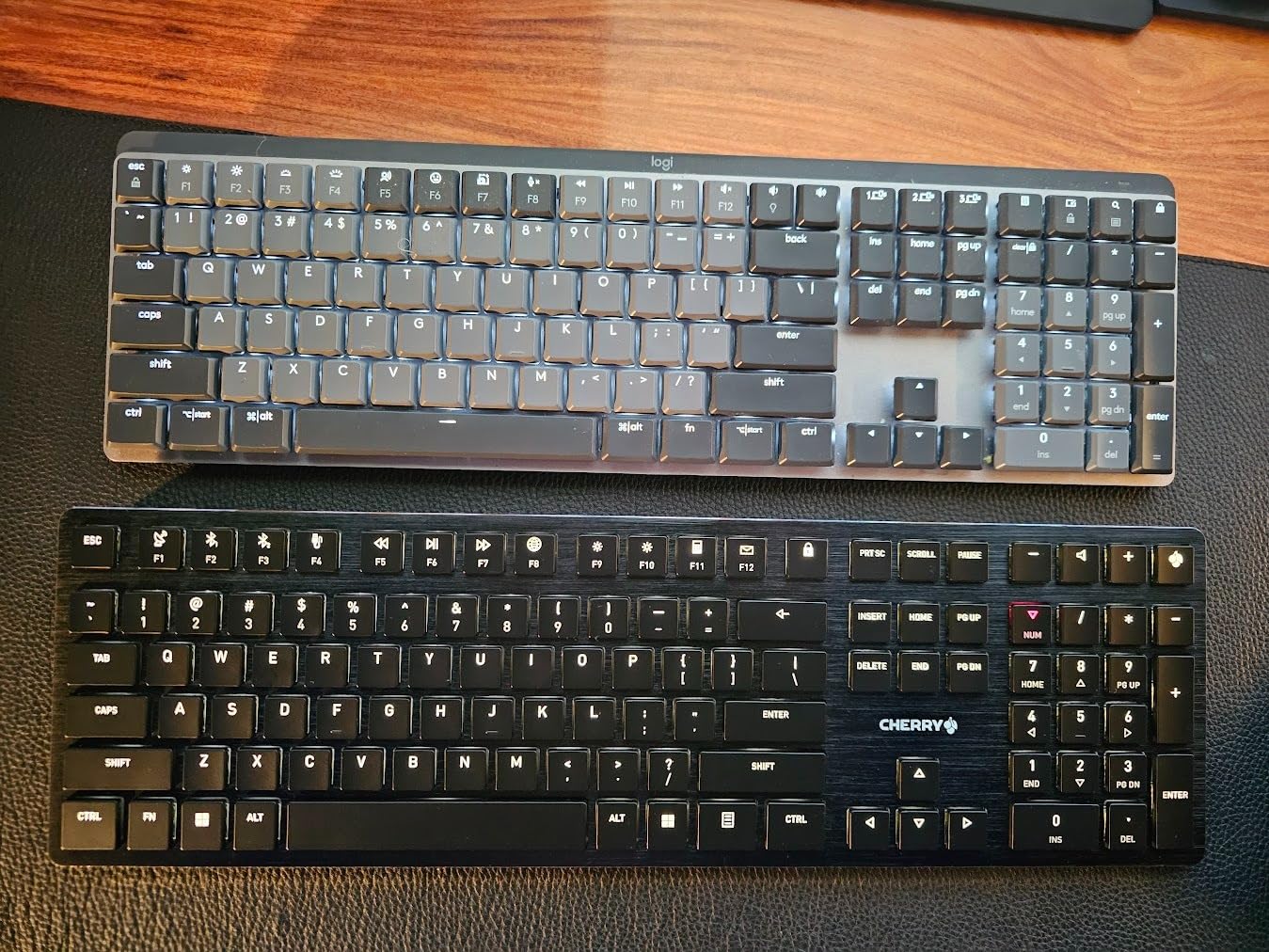
Battery life is the other quiet win. Logitech claims up to 15 days per charge with the backlight on and up to 10 months with it off, and our testing sat in that range with the illumination doing most of the work.
Switch Feel and Illumination on a Mac
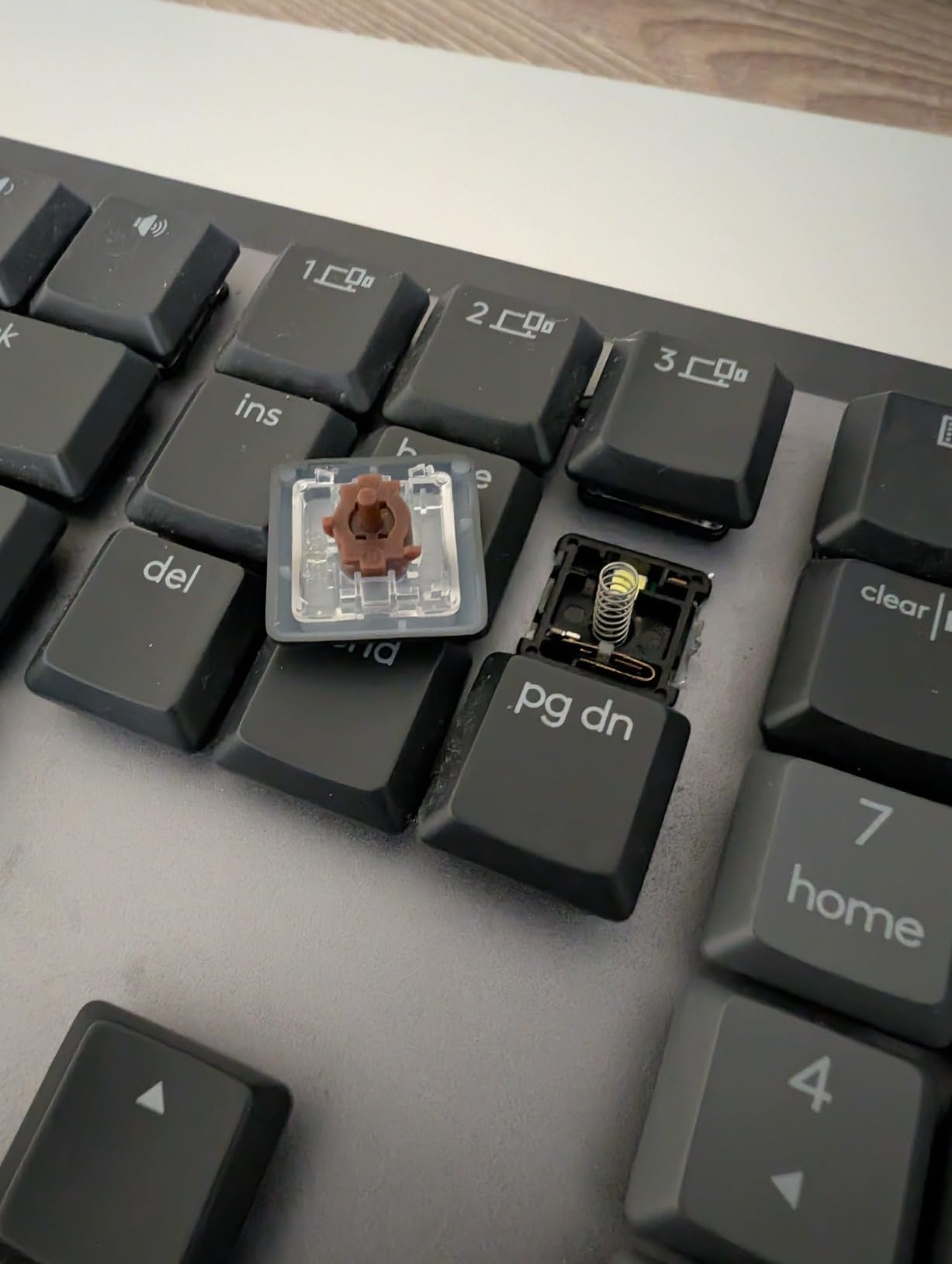
The Romer-G tactile switches have a short travel and a muted bump that does not fatigue over a full day of typing. They are not clicky, which matters if you are in a room with other people, and the low profile keeps wrist angle close to what a Magic Keyboard user expects.
One thing to know before you buy: the function layer is locked on by default, so F-keys fire secondary actions until you press FN plus Escape. On a Mac that second layer can be confusing at first, particularly if you rely on standard function keys in an application.
Where It Falls Short for Mac Users
There is no dedicated Print Screen key, so a Mac screenshot command runs through a function combination instead, and the function row sits tight against the number row, which reviewers report causes mis-hits. The backlight timeout is also aggressive and does not always remember the brightness you set last session.
If you want the same idea in a smaller body, the Logitech MX Mechanical Mini Mac in this list uses a native Mac layout and the same Romer-G switches. If you want open firmware and per-layer remapping instead, the Keychron K3 Version 2 is the more capable option.
Who This Board Is For
It suits office work, finance, spreadsheet power users and anyone moving between a Mac and a Windows machine who wants a full numpad and function row without thinking about it. The aluminium and metal enclosure also pairs naturally with a MacBook on a stand.
2. AULA F75 Pro – The Most Board You Get for the Money
- Feature set far beyond the price class
- Hot-swap sockets make switch changes beginner friendly
- Knob handles volume
- media and lighting
- 4000mAh battery
- Side-printed PBT keycaps resist shine
- Compact 75% footprint keeps arrow keys
- Side-printed legends are harder to read at a glance
- Platform labelling leans Android and Windows rather than macOS
- QWERTZ layout listing may not match every region
- RGB-heavy styling is loud on a minimalist desk
At 4.6 stars across 1812 reviews, this is the highest-rated board in our group and the one we keep recommending when someone wants a mechanical feel without spending serious money. The 75% layout keeps the function row and arrow cluster, which removes the two things people usually give up on compact boards.
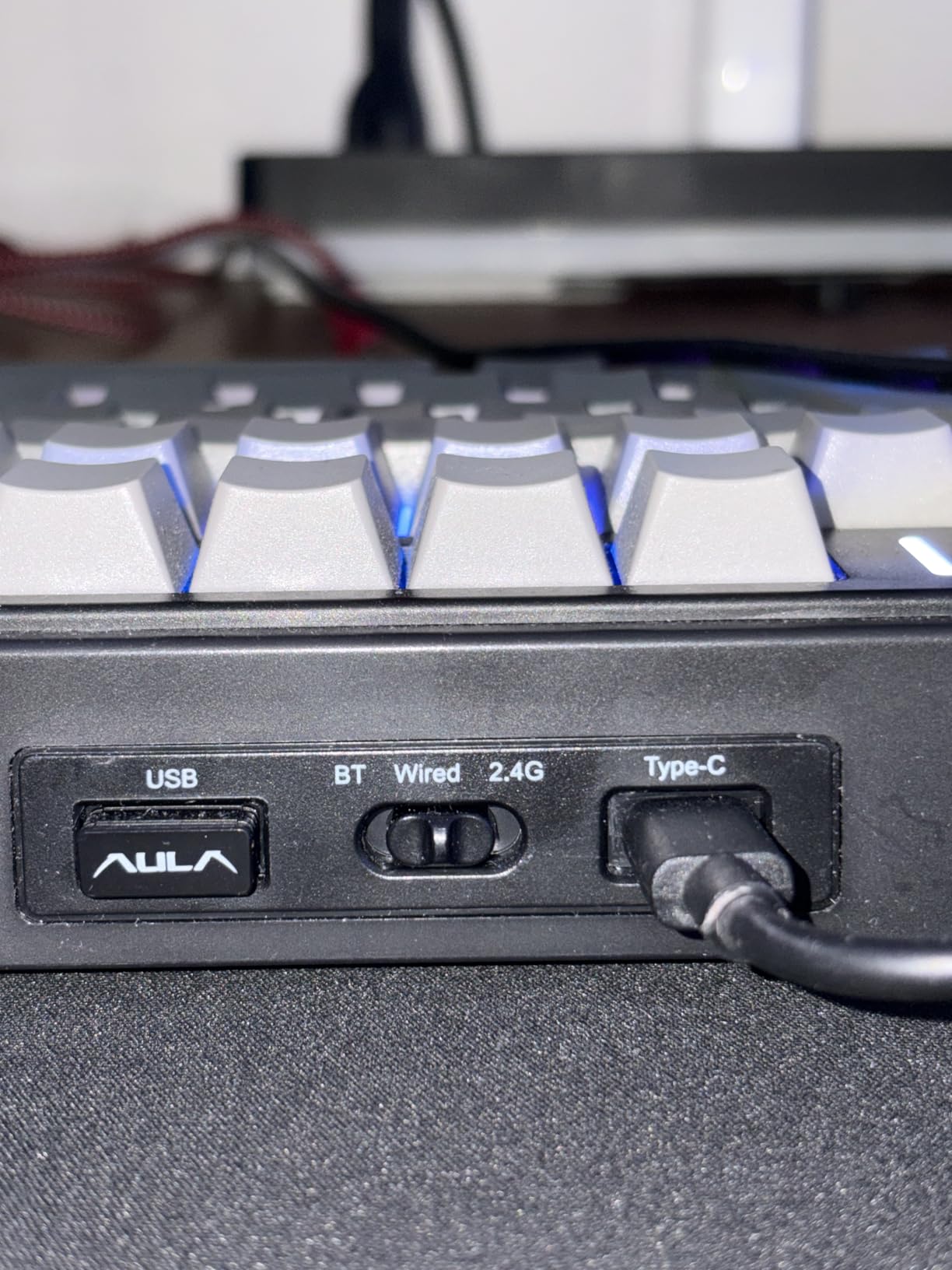
On a Mac it works immediately over Bluetooth and USB-C, and the hot-swap sockets mean you can change switch type in seconds if the pre-lubed linears are not your thing. Five layers of sound filling between the PCB, plate and switch give it a deeper voice than the price would suggest.
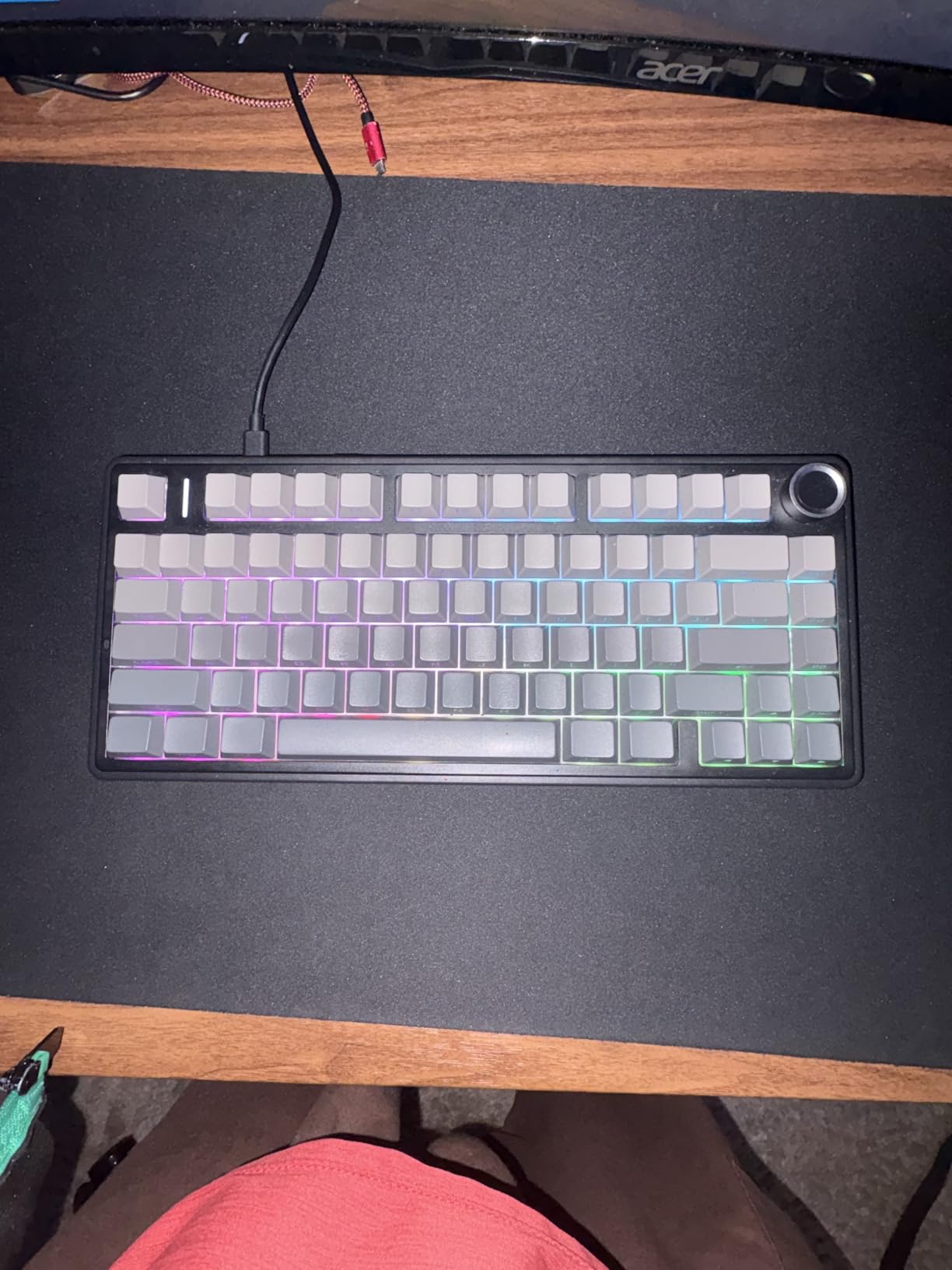
The knob is more useful than we expected. On macOS it handled volume, media and lighting changes without a configuration app, which is exactly what a Windows-first board tends to force you to learn first.
Hot-Swap Sockets and the Pre-Lubed Reaper Linears
The Reaper linears arrive pre-lubed, and the stabilizers sound creamy out of the box rather than scratchy. That matters on a Mac because mechanical keyboards are usually bought once, so a board that sounds good on day one saves the entire hobby of tuning stabilizers.
Because the sockets take both 3-pin and 5-pin switches, you can experiment freely. Try silent linears for a shared office, or a tactile brown for coding, without buying a new board.
Mac Caveats Worth Reading
The main friction is labelling rather than function. The side-printed PBT legends are stylish and resist grease, but reviewers note they are harder to read at a glance, and the product’s compatibility labelling leans Android and Windows rather than macOS, so check the Command and Option caps yourself before ordering.
The specifications also list a QWERTZ layout, which may not match every region. If you are outside North America, confirm the layout with the seller before buying.
Who This Board Is For
It suits Mac users on a budget who want arrow keys, a function row, RGB and hot-swap sockets in a compact footprint. It is also a strong first mechanical keyboard, because the sockets remove the fear of a wrong switch choice.
3. RK Royal Kludge S98 – Numpad, Display and Mac Hotkeys in One Board
RK ROYAL KLUDGE S98 Wireless Mechanical Keyboard w/Smart Display & Knob
- Dual Mac and Windows layout switching via hotkey
- Thocky typing sound from five-layer dampening
- Substantial weight stops sliding
- Double-shot PBT keycaps
- Display and knob speed up device switching
- Hot-swap sockets with no soldering
- Battery drains faster with RGB backlighting on
- Onboard software is dated and hard to find
- Custom GIF display tool is Windows only
- Display can work loose in its socket
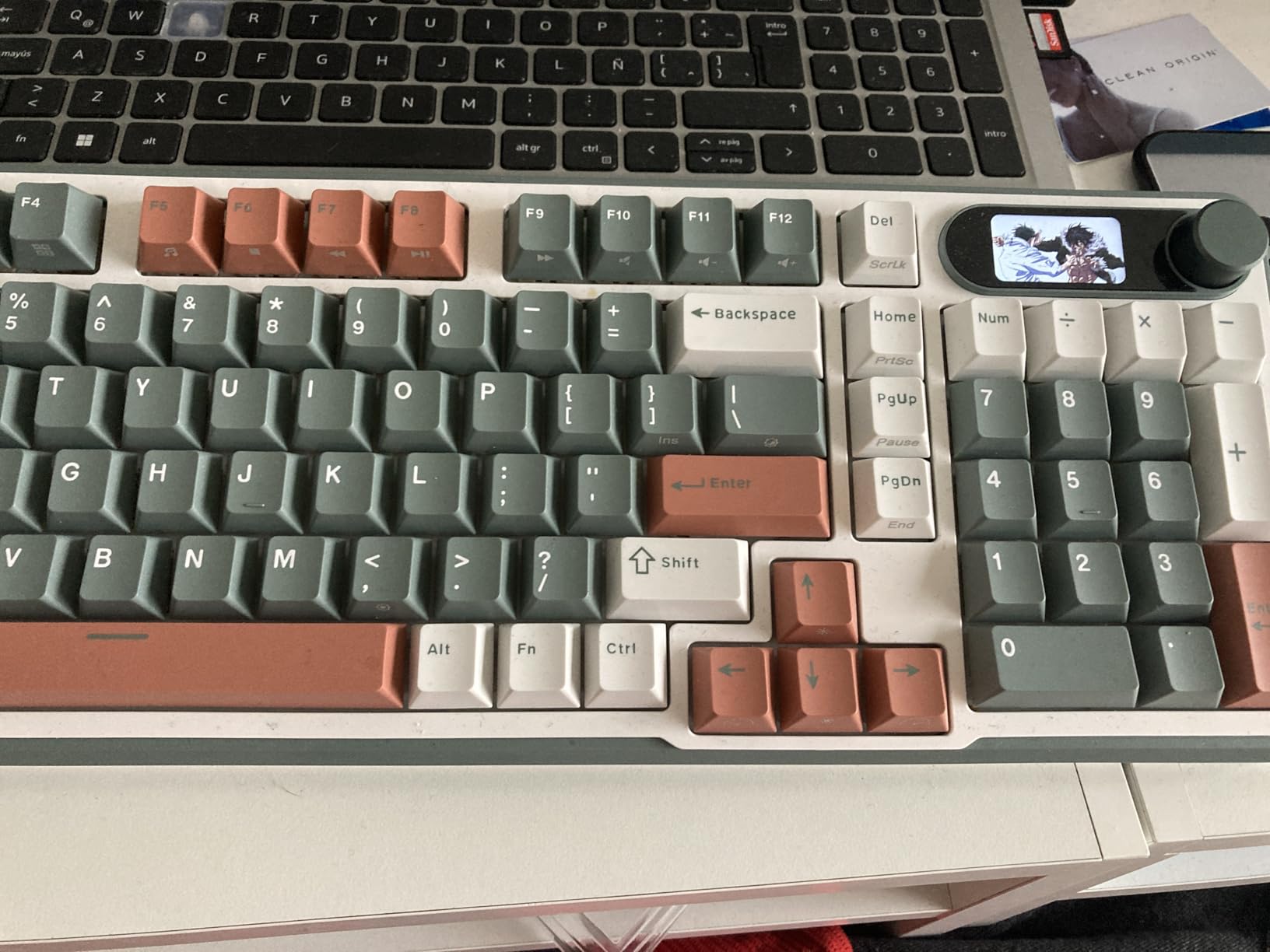
The S98 is the most convincing one-board solution for someone with a Mac and a Windows machine on the same desk. Switching between the two layouts takes a hotkey combination rather than a physical toggle, and the smart display shows the current layout mode so you always know which one you are in.
It is also a 96% layout, which means a full numpad and arrow cluster in a much shorter footprint than a standard 104-key board. For video editing timelines, spreadsheet work or a numeric-heavy workflow, that is the feature that decides it.
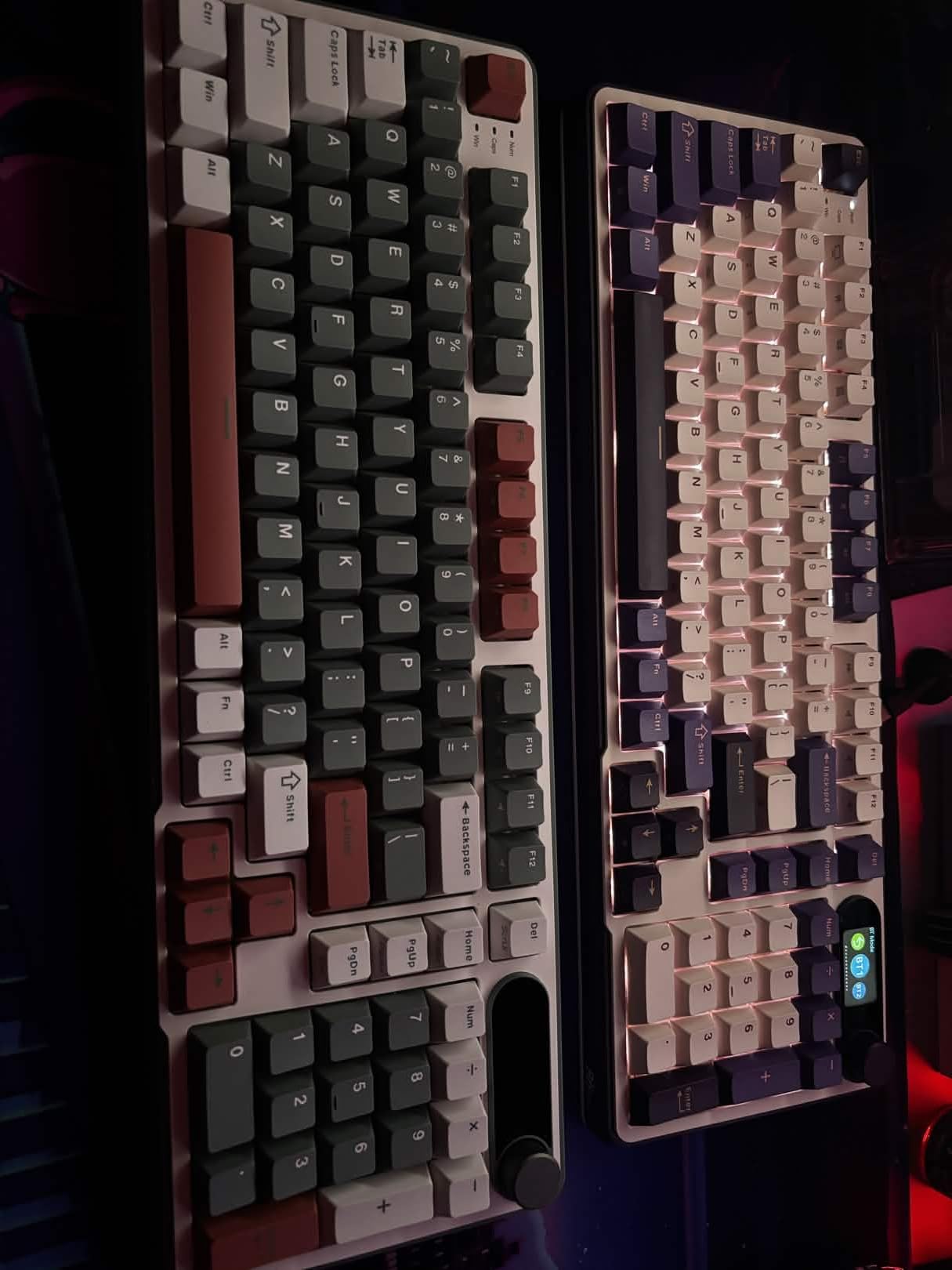
Build quality is above the price band. The ABS case uses 60% recycled post-consumer plastic and weighs about 3 pounds, which reviewers consistently credit for keeping the board planted during fast typing.
Sound, Switches and the Gasket-Style Build
Top-mount construction with an IXPE switch pad and two layers of sound-absorbing foam produce the thocky, low-pitched typing sound owners describe as addictive. The included linears are pre-lubed, and the hot-swap PCB accepts both 3-pin and 5-pin switches.
Double-shot PBT keycaps resist the shine and oil marks that show up on cheaper ABS sets after a few months, which matters if you keep the board for years.
The macOS Software Problem
Here is the honest limitation. The custom GIF tool for the display is Windows-only, so on a Mac you can see GIFs uploaded from elsewhere but cannot author your own. The onboard software is also dated and awkward to find, which reviewers list as a recurring complaint.
Battery life also drops noticeably when RGB stays on. If you plan to run lighting continuously, the EPOMAKER TH99 PRO later in this guide carries a much larger battery.
Who This Board Is For
It suits people who alternate between a Mac and a Windows PC, and anyone who wants a numpad without a full-size footprint. It is not silent, so for a very quiet room the AULA F75 Pro or a silent switch swap is the better direction.
4. Keychron K3 Version 2 – Open Firmware in an Ultra-Slim Frame
Keychron K3 Version 2 QMK 75% Wireless Low-Profile Mechanical Keyboard
- Only 0.87 inches tall and 500 grams
- Mac and Windows keycaps included in the box
- QMK firmware gives real remapping and layers
- Compact 75% footprint frees desk space
- Three-device Bluetooth pairing
- Tactile brown switches suit long sessions
- White LED backlight only
- Low-profile switches need an adjustment period
- Bluetooth range is limited at distance
- Legends are dim in low light
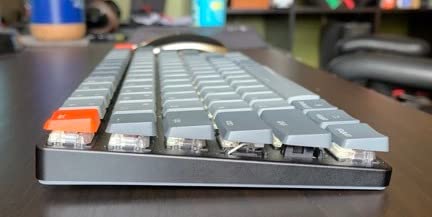
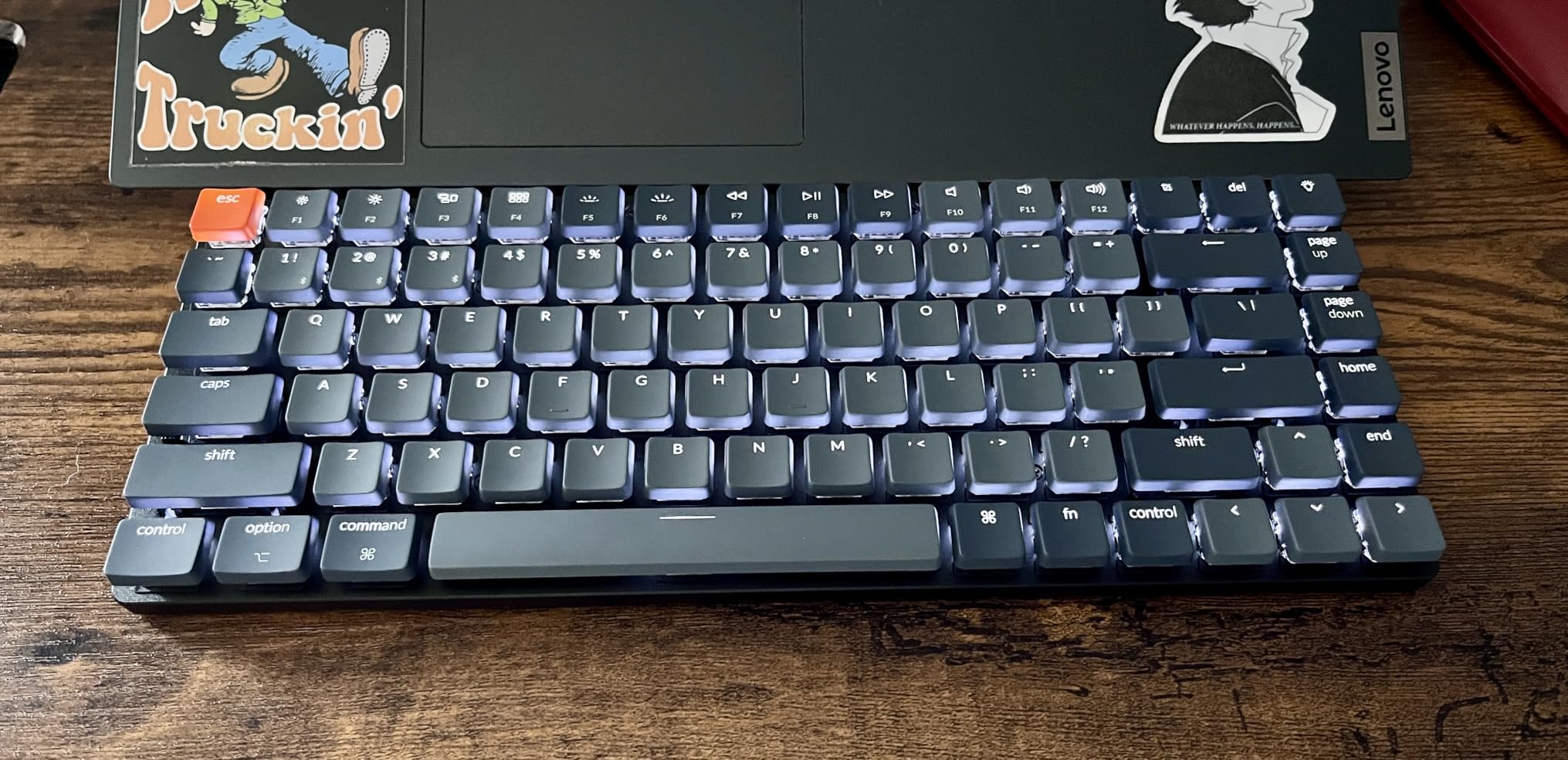
This is the board we suggest to a Mac user who wants the low-profile feel of the Magic Keyboard without giving up mechanical switches or open firmware. It measures 0.87 inches tall and weighs 500 grams, so it moves between a desk and a coffee table without ceremony.
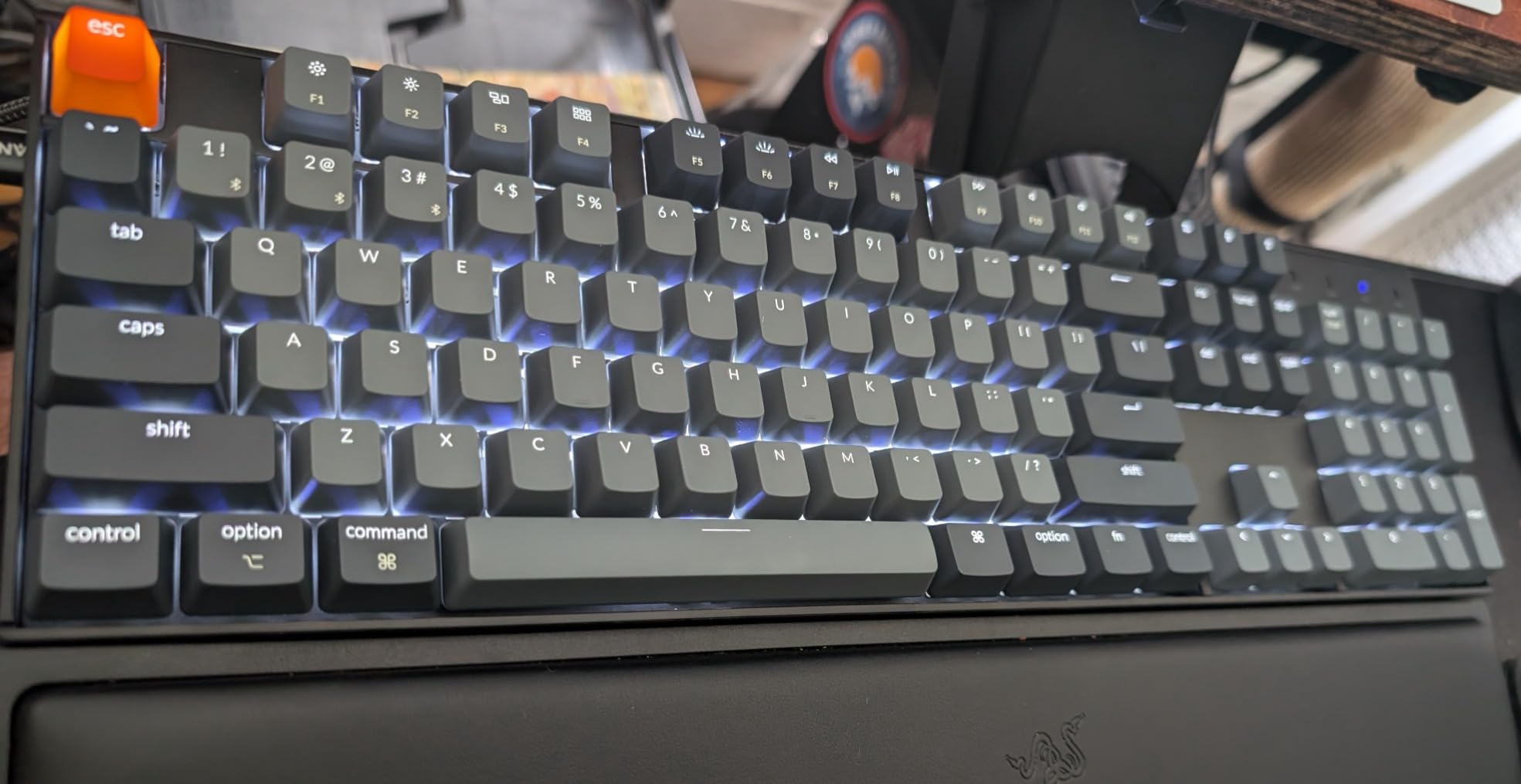
Keychron includes extra Mac and Windows keycaps in the box, and the board uses a unique Mac layout. That matters more than it sounds: on a standard ANSI board the Command key sits far from the C key, which is the exact complaint Mac users raise most often in forum threads.
The QMK firmware is the real differentiator. You can remap layers, write macros and store per-OS keymaps directly on the board, so switching between a Mac and a Windows machine does not mean reconfiguring anything.
What QMK Changes Day to Day
With QMK, a Mac power user can put a Windows key on a tap and Control on hold, remap the F-row to macOS brightness and Mission Control, and keep separate layouts for a MacBook and a desktop. The Keychron Launcher web app handles this without installing a native application.
None of that works on a board that relies only on a vendor app or a Windows-only driver, which is why the K3 is worth the extra attention from developers and power users.
Low-Profile Trade-offs
The low-profile brown switches feel balanced for long typing, but anyone coming from a standard-height board needs a few days to adapt to the shorter travel. The backlight is white only, and the legends can be hard to read in a dim room because the light does not glow through them.
Bluetooth range is also limited at greater distances from the Mac, so keep it on the same desk rather than across the room.
Who This Board Is For
It suits developers, writers and anyone who wants a portable board with Mac keycaps and layer support. If you would rather not learn remapping, the Logitech MX Mechanical Mini Mac is simpler, and the AULA F75 Pro costs less with a full-size footprint instead of a slim one.
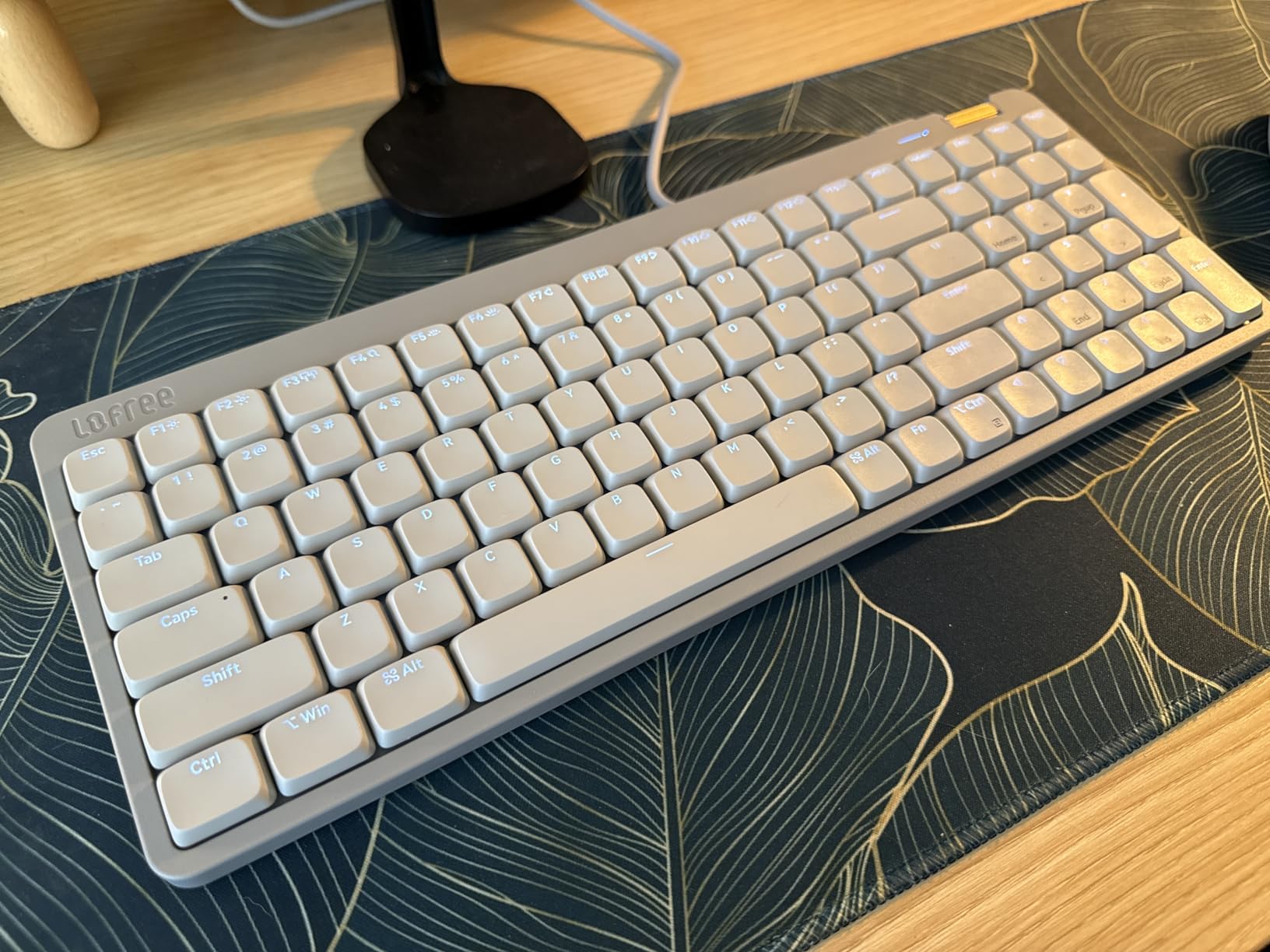
5. Lofree Flow Lite – Low Profile With a Numpad and a 40gf Switch
- Matte premium styling that suits Apple hardware
- Smooth 40gf low-profile linears
- Full numpad in a compact low-profile body
- Gasket mount gives a soft cushioned sound
- 1000Hz polling over 2.4GHz
- Three connection modes
- Bluetooth wake-up latency is poor after sleep
- Configuration software is glitchy
- Volume roller is stiff
- ABS body rather than aluminium
- Not an ISO layout
Most low-profile boards force a choice: slim and compact, or include a numpad. The Flow Lite is one of the few that does both, packing 100 keys including a full number pad into a body that stands 0.93 inches tall.
For a Mac user moving from a Magic Keyboard, the low front height and included kickstand keep the wrist angle familiar, and the matte Marble finish looks at home next to a MacBook or a display in silver or space grey.
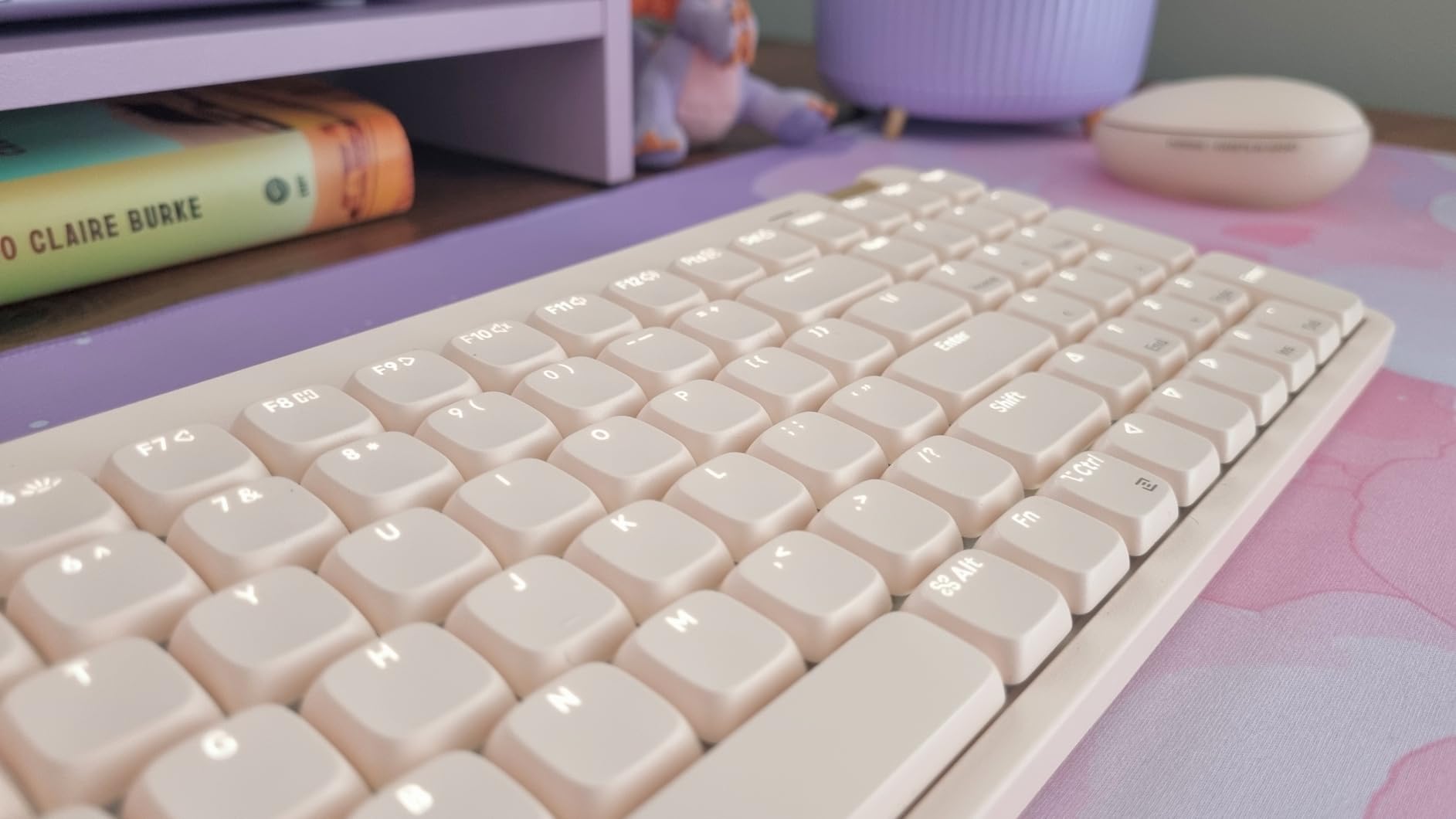
The Specter Full POM linears were tuned down to a 40gf operating force, down from 50gf, and the difference is noticeable. Typing is light on the fingers, and the gasket mount with an added dampening layer keeps the sound soft rather than hollow.
Connectivity and Battery on macOS
Tri-mode connectivity covers 2.4GHz, Bluetooth and USB-C, with 1000Hz polling over the 2.4GHz link. A 3000mAh battery is rated at up to 100 hours with the lights off and about three hours for a full charge.
The important Mac caveat is Bluetooth wake-up latency, which owners report as poor. If the board is unresponsive after your Mac wakes from sleep, the USB-C or 2.4GHz path is the more reliable option for a desk setup.
Where the Budget Shows
The body is ABS rather than the aluminium used on higher-tier models in the same range, and the bundled configuration software is described as glitchy, often demanding repeated updates. The aluminium volume roller is also stiff enough that clicking into mute takes real force.
European users should note this is not an ISO layout, so there is no extra key beside the Shift key, and the numpad zero is small enough to take some adaptation.
Who This Board Is For
It suits Mac users who want a slim profile and still need a numpad, particularly in a video editing or finance workflow. Readers who also like split boards can see how the layout changes in our split mechanical keyboard guide.
6. Logitech MX Mechanical Mini Mac – A True Mac Layout in a Compact Body
Logitech MX Mechanical Mini Mac Wireless Keyboard Low-Profile – Pale Grey
- Genuinely Mac-first layout rather than a Windows board with extra caps
- Compact 84-key body keeps the function row
- Low-profile tactile typing feel
- Switching across several Macs or iPads is seamless
- Very long battery life
- Straightforward Logi Options+ setup
- White-only backlight with no RGB
- Backlight sensor can refuse to illuminate in a bright room
- Logi Bolt receiver works only with select MX devices
- Listed system family undersells Mac support
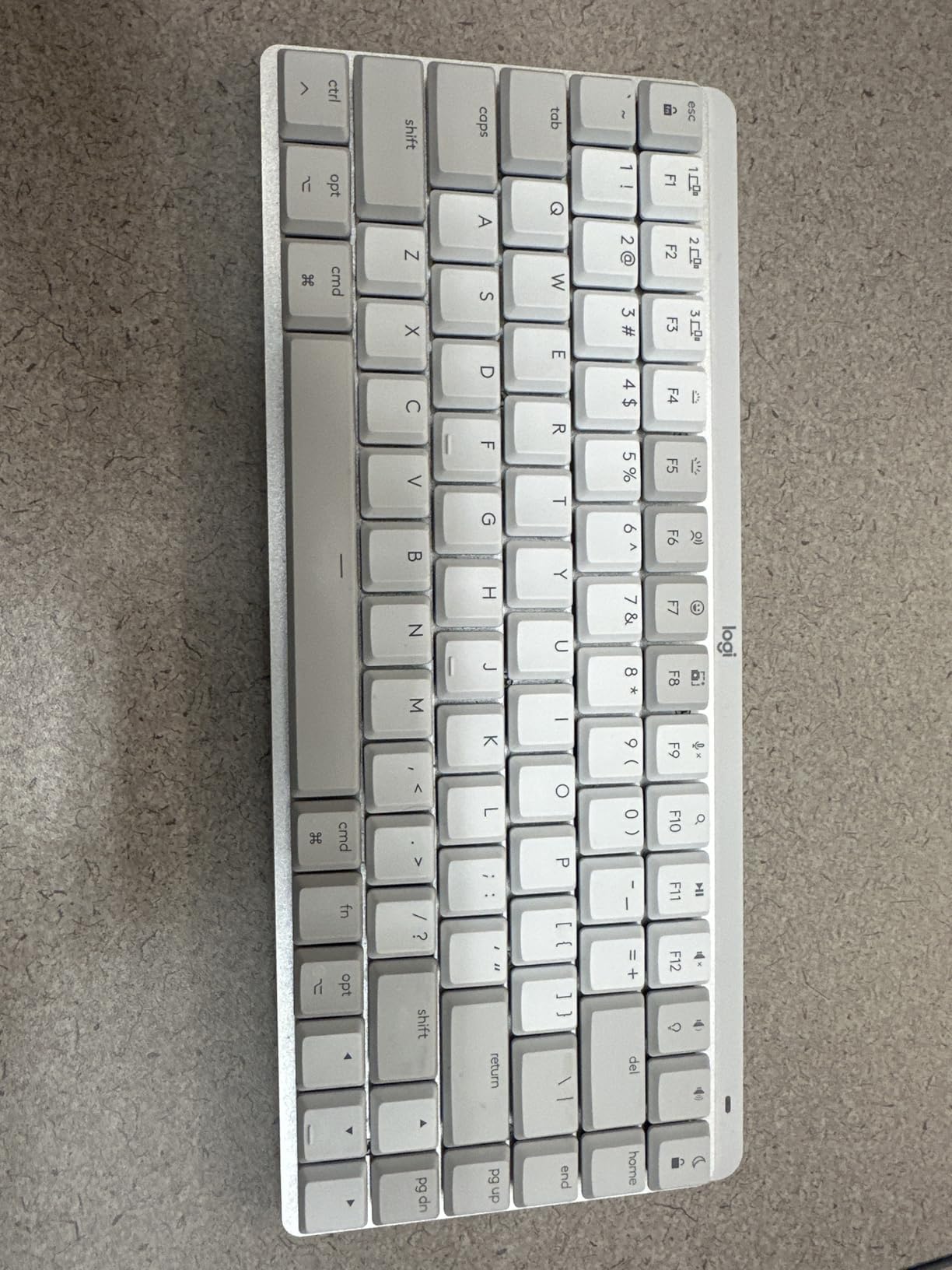
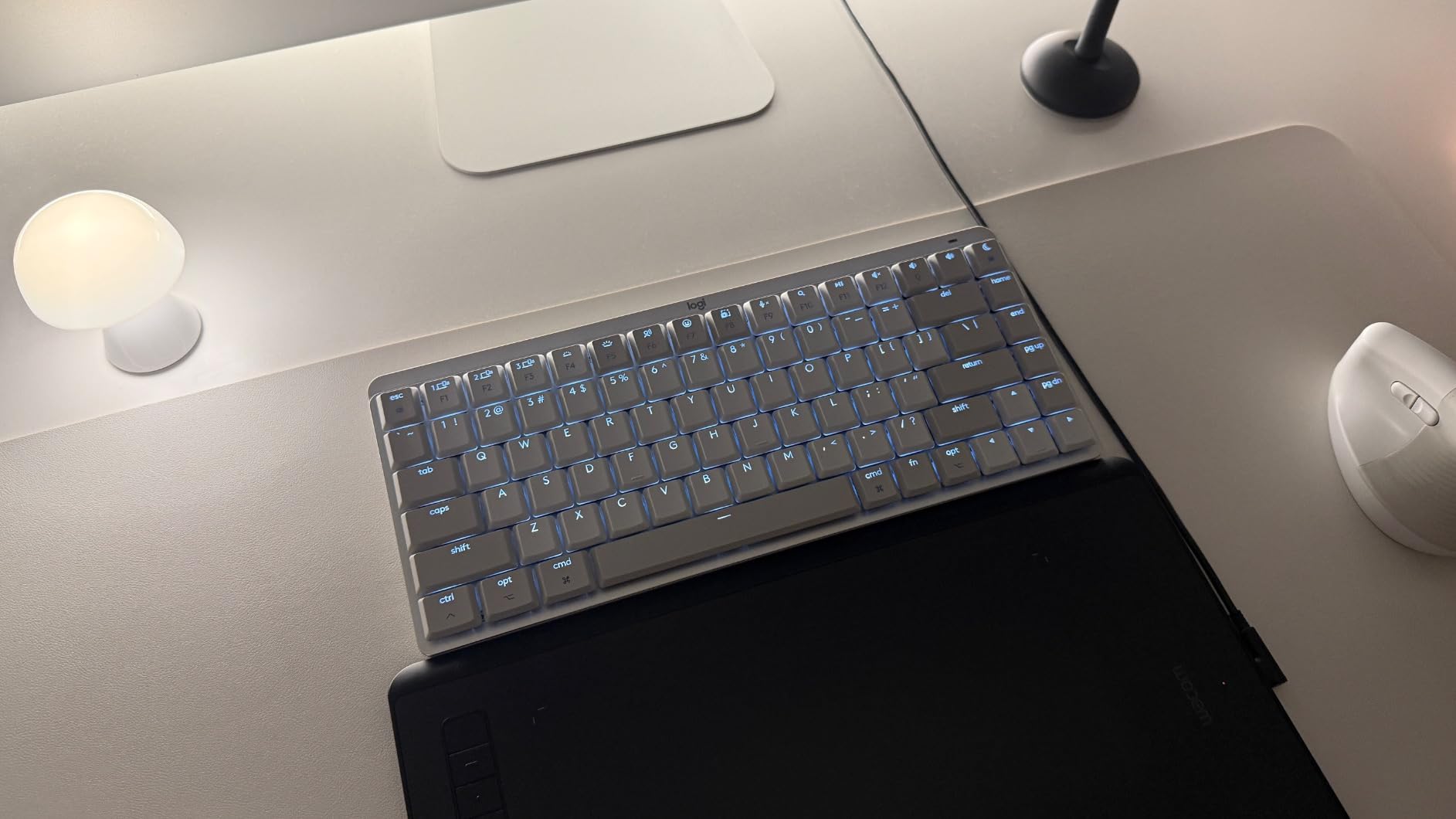
This is the most genuinely Mac-designed board we tested. The key layout is optimized for macOS out of the box, so the Command key lands where your fingers already expect it, and the modifiers do not need swapping in System Settings.
It pairs with up to three Macs or iPads over Bluetooth Low Energy, which makes it the natural choice for someone with a MacBook Pro, a Mac mini and an iPad in the same workflow. The Logi Options+ app handles Flow cross-device control and Fn key remapping from a Mac.
Battery life is rated at up to 15 days per charge with the backlight on and up to 10 months with it off, and the USB-C cable means one charger covers the keyboard, the MacBook and the iPad.
Layout, Keycaps and the Function Row
The 84-key count is the interesting number. It keeps a dedicated function row and a full arrow cluster while trimming the number pad, which is a sensible trade for most Mac workflows since spreadsheet number entry is still available on the Mac’s numeric keypad or an external one.
The low-profile Romer-G tactiles feel closer to a good scissor keyboard than a full-height mechanical, which makes the transition from a Magic Keyboard painless. The trade is that there is no deep tactile event to aim for.
Honest Limitations
Backlighting is white only, and the proximity sensor can refuse to illuminate the keys in a bright room, which is a real annoyance on a desk next to a window. The backlight also times out aggressively and does not always remember your brightness setting.
Logi Bolt receivers work only with select MX devices, which confuses multi-device setups if you own other Logitech hardware. And while this is clearly a Mac keyboard, the listed operating system family only names Windows, which understates what it actually does.
Who This Board Is For
It suits Mac-only users who want zero modifier friction and a body that matches Apple hardware, and anyone moving between an iPad and two Macs. If you need a numpad, the full-size Logitech MX Mechanical Illuminated covers that ground.
7. Redragon K745 PRO – Full-Size Sound and Gasket Mount on a Budget
Redragon K745 PRO Wireless 108-Key Gasket RGB Gaming Keyboard, 4 Hotkeys
- Creamy thocky typing sound for the price
- Gasket mount and foam stack feel premium
- See-through PBT keycaps resist greasy shine
- Full 108 keys including a numpad
- Tri-mode switching
- Four dedicated hotkeys
- Light enough for lap use
- Full 108-key footprint is bulky
- RGB does not reach every legend evenly
- Indicator light above the arrows stays on
- Plastic case
- Round keycap profile takes adjustment
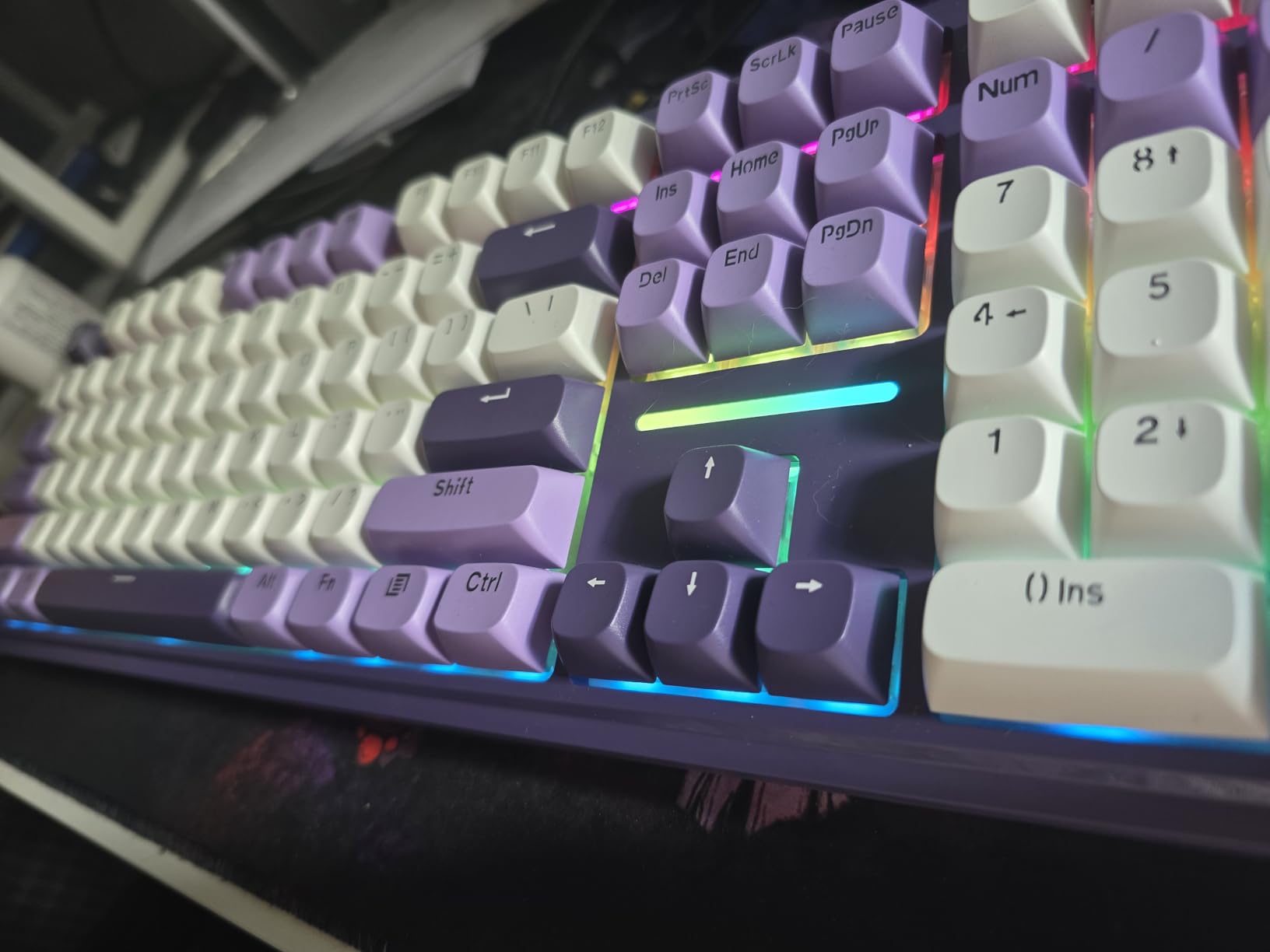
The K745 PRO is how a full-size 108-key board with a gasket mount and a hot-swap socket ended up at the budget end of the market. Owners repeatedly describe the typing sound as creamy and thocky, which is normally the first thing you compromise on when you spend less.
It connects over 2.4GHz, Bluetooth and USB-C, so pairing with a MacBook, a Windows PC and a tablet is a matter of pressing a mode switch. Four dedicated hotkeys for mute, calculator, screen lock and desktop add shortcuts the Pro software would otherwise handle.
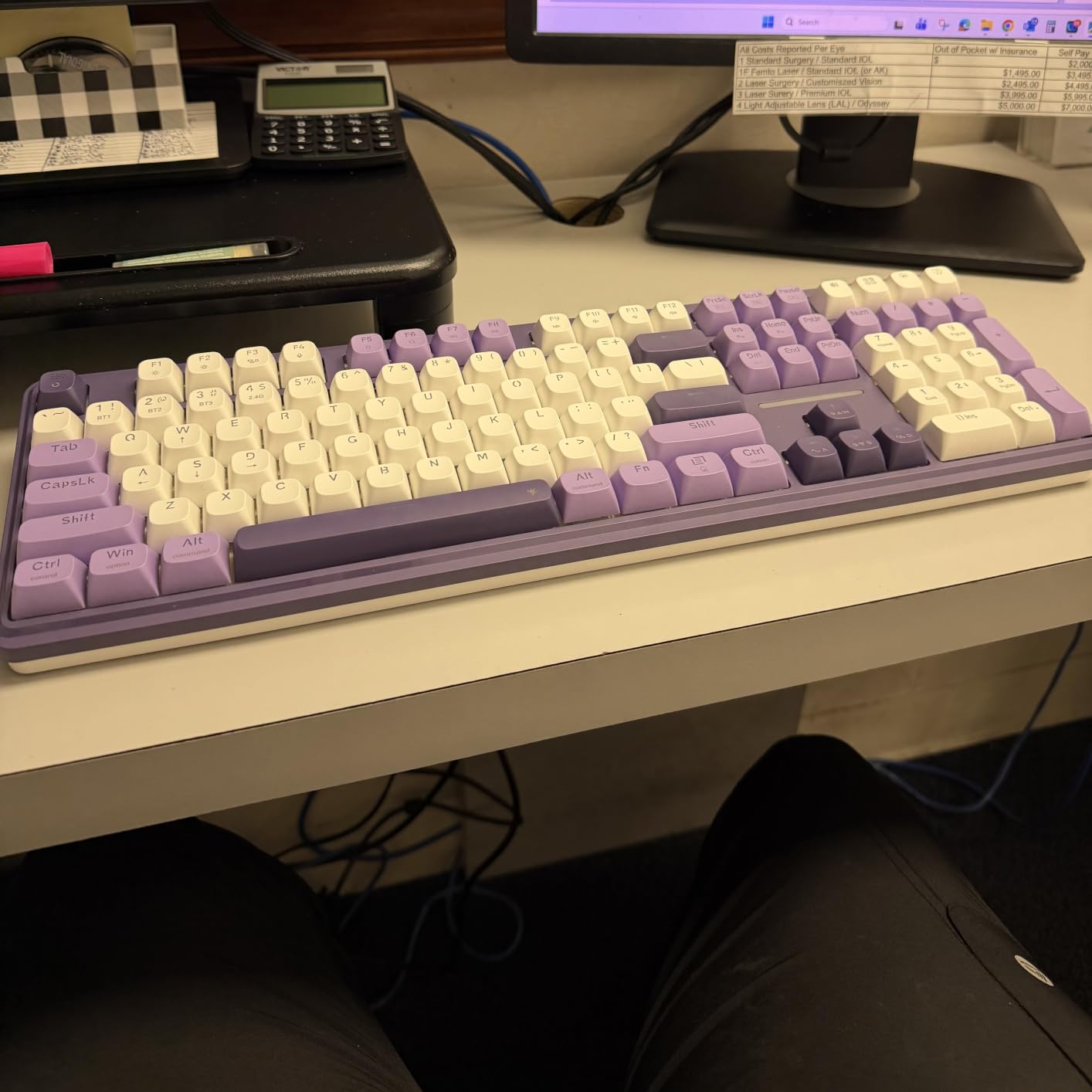
The translucent see-through PBT keycaps let the RGB shine through while resisting the greasy shine that cheap ABS caps develop, and anti-ghosting across all 104 main keys means fast modifier combinations register cleanly.
Sound, Mounting and Switch Choice
A gasket mount with five layers of noise dampening gives the board a softer, more cushioned feel than the plastic case suggests, and the custom linear switches are consistent across the board. The hot-swap socket accepts both 3-pin and 5-pin switches, and a puller, spare switches and a USB cable are included.
At 0.88 kg it is light enough to rest in your lap, but heavy enough to feel durable without digging into your legs during a long session.
What Mac Users Should Check
The Pro software handles hotkey reassignment, lighting and macros, so confirm it runs cleanly on macOS before committing. The round keycap profile also takes adjustment time if you are used to flat or spherical sculpted caps.
RGB does not reach every legend evenly in low light for some users, and an indicator light above the arrow cluster stays lit regardless of the backlight state, which is distracting in a dark room. The plastic case also lacks the refinement of an aluminium board on an Apple desk.
Who This Board Is For
It suits anyone who needs a full numpad and function row on a Mac without spending much, and it is a strong starter board for people who care more about sound than lighting. If RGB is not your interest at all, the Keychron K10 does the same job with a cleaner look.
8. Keychron K10 – Full Size, Mac Keycaps and a Battery That Disappears
- Purpose-built Mac layout with extra Mac keycaps
- True full-size layout with numpad and arrow cluster
- 4000mAh battery rated up to 240 hours backlight off
- Stable Bluetooth pairing across three devices
- Metal case with two-level adjustable feet
- Brown tactiles suit long typing
- White LED backlight only
- Num Lock does not function on Mac
- Bluetooth range is limited at distance
- No RGB
The K10 is the straightforward answer to a specific question: which full-size board should I buy if I need every key and I want Mac legends? It ships with a unique Mac layout plus extra Mac and Windows keycaps, so the modifier problem is solved at the hardware level.
Dedicated Screenshot, Siri and Screen Lock keys sit above the number pad, which maps neatly to macOS shortcuts. It connects to up to three devices over Bluetooth 5.1 and also works over USB-C, so a wired session is always available.
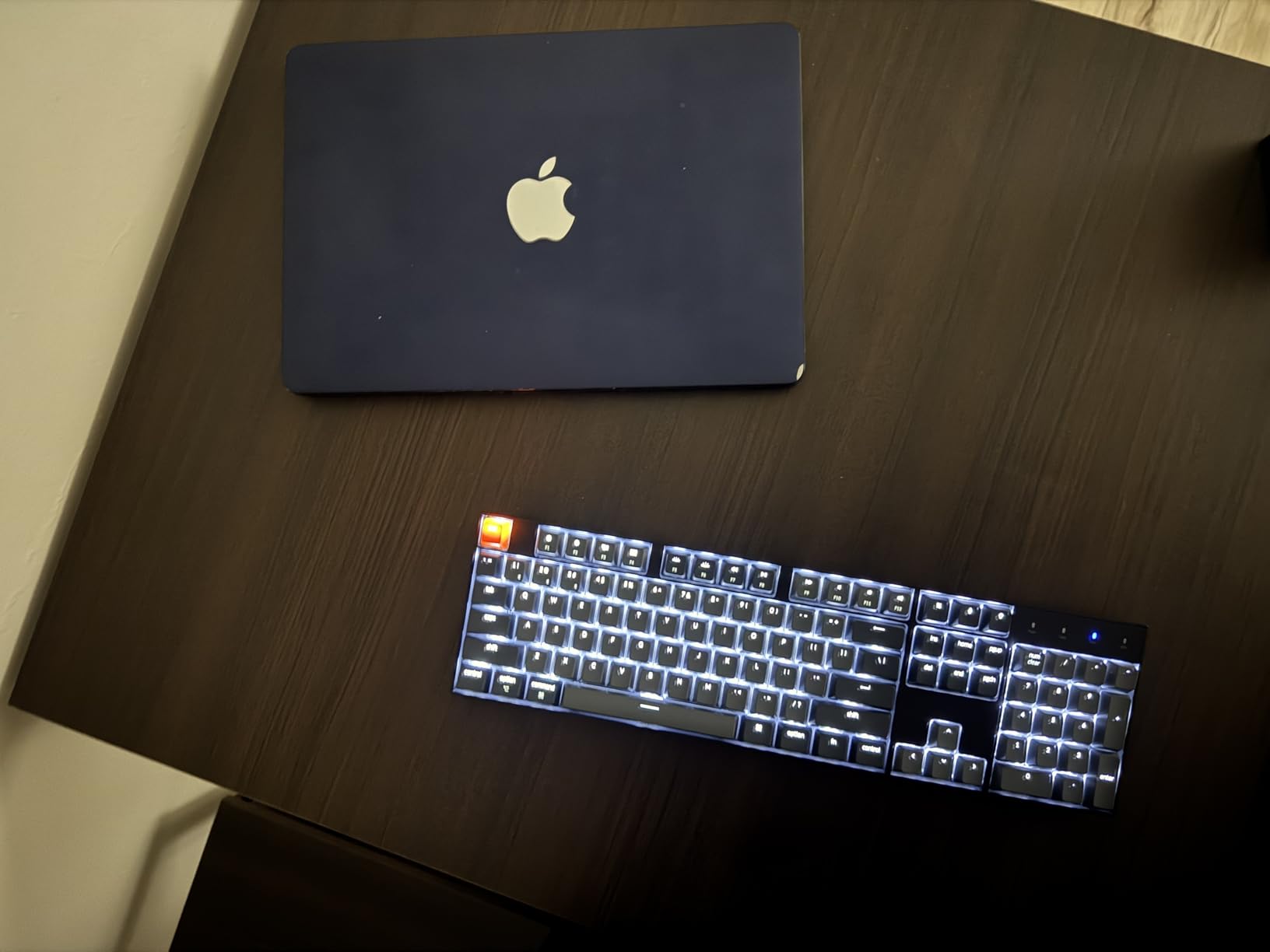
The battery is the standout. A 4000mAh cell is rated at up to 240 hours with the backlight off, which in practice means charging it every few weeks rather than every few days.
Switches, Feet and Daily Typing
The Keychron Super Brown tactile switches have a moderate bump and a fuller bottom-out than a low-profile board, rated at 50 million clicks. Two-level adjustable feet at 6 and 9 degrees plus the inclined bottom frame let you match the typing angle of the Magic Keyboard.
Brown tactiles handle long writing and coding sessions well and stay quiet enough for most offices, which is a better default than clicky switches for shared spaces.
The Mac Limitations
Num Lock does nothing on macOS, so a column of a spreadsheet becomes number entry without an indicator light to tell you which mode you are in. The backlight is white only, with no RGB, and Bluetooth range drops off at greater distances from the Mac.
A keycap puller and USB cable are included. Note that the listed dimensions in the specifications appear to describe a packaged item rather than the full board footprint, so measure your desk space before ordering.
Who This Board Is For
It suits Mac users who type all day, want a numpad and never want to charge a keyboard more than once a month. Pair it with our Mac printer picks if you are finishing an office desk.
9. Logitech Alto Keys K98M – A Retro Board That Looks Like an Accessory
Logitech Alto Keys K98M Wireless Mechanical Gasket Keyboard – Off White
- Retro typewriter look with a transparent top case
- Gasket mount absorbs vibration for a refined sound
- Crisp clicky Marble switches
- Compact 98 keys keep the numpad
- Wireless connection is stable with instant switching
- Up to 12 months of battery
- Two-year warranty
- Arrow keys sit directly above the numpad zero
- White-only backlight with no RGB
- Backlight does not reach the lower part of some keycaps
- No Caps Lock or Num Lock indicator lights
- Hollow spacebar sound
- Heavy at 1100 grams
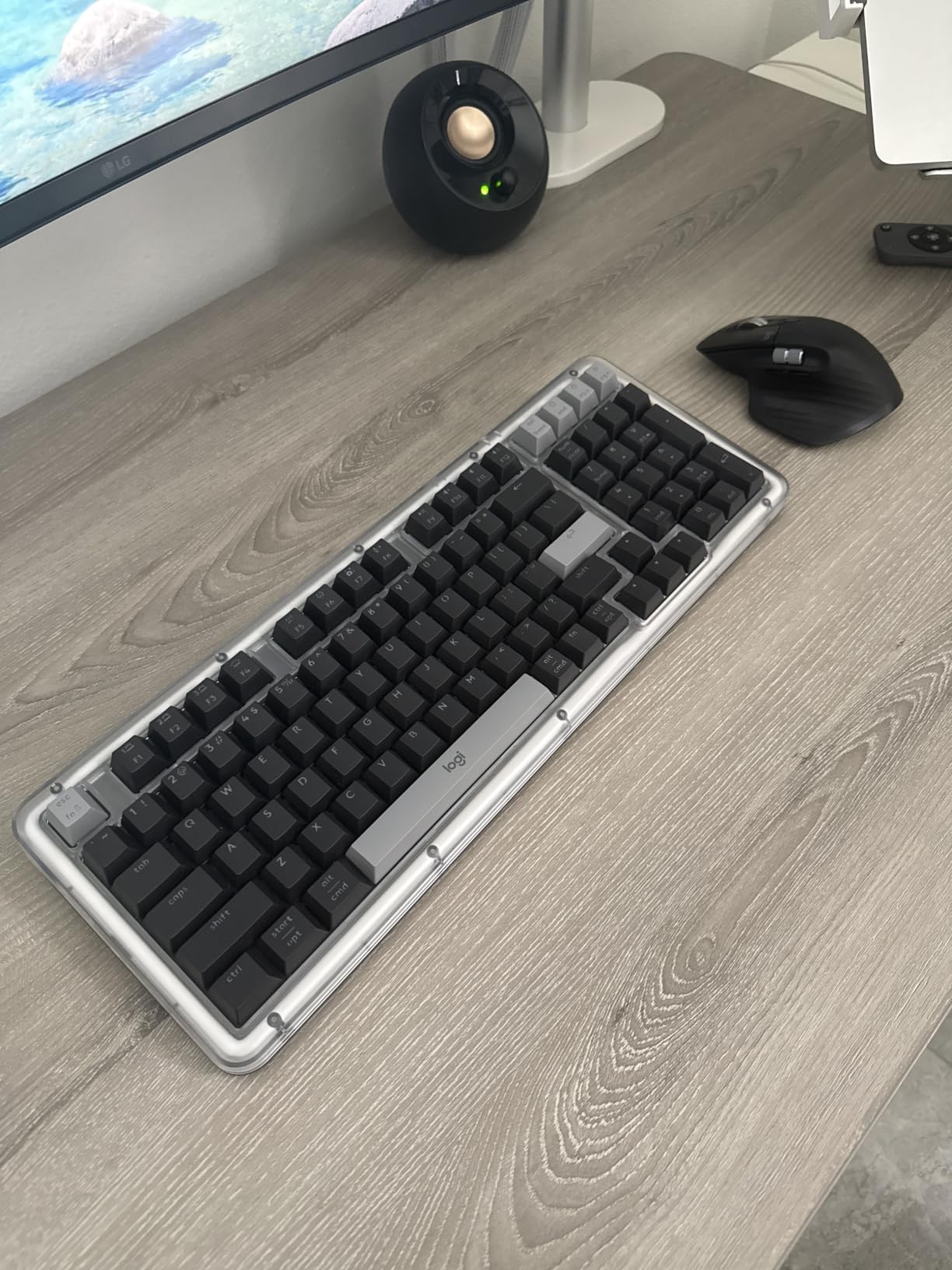
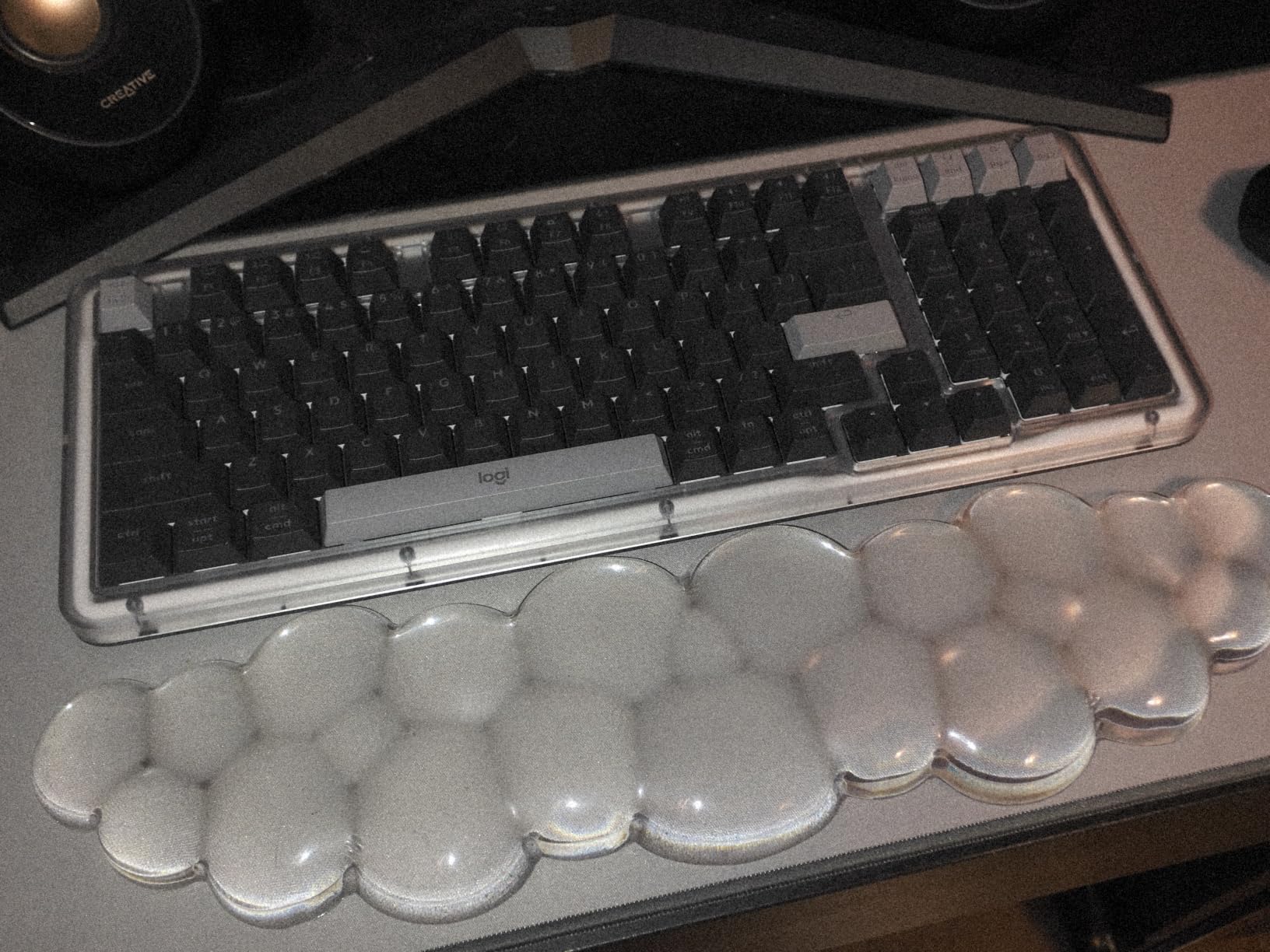
The Alto Keys K98M is the board to buy when your Mac desk looks like a design studio and you want something that reads as an object rather than a peripheral. The off-white case, transparent top and concave keycaps deliver a typewriter aesthetic that no other board in this list touches.
Underneath the styling, the UniCushion gasket mount genuinely absorbs vibration, which removes the hollow ring most plastic mechanical keyboards have. Action Keys are programmable through Logi Options+, including AI-assisted shortcuts, and the board works with both Windows and macOS.
Battery life is rated at up to 12 months of wireless use, and USB-C recharging works while you type, so it never interrupts a session. The two-year hardware warranty is longer than most competitors offer.
Clicky Switches in a Shared Room
The Marble switches are hot-swappable and clicky, which is the most polarizing choice in this roundup. On your own desk they feel crisp and responsive. In a shared office the audible click is the first thing colleagues will mention, so pair the hot-swap sockets with silent linears if that is your situation.
Concave keycaps match the retro look, but they take some adjustment if you are used to a flat profile. The backlight is white only and does not reach the lower portion of some keycaps, leaving legends dim.
The Arrow Key Problem
This is the deal breaker for some buyers: the arrow keys sit directly above the numpad zero key. Several users call that a reason to return the board, and if you use arrow keys constantly for text editing on a Mac, that is a real cost.
The spacebar also sounds noticeably hollow and bass-heavy compared with the rest of the board, there are no Caps Lock or Num Lock indicator lights, and at 1100 grams the board is heavy enough to tire the wrists over a long session.
Who This Board Is For
It suits a solo designer or writer who wants a desk that looks considered and does not mind clicky switches. It is a poor fit for a shared office or for heavy arrow-key use, where the AULA F75 Pro or Keychron K3 serve better.
10. Keychron K2 HE – Hall Effect Switches With Rapid Trigger
Keychron K2 HE Wireless Magnetic Hall Effect Custom Keyboard 75% Layout
- Adjustable actuation from 0.2mm to 3.8mm
- Rapid trigger for fast input
- Aluminium and rosewood frame feels premium
- 75% layout keeps function row and arrows
- QMK support with an easy browser configurator
- 1000Hz polling over 2.4GHz
- Mac and Windows keycaps included
- Keycap legends are not shine-through
- Hot-swap accepts only Gateron Double-Rail magnetic switches
- RGB cannot shine through the double-shot PBT legends
- No numpad
Hall effect switches change how a key registers. Rather than a fixed contact, the K2 HE measures the depth of the press magnetically, so you can set the actuation point anywhere between 0.2mm and 3.8mm and enable rapid trigger, where the board re-registers a keypress without requiring the key to fully return.
For a Mac user, that matters most in games and in fast terminal work. Rapid trigger has no equivalent on an Apple laptop keyboard, and QMK support through the browser-based Keychron Launcher lets you store the settings on the board.
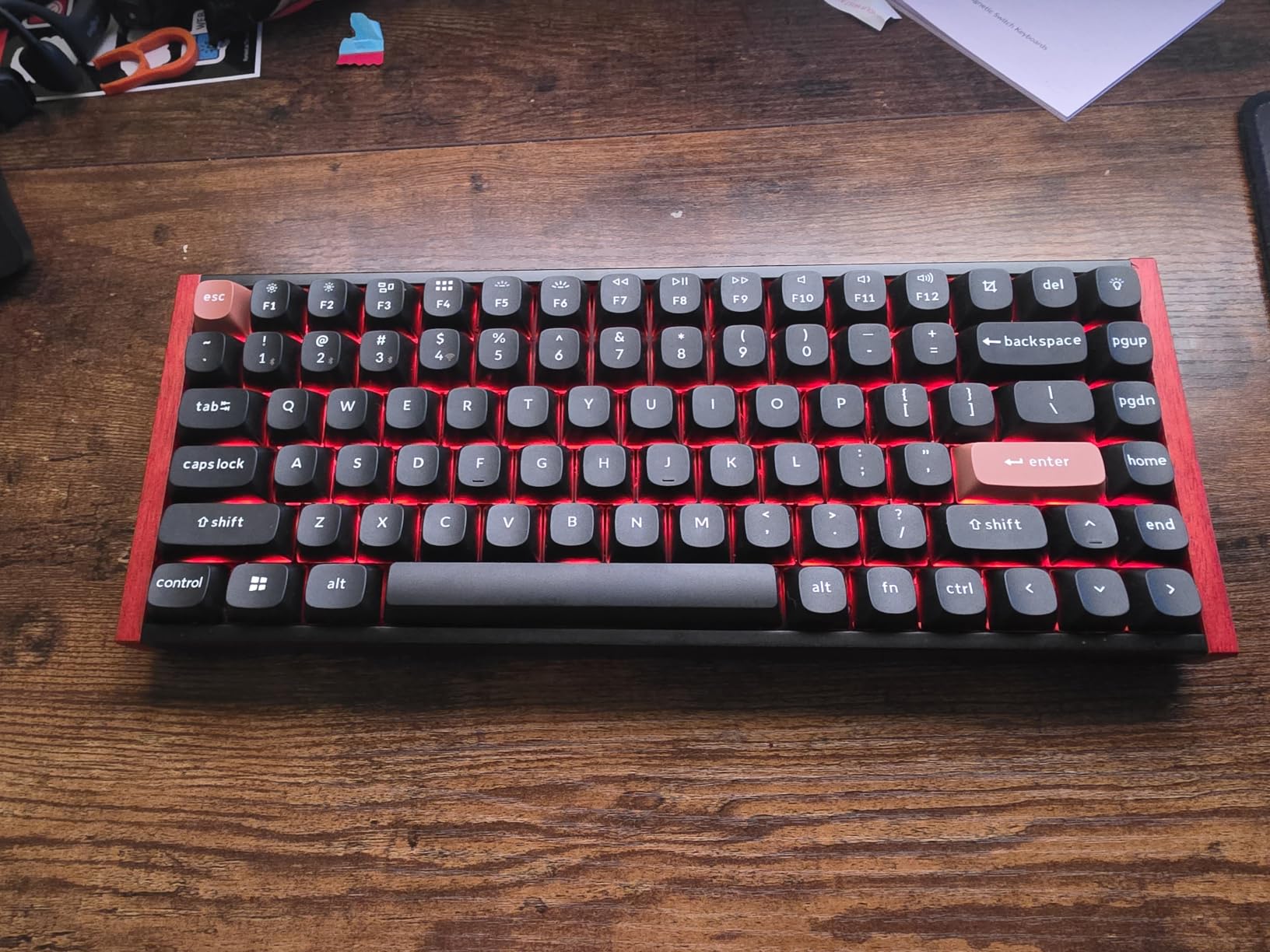
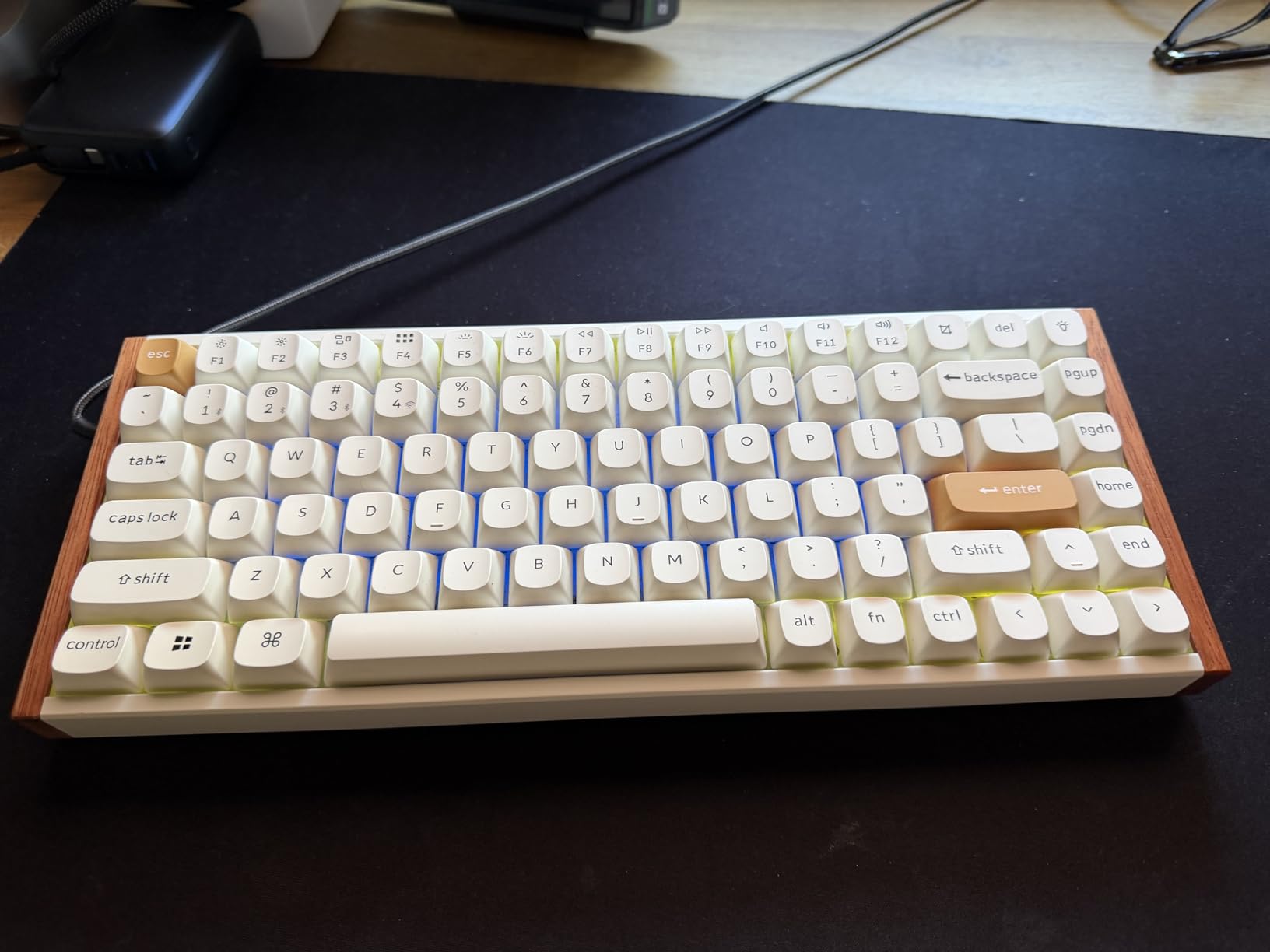
The build is a step up from typical plastic boards, combining an aluminium and rosewood frame with double-shot PBT keycaps, and the whole thing weighs 965 grams. It connects over 2.4GHz, Bluetooth 5.2 and USB-C, and pairs up to three devices.
Actuation Adjustment and Polling on macOS
Verified 1000Hz polling over 2.4GHz keeps input delay low. Note that macOS support for 2.4GHz receivers is less consistent than on Windows, so Bluetooth is the more dependable wireless path if you notice lag, with USB-C as the fallback.
Mac and Windows keycaps are both included, and Linux works too, so this board moves between machines without a keycap swap.
What You Give Up
The hot-swap sockets accept only Gateron Double-Rail Magnetic switches, which removes the freedom to try standard MX switches. That is the single biggest limitation on this board.
The keycap legends are not shine-through, so RGB backlighting cannot light them and they are hard to read in low light. There is also no numpad, so spreadsheet and editing workflows that need numeric entry will want a second device.
Who This Board Is For
It suits Mac gamers and fast typists who want adjustable actuation and QMK layers, and it is the one board here with Linux support worth highlighting. For standard office typing, the Keychron K3 Version 2 gives you open firmware with a much wider switch choice.
11. EPOMAKER TH99 PRO – A 10000mAh Battery and a Very Heavy Case
EPOMAKER TH99 PRO 96% Mechanical Keyboard with Screen & Knob, 10000mAh
- Exceptionally deep and bassy typing sound
- Solid build with no rattle or hollowness
- 10000mAh battery rated 150-200 hours with RGB off
- Screen and knob handle volume
- battery and time
- Browser-based configurator needs no install
- Verified 1000Hz polling in USB and 2.4GHz
- Pre-lubed stabilizers are consistent
- Full customization requires a wired USB-C connection
- Browser driver may not work in Firefox-based browsers
- Over 1.2 kg makes it unsuitable for lap use
- Taller case can strain the wrist without a rest
- Some users find RGB colours overly saturated
- Screen is largely decorative
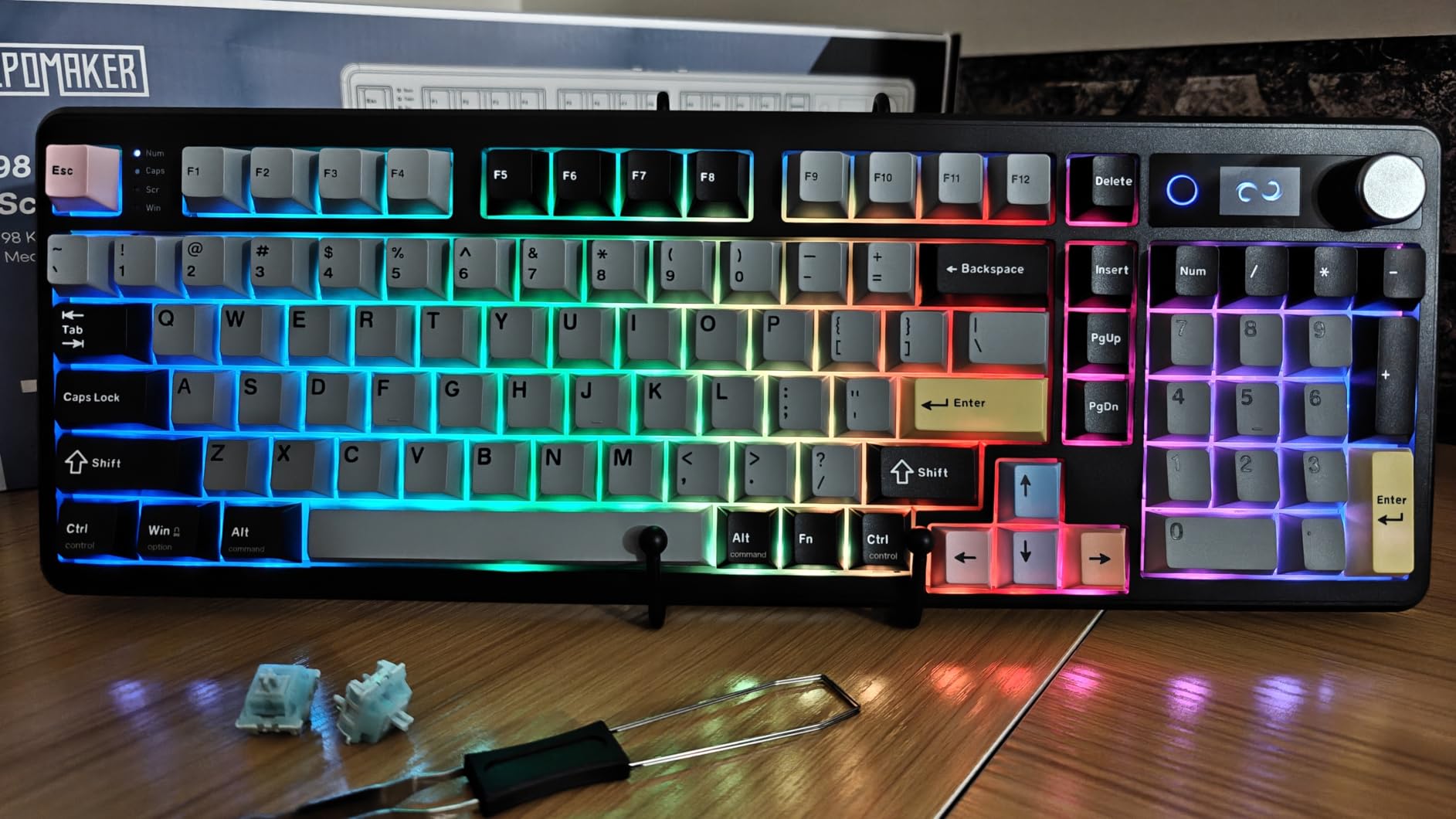
The TH99 PRO is the one to consider if charging your keyboard is an irritation. Its 10000mAh battery is rated at 150 to 200 hours with RGB off, and reviewers report going weeks between charges, which removes one of the few real complaints about wireless mechanical boards.
It is also a 96% layout with a full numpad, so you get spreadsheet capability without a 108-key footprint. The glass info screen shows battery, time, connection mode and GIF playback, and the precision volume knob handles audio without a menu.
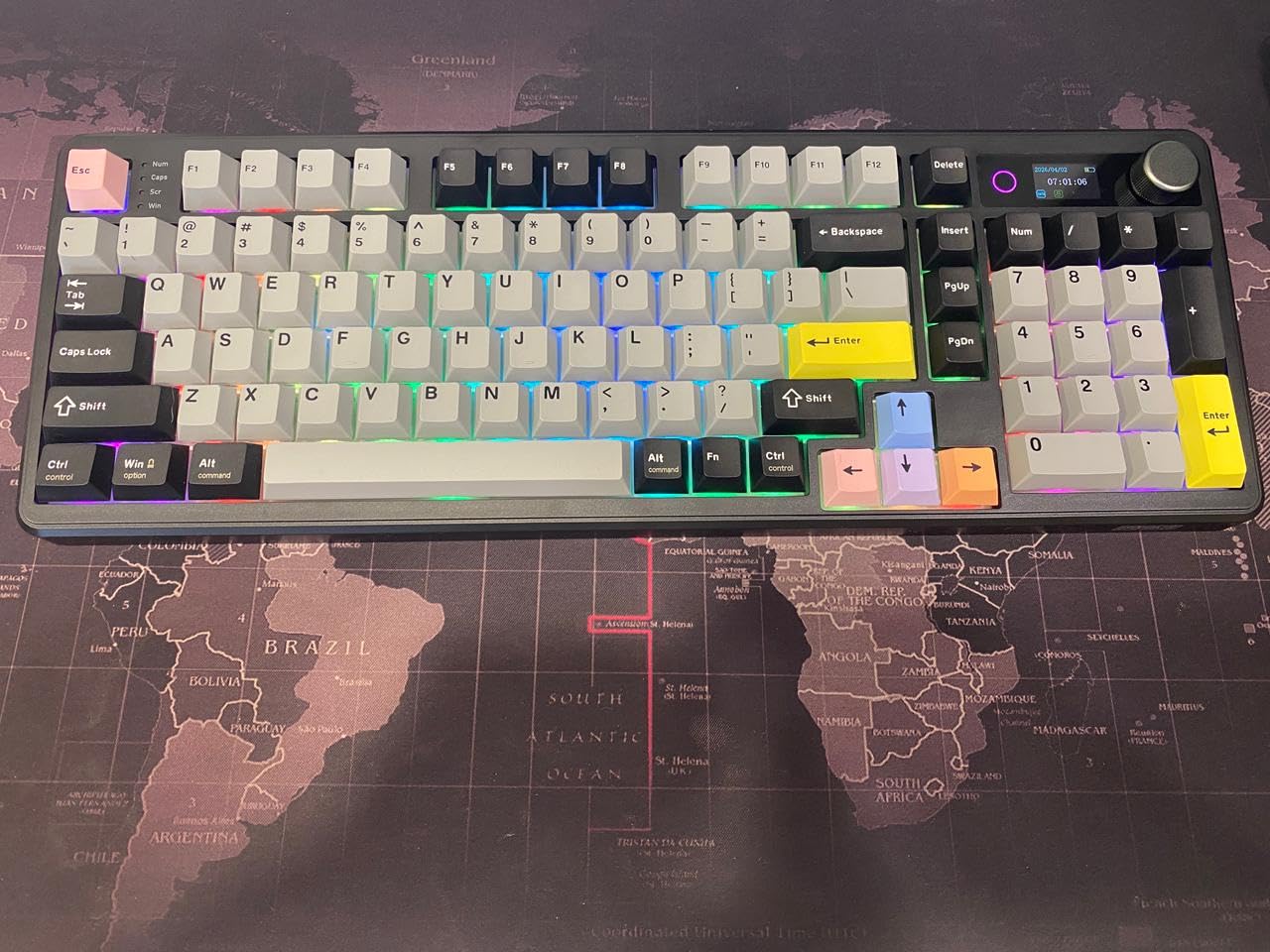
Sound is the other selling point. A gasket mount with PORON, latex, IXPE and silicone layers across the board produces a deep, bassy typing sound that reviewers describe as exceptional for the price, and the plate-mounted pre-lubed stabilizers stay consistent across the spacebar.
Switches, Software and Sound Layers
It ships with pre-lubed Creamy Jade linear switches, and Sea Salt Silent switches are also offered for quiet environments. Both are hot-swappable, so the board works for gaming speed and for a shared office depending on what you install.
Remapping and macros run through a browser-based configurator in Chrome, which means no executable to install, and 1000Hz polling is confirmed in both USB and 2.4GHz modes. Double-shot PBT keycaps with 1.6mm walls resist grease shine.
Weight and Software Limits
At over 1.2 kg this is a heavy board, and it is not one to rest in your lap. The case height can also strain the wrist without a rest, so budget for one if you type long sessions.
Full customization needs a wired USB-C connection, and the browser driver may not work in Firefox-based browsers. The screen is largely decorative, and some users find the RGB colours overly saturated with limited customization depth.
Who This Board Is For
It suits a fixed desk where you want one keyboard to last weeks between charges, plus a numpad and a screen for quick system checks. Reviewers more often recommend it for productivity and coding than for competitive gaming.
12. RK Royal Kludge N80 – Low Profile, Tactile and Cheaper Than It Looks
RK ROYAL KLUDGE N80 Low Profile Mechanical Keyboard w/Smart Display Screen
- Rare low-profile tactile combination in a 75% layout
- Display and knob speed up device switching
- Exploded arrow keys and split function row reduce mis-hits
- Heavy base resists wobble
- Creamy sound from internal padding
- Hot-swappable with spare switches included
- Keycaps are not shine-through so RGB does not reach the legends
- Keycap wiggle on every switch
- Measurable wireless latency of roughly 100ms over Bluetooth
- Control software is not usable on macOS or iOS
- Spacebar sounds hollow
- Low-profile caps make accidental presses more likely
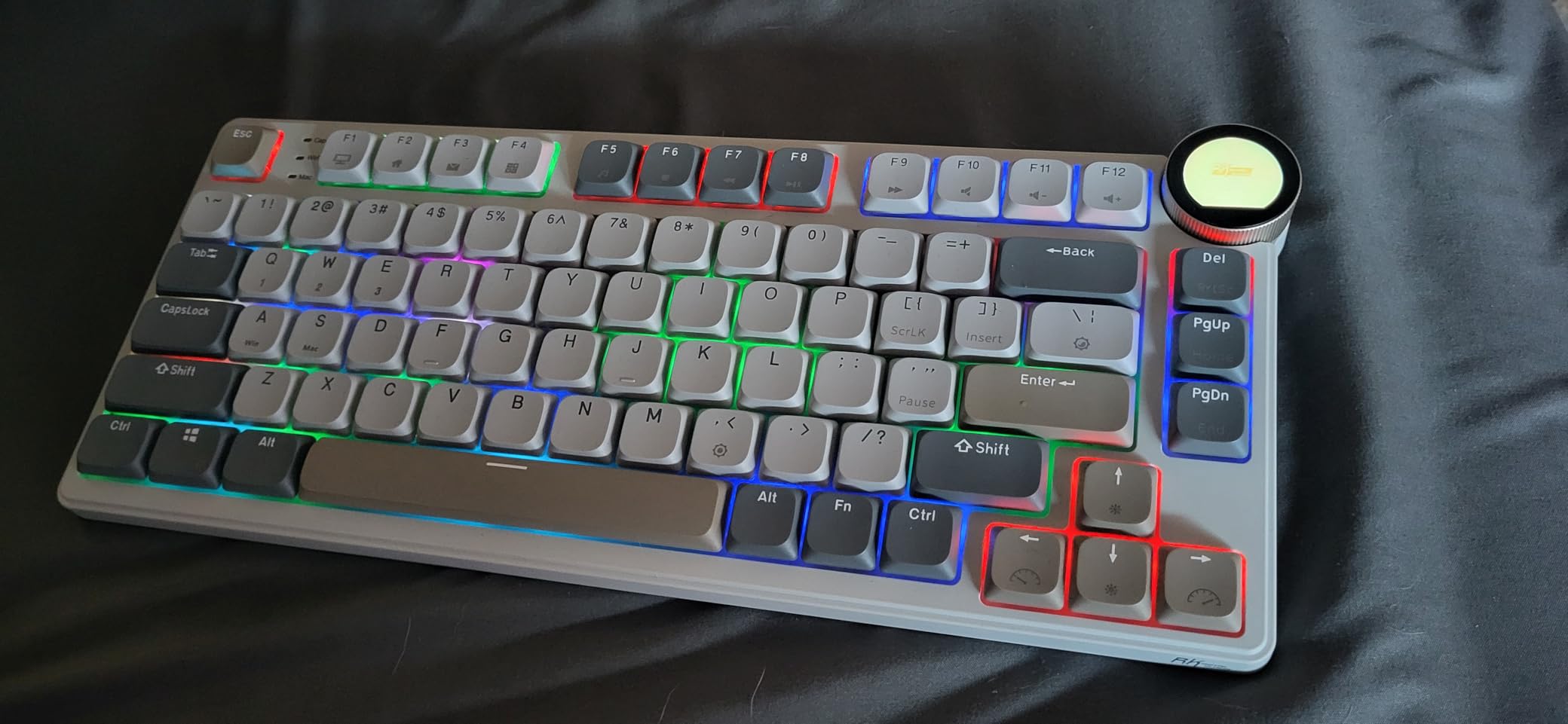
The N80 solves a specific problem: almost every low-profile mechanical board ships with linear switches, and most typists want tactiles. This one pairs an 80-key low-profile 75% layout with hot-swappable RK Low Profile Brown tactiles, which is an unusual combination at this price.
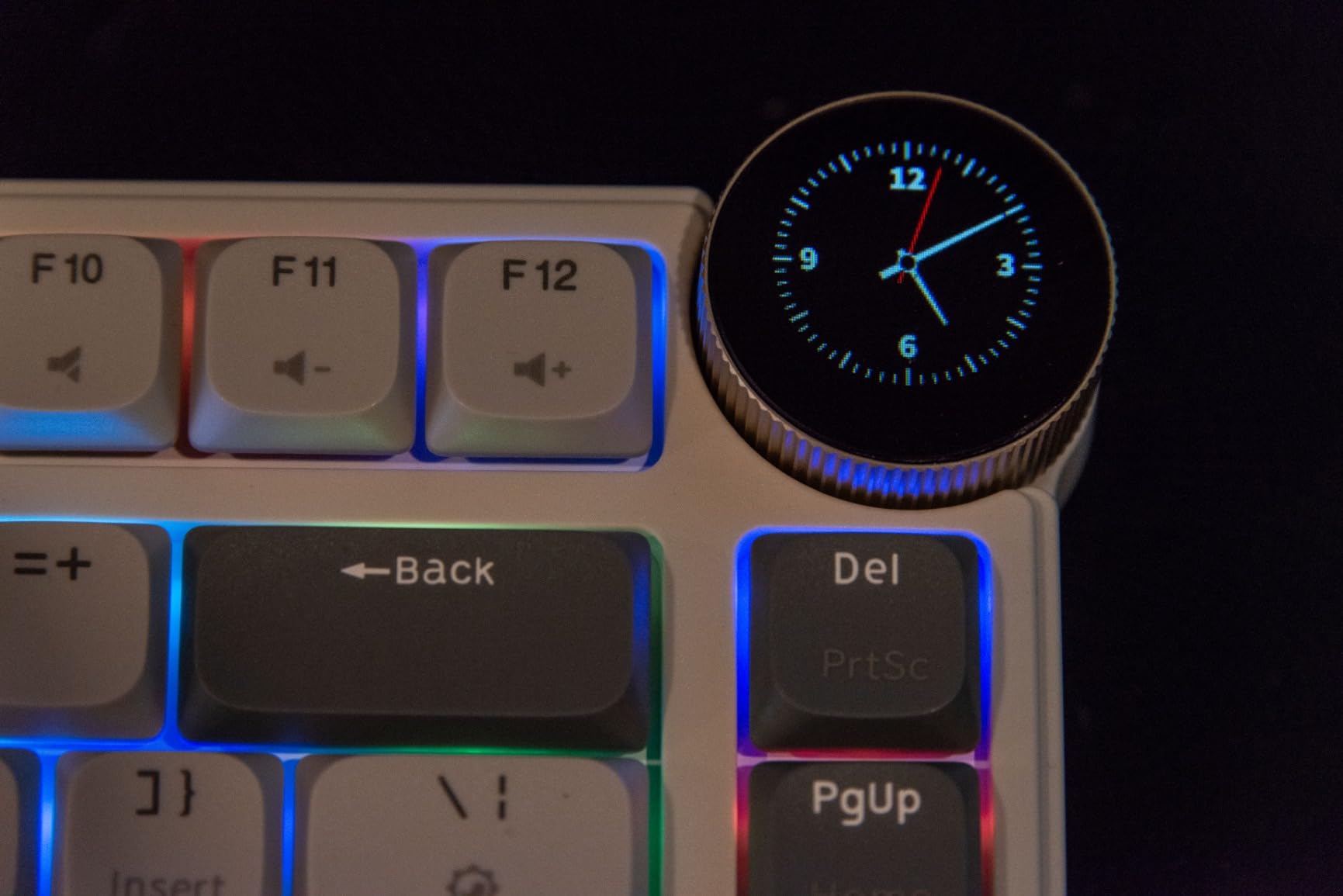
The exploded arrow keys and split function row are a real ergonomic touch. On a cramped 75% board, separated arrow keys and a split function row reduce the mis-hits that usually come with the format, and the smart display shows the date, connection mode, Mac or Windows layout and battery status.
Build stability is good for the class. A heavy base and top-mount design keep the board planted, and dual-layer sound-absorbing foam with a silicone bottom pad produce a creamy, milky sound profile.
The Mac Software Limitation
This is the reason it sits at the bottom of our ranking. The manufacturer control software is not usable on macOS or iOS, so RGB effects and the 20-frame GIF upload that owners praise are only reachable from Windows.
The physical keyboard still works perfectly on a Mac over Bluetooth, 2.4GHz or USB-C, and the Mac layout indicator shows on the display. You just cannot customize it there.
Latency and Keycap Wear
Measured wireless latency is the other concern. Owners report roughly 100ms over Bluetooth, 80ms over 2.4GHz, against about 11ms over USB-C. For typing that is fine. For anything competitive, use the cable.
The keycaps are not shine-through, so RGB does not illuminate the legends, and every cap has some wiggle on its switch. Low-profile caps also make accidental presses more likely, and the spacebar sounds hollow next to the rest of the board. This board carries the lowest average rating in our group at 4.1.
Who This Board Is For
It suits Mac users on a budget who specifically want tactile low-profile switches and do not need customization software. For Mac configurability, the Keychron K3 Version 2 is the better buy, and for a full-size budget alternative, the Redragon K745 PRO covers more keys.
How to Choose a Mechanical Keyboard for a Mac
Most buying guides for this category are written for Windows users, so they skip the decisions that actually matter on macOS. These are the ones worth thinking through before you order.
Size: 60% to Full Size, Mapped to Mac Work
A 60% board gives you the letters, numbers and modifiers and nothing else. You lose the function row, so brightness, Mission Control and volume fall back to a layer, and any app with function key shortcuts gets awkward. On a Mac that is a bigger loss than on Windows, because macOS leans on those keys for brightness and display control.
A 65% or 75% board is the sweet spot for most Mac users. The 75% keeps a dedicated function row and arrow cluster in a compact footprint, which is why the AULA F75 Pro and the Keychron K3 both use it. A tenkeyless layout adds the navigation cluster some applications expect, and a full-size board adds a numpad for spreadsheet and editing work.
Compact 96% and 98% layouts are the compromise worth considering if you want a numpad without a full-size footprint. The RK Royal Kludge S98 and Logitech Alto Keys K98M both take that route, though the K98M places the arrow keys above the numpad zero, which some typists dislike.
The Mac Compatibility Checklist
Do Macs need special keyboards? No. But a Mac-friendly keyboard removes friction, and four things tell you whether a board qualifies.
Command and Option keycaps included. A board that ships extra Mac caps solves the layout problem physically. The Keychron K3 and K10 both do this.
A Mac/Windows mode switch or hotkey. A physical toggle or a Fn combination changes the modifier mapping. Beware the trap Keychron users report: the mode toggle sits next to the wireless mode switch, and confusing the two looks like a dead keyboard.
An F-row that maps to brightness and Mission Control. Without a function row you are one extra layer away from screen brightness control.
Software that runs on macOS. A Windows-only configurator means no remapping, no lighting control and no custom GIFs on your machine. The N80 and the S98 display tool both fall into this category in different ways.
What about a keyboard with Touch ID? No third-party mechanical keyboard currently offers it. If fingerprint unlock is non-negotiable, keep the Magic Keyboard for that function and use a mechanical board alongside it.
Switch Types for Mac Work
Linear switches press smoothly with no bump, which suits fast typing and gaming. Tactile switches add a small raised event mid-press, giving you feedback without the noise of a click, and they are the safest default for long coding and writing sessions. Clicky switches add an audible click on the way down and are the loudest option, which is a poor match for a shared office.
Silent switches dampen the up and down stroke using silicone pads. They are the right answer for open-plan desks and for anyone whose family or coworkers have objected to clicky Blue switches. Actuation force matters too: 40gf is light, 45gf is the common middle, and 55gf and above suits people who bottom out keys hard.
Connectivity: Bluetooth, 2.4GHz and USB-C on macOS
Bluetooth is the most reliable wireless path on a Mac, and Bluetooth 5.1 or newer gives you three-device pairing on most boards, which is enough for a MacBook, a Mac mini and a desktop. Wake behaviour matters more than raw speed, and the Lofree Flow Lite is the clearest example of Bluetooth wake-up latency being a real problem.
A 2.4GHz receiver is the low-latency option and is the right choice for gaming, but macOS support for 2.4GHz dongles is less consistent than on Windows. Wired USB-C is the fallback that always behaves, and on several boards here the configurator only runs in wired mode.
Pairing takes about a minute: hold Fn plus the 1, 2 or 3 key until the indicator flashes to select a channel, set the side switch to the Bluetooth position rather than wired, then open Bluetooth in System Settings on your Mac and pick the keyboard from the device list.
Remapping, QMK and VIA
If you use a Mac heavily, remapping pays for itself quickly. QMK and VIA are open firmware options that let you change layers, write macros and store per-OS keymaps on the board itself, so a remap survives a swap between a MacBook and a Windows desktop. The Keychron K3 Version 2 and the Keychron K2 HE both support QMK through a browser-based configurator.
Remapping also solves the Command key problem permanently: you can put Command where Alt sits on a Windows board, and every application picks it up without extra setup.
Build, Keycaps and Maintenance
PBT keycaps resist the grease shine that makes cheaper ABS caps look tired after a few months, and double-shot PBT legends will not wear off. For an Apple-matched desk, aluminium cases in silver or space grey read better than moulded plastic, and weight matters because a board that slides while you type is annoying by the second hour.
Plan for a keycap puller in the box, some spare switches, and compressed air. If you like the idea of splitting your keyboard later, our split mechanical keyboard picks show what that looks like, and for a portable rig our gaming laptop guide covers the machine side.
Frequently Asked Questions
Do mechanical keyboards work on Mac?
Yes. macOS treats a third-party mechanical keyboard as a standard HID device, so switches, macros, RGB and hot-swap sockets all function normally over USB-C or Bluetooth. The only difference is modifier mapping: on a Windows-layout board, open System Settings, then Keyboard, then Keyboard Shortcuts, then Modifier Keys, and set the Command and Option positions to match your keycaps. Boards that ship extra Mac keycaps, such as the Keychron K3 and K10, need no software change at all.
Which mechanical keyboard is best for Mac?
For most Mac users, a 75% wireless board with Mac and Windows keycaps and a mode switch is the safest pick. The Logitech MX Mechanical Illuminated is our overall choice for an office desk with a full numpad. The AULA F75 Pro offers the most hardware for the money in a compact footprint, the Keychron K3 Version 2 wins for open QMK firmware, and the Logitech MX Mechanical Mini Mac is the only board here with a genuinely native Mac layout.
Do Macs need special keyboards?
No, but a Mac-friendly keyboard saves you friction. Check for four things: Command and Option keycaps included, a Mac and Windows mode switch or hotkey, a dedicated F-row that maps to brightness and Mission Control, and configurator software that runs on macOS. If a board lacks the Mac keycaps, swapping modifiers in System Settings handles the function, but the physical keycap legends will still look wrong.
Can I use a non-Apple keyboard with a Mac?
Yes. Connect over USB-C or Bluetooth, then open System Settings, go to Keyboard, choose Keyboard Shortcuts and open Modifier Keys to map Command and Option to the Windows keycap positions. Swap the physical Command and Option keycaps, or fit a Mac keycap set, so the legends match what your fingers expect. Note that no third-party mechanical keyboard offers Touch ID, so keep your Magic Keyboard if fingerprint unlock matters to you.
Which Keychron keyboard is considered the best for Mac?
The Keychron K-series ships with both Mac and Windows keycaps, so all of them are Mac-friendly. The K3 Version 2 is the best overall pick for Mac users because it is low-profile, weighs 500 grams and runs open QMK firmware. The K10 covers full-size needs with a numpad and a 4000mAh battery, while the K2 HE adds Hall effect switches and rapid trigger for gaming.
Which Mechanical Keyboard Should You Buy?
If you want a full-size board for office work and a numpad, start with the Logitech MX Mechanical Illuminated, which is our top pick because it needs no configuration on a Mac. If you want more board per dollar and can live without a numpad, the AULA F75 Pro is hard to argue with.
If the Command key sitting in the wrong place is what bothers you most, the Logitech MX Mechanical Mini Mac has a native Mac layout and the smallest footprint here. If you want to remap layers and store a separate keymap for a Mac and a Windows machine, the Keychron K3 Version 2 is the board built for that.
For a low-profile desk with a numpad, pick the Lofree Flow Lite and use the USB-C cable when Bluetooth wake-up is slow. For the longest battery life, the Keychron K10 and the EPOMAKER TH99 PRO both run for weeks between charges. For a shared office, buy any hot-swappable board in this guide and fit silent linears, which turns a loud board into a quiet one.
Whichever you choose, give it a week before you judge it. Mechanical switches and low-profile caps both feel unfamiliar for the first few days, and the boards that felt wrong on day one are often the ones you stop noticing by the end of the month.