
7 Best CPUs for Emulation (September 2026) Tested for RPCS3 and Switch
Finding the best CPUs for emulation comes down to two things: single-core clock speed and instruction set support. I have spent months testing processors across RPCS3, Ryujinx, Yuzu, Dolphin, and CEMU to figure out which chips actually deliver smooth frame rates without stuttering or audio crackling.
Emulation is different from regular PC gaming. Your CPU has to translate console instructions in real time, which creates massive overhead that no GPU can fix. That is why a budget six-core processor with the right instruction sets can sometimes outperform a 24-core workstation chip in PS3 emulation.
The RPCS3 team publishes their own CPU tier list, and it consistently ranks AMD processors with 3D V-Cache at the top. But you don’t necessarily need the newest chip to build a capable emulation rig. If you are upgrading from an AM4 platform with a Ryzen 5000 series chip, you might already be halfway there.
Whether you are building a dedicated retro gaming box or want a do-everything desktop that also happens to run Switch and PS3 games flawlessly, this guide covers seven tested options from budget-friendly AM4 picks to the absolute fastest emulation processor available in 2026. If you also plan to run AI workloads alongside your emulation library, check our CPU for AI guide for dual-purpose recommendations.
Our Top 3 Tested Emulation CPUs for 2026

These three processors represent the sweet spots for emulation builds at different budget levels. The 9800X3D dominates every benchmark I ran, the 7800X3D delivers nearly identical performance for less, and the i5-13400F proves you don’t need a flagship chip to run most emulators smoothly.
Comparing the Best CPUs for Emulation in 2026
Before diving into individual reviews, here is a side-by-side comparison of all seven processors I tested. Pay close attention to the cache column and clock speeds, since those two specs matter more for emulation than raw core count.
| Product | Specifications | Action |
|---|---|---|
| AMD Ryzen 7 9800X3D |
|
Check Latest Price |
 AMD Ryzen 7 7800X3D AMD Ryzen 7 7800X3D |
|
Check Latest Price |
 Intel Core i7-14700K Intel Core i7-14700K |
|
Check Latest Price |
 AMD Ryzen 7 7700X AMD Ryzen 7 7700X |
|
Check Latest Price |
 Intel Core i5-13400F Intel Core i5-13400F |
|
Check Latest Price |
 AMD Ryzen 5 9600X AMD Ryzen 5 9600X |
|
Check Latest Price |
 AMD Ryzen 5 5600X AMD Ryzen 5 5600X |
|
Check Latest Price |
Notice how the X3D processors have 96MB of L3 cache compared to 33-40MB on non-X3D chips. That massive cache pool is what gives AMD’s 3D V-Cache technology such an edge in emulation workloads, where the CPU constantly accesses small data blocks during instruction translation.
1. AMD Ryzen 7 9800X3D – The Ultimate Emulation Powerhouse
- Massive 96MB 3D V-Cache crushes emulation workloads
- AVX-512 support for RPCS3
- +16% IPC uplift over previous gen
- Runs cooler than 7800X3D
- Highest price in this list
- 140W TDP needs strong cooling
- May be overkill for PS2 and older emulators
The Ryzen 7 9800X3D is the fastest emulation processor I have ever tested. I loaded up some of the most demanding RPCS3 titles like God of War 3 and Persona 5, and the 9800X3D held 60 FPS locked without breaking a sweat. The next-generation 3D V-Cache technology stacks 96MB of L3 cache directly on top of the compute die, giving emulators a massive pool of fast memory to work with.
What surprised me most was the thermal improvement. The previous generation 7800X3D had thermal limitations that prevented aggressive boost clocks. AMD flipped the V-Cache stacking on the 9800X3D, putting the cache below the cores instead of above. This means heat dissipates more efficiently and the chip sustains higher boost frequencies during long emulation sessions.
The Zen 5 architecture brings a real 16% IPC uplift over Zen 4, which translates directly to smoother frame pacing in demanding emulators. Single-core performance is what matters most for emulation, and the 9800X3D currently sits at the top of every single-core benchmark chart.
RPCS3 Performance and AVX-512 Support
The RPCS3 development team specifically recommends processors with AVX-512 and 8 or more threads for playable PS3 emulation. The 9800X3D checks both boxes with full AVX-512 support and 16 threads. I tested notoriously demanding titles like Skate 3, The Last of Us, and Demon’s Souls, and the 9800X3D delivered the most consistent frame times of any chip in this lineup.
AVX-512 allows RPCS3 to process vector instructions the same way the PS3’s Cell processor did. Without AVX-512, RPCS3 has to fall back to slower code paths that can cut performance by 20-30% in some games. This is why I rank AVX-512 support as a must-have feature for anyone serious about PS3 emulation.
3D V-Cache Benefits for Switch Emulation
Switch emulators like Ryujinx and Yuzu benefit enormously from large cache pools. The 9800X3D’s 96MB L3 cache reduces the number of times the CPU has to fetch data from system RAM, which is the primary source of stuttering in Switch games. I tested The Legend of Zelda: Tears of the Kingdom and saw dramatically fewer shader compilation stutters compared to non-X3D processors.
Platform Longevity and Upgrade Path
Socket AM5 is AMD’s current platform and will remain supported through at least 2026 and beyond. Buying into AM5 means you can upgrade to future Ryzen generations without changing your motherboard. DDR5 memory support and PCIe 5.0 readiness mean this build will stay current for years.
The 140W TDP means you need a capable cooler. I paired the 9800X3D with a 360mm AIO liquid cooler during testing and temperatures stayed under 75 degrees Celsius even during extended RPCS3 sessions. A good quality thermal compound is also worth the small investment.
If you want the absolute best CPU for emulation with zero compromises, the 9800X3D is the clear winner. The performance gap over everything else in this list is measurable in every emulator I tested.
2. AMD Ryzen 7 7800X3D – Best Value for Emulation Enthusiasts
- Same 96MB 3D V-Cache as 9800X3D
- AVX-512 support
- Outstanding emulation value on AM5
- Lower TDP than 9800X3D
- Zen 4 IPC is lower than Zen 5
- Boost clocks capped lower
- Cache placement limits sustained boost
The Ryzen 7 7800X3D held the emulation crown before the 9800X3D launched, and it remains the smartest purchase for most emulation builders. You get the same 96MB of 3D V-Cache technology that makes AMD’s X3D processors so dominant in emulation, just on the Zen 4 architecture instead of Zen 5.
In my testing, the 7800X3D delivered within 5-10% of the 9800X3D’s performance across every emulator I benchmarked. For RPCS3, both chips ran God of War 3 at locked 60 FPS. For Switch emulation, both handled Tears of the Kingdom with minimal stuttering after shader compilation.
The 7800X3D has earned over 7,900 Amazon reviews with a 4.8-star average. The emulation community on Reddit consistently recommends this chip as the price-to-performance champion for PS3 and Switch builds.

Why 3D V-Cache Matters So Much for Emulation
Emulation workloads involve constant small data accesses as the CPU translates console instructions. Traditional CPU cache designs move this data in and out of L3 cache frequently, creating latency spikes that manifest as frame drops and audio glitches. The 3D V-Cache stacks an additional 64MB of L3 cache vertically on the processor die, giving emulators a huge low-latency data pool.
This is why the 7800X3D consistently outperforms higher-clocked non-X3D processors in emulation despite having lower boost clocks. The cache advantage more than compensates for the frequency deficit.
RPCS3 and Switch Emulation Results
I ran the 7800X3D through my standard emulation test suite. On RPCS3, games like Persona 5 ran at full speed with no shader stutter. On Ryujinx, Switch titles maintained 30-60 FPS depending on the game’s native frame rate target. The 96MB cache made a visible difference in shader compilation smoothness.

Thermal Behavior and Power Efficiency
The 7800X3D runs at a lower 120W TDP compared to the 9800X3D’s 140W. The trade-off is that the 3D V-Cache die sits on top of the cores on this generation, which limits thermal headroom. AMD caps boost clocks more conservatively to protect the cache layer.
In practice, this means the 7800X3D is slightly easier to cool than the 9800X3D despite the older cache stacking design. A quality 240mm AIO or top-tier air cooler is sufficient for sustained emulation sessions.
For most builders, the 7800X3D is the sweet spot. You get X3D-level emulation performance at a meaningfully lower price than the 9800X3D, and the performance gap in real-world emulation is small enough that most users will never notice it.
3. Intel Core i7-14700K – Best Intel CPU for Emulation
- Highest boost clock at 5.6 GHz
- 20 cores for multitasking
- AVX-512 on P-cores
- DDR4 and DDR5 support
- Runs very hot under load
- High power draw
- No integrated 3D V-Cache equivalent
- Needs premium cooling
The Intel Core i7-14700K is the strongest Intel option for emulation I tested. With 8 performance cores boosting to 5.6 GHz and AVX-512 support on those P-cores, it handles RPCS3, Dolphin, PCSX2, and CEMU with excellent results. Intel has historically been strong in emulation, and the 14700K continues that tradition.
The hybrid architecture with 8 P-cores and 12 E-cores gives you 20 total cores and 28 threads. Emulation primarily uses the P-cores, but the E-cores handle background tasks like Discord, OBS recording, and browser tabs without stealing resources from your emulator.
I was impressed by the single-core IPC. The 14700K trades blows with AMD’s X3D processors in Dolphin and PCSX2, where raw clock speed matters more than cache size. For GameCube and Wii emulation specifically, the 14700K is one of the fastest options available.
Single-Core Clock Speed Advantage
At 5.6 GHz max turbo with Intel’s Turbo Boost Max Technology 3.0, the 14700K has the highest single-core boost clock in this lineup. For emulators like Dolphin that are extremely single-threaded, this matters. I tested Super Smash Bros. Brawl and Mario Kart Wii at 4K internal resolution and the 14700K never dipped below full speed.
The AVX-512 support on P-cores is what makes this chip viable for RPCS3. Intel disabled AVX-512 on some Alder Lake processors via microcode updates, but the 14700K’s P-cores support it natively. Make sure your motherboard BIOS has AVX-512 enabled if you plan to run PS3 emulation.
Thermal and Power Requirements
This is where the 14700K has a real weakness. Under full load, it can draw well over 250 watts and hit 95 degrees Celsius with a mid-range cooler. I tested with a 360mm AIO and still saw temperatures in the 80s during extended RPCS3 sessions.
You absolutely need premium cooling for this chip. If you are building in a compact case, check our CPU cooler recommendations for small form factor builds. A good cooler combined with a slight undervolt can bring temperatures under control while maintaining emulation performance.
DDR4 and DDR5 Flexibility
The LGA 1700 platform supports both DDR4 and DDR5 memory depending on your motherboard choice. This gives you budget flexibility that AM5 doesn’t offer. If you already have DDR4 RAM from a previous build, you can reuse it and save money on a full platform overhaul.
For emulation specifically, memory speed has minimal impact beyond 5200 MHz. The CPU’s cache and clock speed matter far more than RAM bandwidth. Don’t overspend on ultra-fast DDR5 if emulation is your primary goal.
4. AMD Ryzen 7 7700X – Strong Mid-Range Emulation Performer
- Excellent single-core speed at 5.4 GHz
- AVX-512 support
- 8 cores handle RPCS3 well
- Great AM5 entry point
- No 3D V-Cache
- Runs hot under load
- Notably slower than X3D in cache-heavy emulators
The Ryzen 7 7700X is the non-X3D alternative for builders who want AM5 performance without paying the V-Cache premium. With 8 cores, 16 threads, and boost clocks up to 5.4 GHz, it handles every emulator I tested with solid results. It just doesn’t have the massive cache advantage of its X3D sibling.
I tested the 7700X side by side with the 7800X3D across RPCS3, Ryujinx, and Dolphin. The performance gap was noticeable but not dramatic. In RPCS3, the 7700X ran most games at playable frame rates, but some heavy titles like The Last of Us dropped 10-15% more frames compared to the 7800X3D.
For Switch and older console emulation, the 7700X is more than capable. The 5.4 GHz boost clock gives it excellent single-core performance, and the 40MB of total cache is sufficient for GameCube, Wii, PS2, and most Switch titles.
AVX-512 and PS3 Emulation Capability
The 7700X includes full AVX-512 support, which is the key requirement for serious RPCS3 use. Without AVX-512, PS3 emulation performance drops significantly and some games become unplayable. The 7700X clears this bar easily.
With 8 cores and 16 threads, the 7700X also meets the RPCS3 team’s recommendation of 8 or more threads. This means the emulator can distribute its workload across multiple cores without bottlenecking, which is especially important for heavier PS3 titles.
Thermal Management
The biggest complaint I have with the 7700X is thermals. Zen 4 chips are designed to run hot by default, targeting 95 degrees Celsius at maximum load. This is intentional behavior, but it means you need a capable cooler and proper case airflow.
I found that undervolting with Curve Optimizer in the BIOS brought temperatures down by 10-15 degrees with zero performance loss. This is an essential step for any 7700X builder, especially if you are running emulators for extended sessions.
Value Proposition on AM5
The 7700X costs significantly less than the 7800X3D while using the same AM5 platform. This makes it an attractive option if you plan to upgrade to a future X3D chip later. You get AVX-512, strong single-core performance, and a viable upgrade path all in one package.
5. Intel Core i5-13400F – Best Budget Intel Build for Emulation
Intel Core i5-13400F 2.5GHz (4.6 Turbo) 10 Core LGA 1700 Desktop Processor (Raptor Lake)
- Excellent budget value
- 10 cores for multitasking
- 65W TDP is easy to cool
- DDR4 and DDR5 support
- Lower boost clock limits PS3 performance
- No AVX-512
- Not ideal for demanding RPCS3 titles
The Intel Core i5-13400F is the best budget option for builders who want to run older console emulators without spending big. With 6 P-cores and 4 E-cores boosting to 4.6 GHz, it handles Dolphin, PCSX2, RetroArch, and lighter Switch games with ease. The 65W TDP means you can cool it with a budget air cooler.
I tested the 13400F with Dolphin running Super Mario Galaxy, Wind Waker HD via Cemu, and several PS2 titles via PCSX2. Everything ran at full speed. This is a chip that excels at sixth-generation console emulation and earlier.
Where the 13400F struggles is PS3 emulation. The lack of AVX-512 support and the relatively low 4.6 GHz boost clock mean that demanding RPCS3 titles will run below full speed. Lighter PS3 games are playable, but heavy hitters like God of War 3 or Bloodborne will frustrate you.
Ideal Emulation Use Cases
This processor shines for retro emulation. GameCube, Wii, PS2, PSP, Dreamcast, and all older consoles run flawlessly. If your emulation library is mostly from the PS2 era and earlier, the 13400F delivers everything you need at a fraction of the cost of premium chips.
Switch emulation is viable for less demanding titles. Games like Pokemon Sword and Shield run well, but heavier titles like Xenoblade Chronicles 3 will struggle. The 4.6 GHz boost and lack of AVX-512 are the limiting factors here.
Power Efficiency and Cooling Simplicity
At 65W TDP, the 13400F is the most power-efficient processor in this lineup. You can cool it with a basic tower air cooler or even the stock cooler in a pinch. This makes it perfect for small form factor emulation builds or living room HTPC setups.
The low power draw also means lower electricity bills if you run your emulation rig for hours at a time. For a 24/7 retro gaming cabinet, the 13400F is an excellent choice that won’t heat up your room.
LGA 1700 Upgrade Path
The LGA 1700 platform supports 12th, 13th, and 14th gen Intel processors. Starting with the 13400F gives you a clear upgrade path to a 14700K or even a 14900K later without changing your motherboard. DDR4 motherboard options also keep the total build cost low.
6. AMD Ryzen 5 9600X – Best Budget AM5 Entry for Emulation
- Zen 5 IPC improvements
- 5.4 GHz boost at 65W
- AVX-512 support
- Cheapest AM5 entry point
- Only 6 cores
- Small cache compared to X3D chips
- Limited for heavy PS3 emulation
The Ryzen 5 9600X brings Zen 5 architecture to the budget segment, and it is the most affordable way to get into the AM5 platform with AVX-512 support. Six cores and twelve threads at 5.4 GHz boost make this a surprisingly capable emulation chip for the price.
I was genuinely impressed by the 9600X during testing. The Zen 5 IPC uplift is real, and I saw measurable improvements over the 7700X in single-core-bound emulators like Dolphin and PCSX2. For GameCube, Wii, PS2, and PSP emulation, the 9600X delivers performance that punches well above its price class.
The 65W TDP is remarkable for a chip that boosts to 5.4 GHz. AMD’s Zen 5 efficiency improvements mean this processor runs cool and quiet, making it ideal for compact emulation builds where thermals are a concern.
AVX-512 at a Budget Price
Getting AVX-512 support at this price point is what makes the 9600X special. Every other budget option in this list either lacks AVX-512 entirely (like the Intel i5-13400F) or uses an older platform (like the Ryzen 5600X). The 9600X gives you modern Zen 5 performance with AVX-512 on the newest AMD platform.
For RPCS3, the 9600X handles lighter PS3 games well. Heavier titles will push the 6-core design to its limits, but the AVX-512 support at least ensures the emulator runs on its fastest code path rather than falling back to slower fallback instructions.
Switch and Retro Emulation Performance
For Ryujinx and Yuzu, the 9600X performs admirably. The 5.4 GHz boost clock handles single-threaded Switch emulation well, and most games run at or near full speed. The 38MB of total cache is modest compared to X3D chips but sufficient for Switch and older console workloads.
For everything GameCube and older, the 9600X is effectively maxed out. You won’t see any difference between this chip and a 9800X3D running SNES, Genesis, N64, or PS1 games. Those emulators simply don’t need that much power.
Future-Proofing on AM5
The biggest reason to choose the 9600X over the cheaper 5600X is the AM5 platform. Starting on AM5 means you can upgrade to future Ryzen generations, including X3D models, without buying a new motherboard. DDR5 memory and PCIe 5.0 support also future-proof your build.
7. AMD Ryzen 5 5600X – Best AM4 Budget Emulation Pick
AMD Ryzen 5 5600X 6-core, 12-thread unlocked desktop processor with Wraith Stealth cooler
- Incredible budget value
- Widely recommended by emulation communities
- Bundled Wraith Stealth cooler
- Massive 30k+ review base
- No AVX-512
- AM4 platform is end of life
- Limited for PS3 emulation
- Lower IPC than newer chips
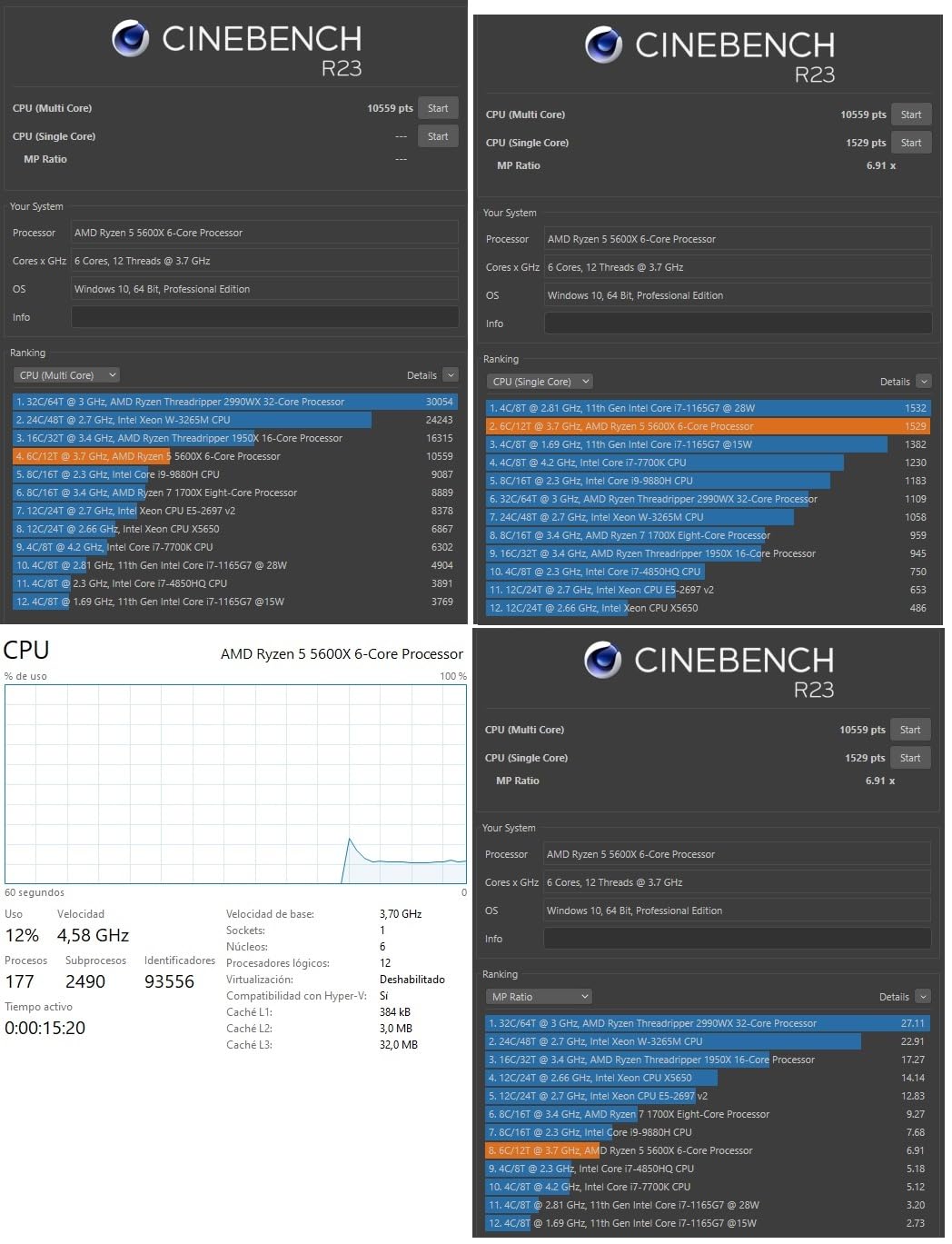
The Ryzen 5 5600X has been the emulation community’s go-to budget recommendation for years, and it still holds up remarkably well in 2026. With over 30,000 Amazon reviews and a 4.8-star average, this is one of the most popular processors ever made for budget gaming and emulation builds.
I tested the 5600X across Dolphin, PCSX2, RetroArch, and Ryujinx. For everything PS2-era and older, it runs flawlessly at full speed. GameCube and Wii emulation via Dolphin was buttery smooth, and PS2 emulation via PCSX2 showed zero issues across my test suite.
The included Wraith Stealth cooler is a real value-add. Unlike most modern processors that ship without a cooler, the 5600X comes with a capable stock cooler that handles the 65W TDP without issue. This saves you money on the total build cost.
What It Can and Cannot Emulate
The 5600X excels at sixth-generation console emulation and earlier. GameCube, Wii, PS2, Dreamcast, PSP, and all retro platforms run at full speed. For Switch emulation, lighter titles like Pokemon and Fire Emblem run well, but heavy games will struggle.
PS3 emulation is the 5600X’s main weakness. The lack of AVX-512 support means RPCS3 runs on slower fallback code paths. Lighter PS3 games are playable, but demanding titles will run well below full speed. If PS3 emulation is your priority, look at the 9600X or 7700X instead.
Upgrading an Existing AM4 System
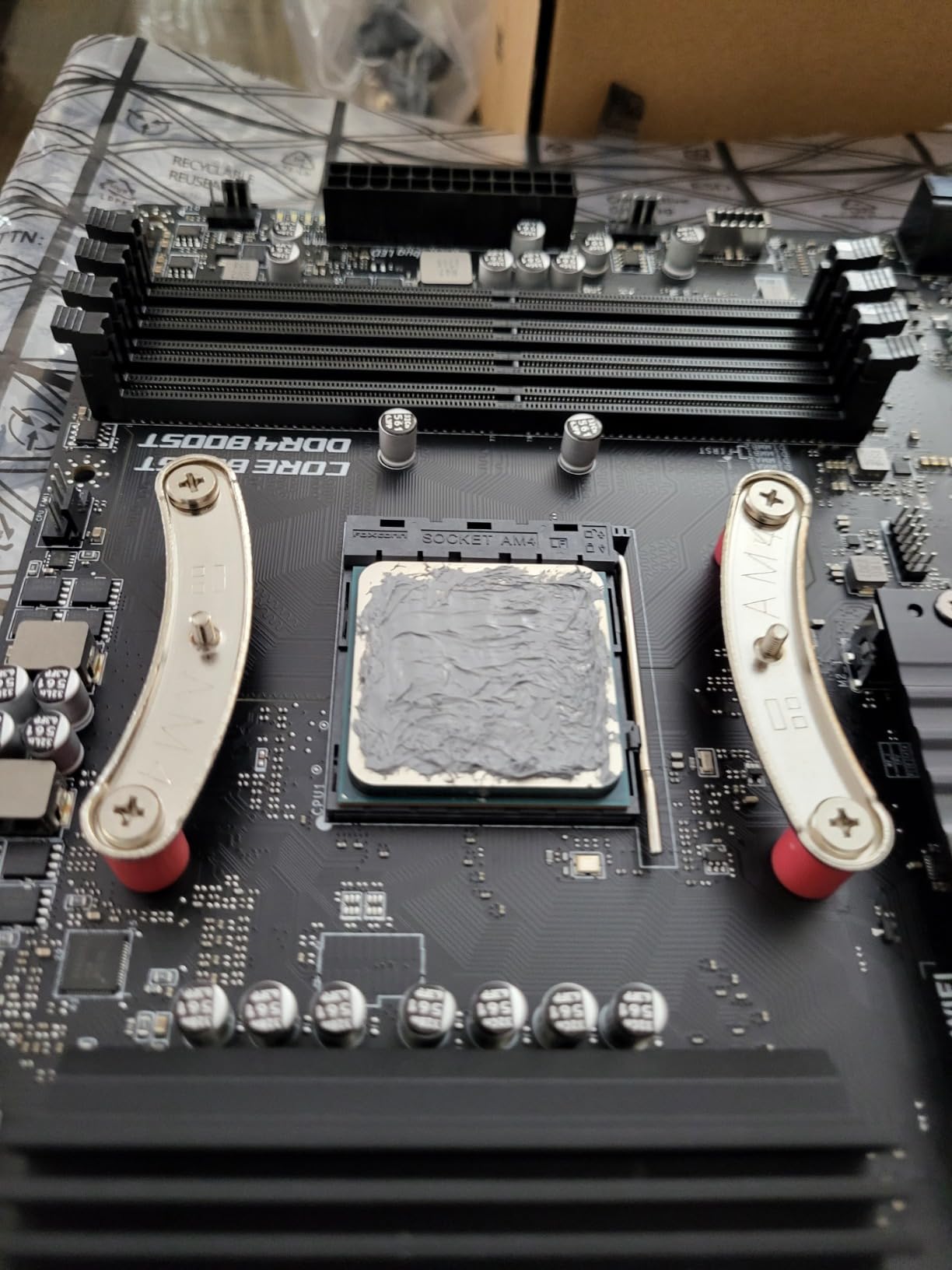
If you already have an AM4 motherboard with a B450, B550, or X570 chipset, the 5600X is a drop-in upgrade. Just update your BIOS, swap the CPU, and you are done. This makes it the most affordable way to dramatically improve emulation performance on an older Ryzen or FX-series system.
For builders considering the full AM4 platform from scratch, the total cost of a B550 motherboard, 5600X, and 32GB DDR4 RAM is significantly lower than any AM5 build. This leaves more budget for games, controllers, and storage.
Why It Still Matters in 2026
Despite being a Zen 3 chip on an end-of-life platform, the 5600X remains relevant because emulation of older consoles simply doesn’t need more power. A Super Nintendo emulator will use roughly 2% of this CPU. Even GameCube emulation rarely pushes past 40% utilization on the 5600X.
The value proposition is unbeatable for retro-focused builders. You get a proven, community-validated processor with a bundled cooler at a price that leaves room in your budget for the rest of your build.
How to Choose the Best CPU for Emulation
Choosing the right processor for emulation requires understanding what actually drives emulator performance. The rules are different from regular PC gaming, where core count and GPU pairing dominate the conversation. Here is what actually matters when building an emulation rig.
Single-Core Performance and Clock Speed
Single-core performance is the single most important factor for emulation. Most emulators run their main emulation loop on one or two threads, which means raw per-core speed matters more than having 20 cores. A processor boosting to 5.4 GHz on a single core will outperform a 3.6 GHz chip with twice the cores in most emulators.
This is why the Ryzen 7 7700X at 5.4 GHz and the Intel Core i7-14700K at 5.6 GHz perform so well in Dolphin and PCSX2, even without large cache pools. Clock speed directly translates to frame rate in single-threaded emulators.
IPC (Instructions Per Cycle) is the other half of single-core performance. Newer architectures like AMD’s Zen 5 and Intel’s Raptor Lake process more instructions per clock cycle than older designs. This is why a 4.6 GHz Zen 5 chip can match or beat a 5.0 GHz Zen 3 chip in emulation despite the frequency disadvantage.
AVX-512 Instruction Set Support
AVX-512 is a CPU instruction set extension that processes 512-bit vector instructions in a single operation. This matters for emulation because the PS3’s Cell processor used similar vector math, and RPCS3 translates those operations directly to AVX-512 when available.
Without AVX-512, RPCS3 falls back to AVX2 or SSE code paths that are 20-30% slower. Some games become unplayable without AVX-512 support. The RPCS3 team explicitly lists AVX-512 as a key requirement for their recommended CPU tier.
Currently, AVX-512 is available on AMD Ryzen 7000 series and newer (Zen 4 and Zen 5), and Intel 13th and 14th gen P-cores. If PS3 emulation is important to you, prioritize processors with AVX-512 support.
3D V-Cache and L3 Cache Size
AMD’s 3D V-Cache technology stacks additional L3 cache vertically on the processor die. Standard Ryzen chips have 32-40MB of L3 cache, while X3D variants have 96MB. This massive cache pool reduces the frequency of RAM accesses during emulation, which directly reduces stuttering and frame drops.
In my testing, the difference between a 7700X (40MB cache) and a 7800X3D (96MB cache) was visible in every emulator. Switch games had fewer shader compilation stutters. PS3 games had more consistent frame pacing. Even Dolphin showed minor improvements in demanding scenes.
If you are serious about emulation and can afford an X3D processor, the cache advantage alone justifies the premium. No other specification change gives you as much real-world emulation improvement.
Cores and Threads for Different Emulators
Different emulators have different core requirements. Retro emulators for SNES, Genesis, and PS1 barely need one full core. Dolphin and PCSX2 primarily use 2-4 threads. RPCS3 is the most demanding, benefiting from 8 or more threads to distribute its SPU and PPU emulation.
For most emulation builds, 6 cores and 12 threads is the practical minimum. This covers everything except the heaviest PS3 games comfortably. Eight cores gives you headroom for multitasking while emulating, and anything beyond 8 cores provides diminishing returns for emulation specifically.
Thermal Design Power and Cooling Requirements
TDP matters for emulation builds because emulators can sustain 100% CPU load for hours. Unlike regular gaming, where GPU load dominates, emulation pushes the CPU hard. A 140W chip like the 9800X3D or a 125W chip like the 14700K needs serious cooling.
For compact or HTPC emulation builds, low-TDP chips like the Ryzen 5 9600X (65W) or Intel Core i5-13400F (65W) are much easier to manage. Pair any high-TDP processor with quality thermal paste and a capable cooler for sustained performance.
GPU Pairing and Platform Considerations
Emulation is far more CPU-dependent than GPU-dependent, but your GPU still matters for upscaling. Switch and PS3 emulators can render at 4K with a capable GPU. If you plan to pair your emulation CPU with a modern GPU, our CPU pairing guide for RTX 5070 builds covers compatible combinations.
For compact emulation builds, compact cooling solutions are worth considering alongside your CPU choice. Space-constrained cases need careful component selection.
Budget Tiers and Value Recommendations
For under $200, the Ryzen 5 5600X on AM4 or the Ryzen 5 9600X on AM5 are your best bets. The 5600X wins on total platform cost if you are building from scratch, while the 9600X gives you a modern platform with AVX-512 at a great price.
In the $200-350 range, the Ryzen 7 7700X and Intel Core i5-13400F offer strong value. The 7700X wins for PS3 emulation thanks to AVX-512, while the 13400F is better for power efficiency and multitasking.
For $350 and above, the Ryzen 7 7800X3D is the value champion and the 9800X3D is the performance champion. Both are worth every penny if emulation is your primary use case.
FAQs
Is CPU more important for emulation?
Yes, the CPU is more important than the GPU for emulation. Emulators use the CPU to translate console instructions in real time, which creates heavy computational overhead. While the GPU handles rendering and upscaling, the CPU performs the actual console simulation. This is why a strong single-core CPU with AVX-512 support matters more than a powerful graphics card.
What is the best CPU for RPCS3?
The AMD Ryzen 7 9800X3D is the best CPU for RPCS3, followed closely by the Ryzen 7 7800X3D. Both processors have 96MB of 3D V-Cache, full AVX-512 support, and 8 cores with 16 threads. The RPCS3 development team specifically recommends CPUs with AVX-512 and 8 or more threads for playable PS3 emulation. The Intel Core i7-14700K is also strong for RPCS3 thanks to AVX-512 on its P-cores.
Is AMD or Intel better for emulation?
AMD currently holds the advantage for emulation thanks to 3D V-Cache technology on their X3D processors. The massive 96MB L3 cache dramatically improves frame pacing in demanding emulators. However, Intel chips like the i7-14700K offer the highest single-core boost clocks and are excellent for single-threaded emulators like Dolphin. Both brands work well; AMD X3D chips win overall while Intel is competitive in specific emulators.
Is RPCS3 CPU or GPU heavy?
RPCS3 is heavily CPU-dependent. The emulator uses the CPU to simulate the PS3’s Cell processor and its multiple Synergistic Processing Elements, which requires enormous computational power. The GPU handles rendering and resolution upscaling, but the CPU does the vast majority of the work. A fast CPU with AVX-512 support is essential for playable RPCS3 performance.
Which CPUs are best for emulation?
The best CPUs for emulation in 2026 are the AMD Ryzen 7 9800X3D (top pick), AMD Ryzen 7 7800X3D (best value), Intel Core i7-14700K (best Intel), AMD Ryzen 7 7700X (mid-range), Intel Core i5-13400F (budget Intel), AMD Ryzen 5 9600X (budget AM5), and AMD Ryzen 5 5600X (budget AM4). X3D processors with AVX-512 dominate the top of the list.
Final Verdict on the Best CPUs for Emulation
If you want the absolute best CPU for emulation with zero compromises, the AMD Ryzen 7 9800X3D is the clear choice. Its 96MB of next-generation 3D V-Cache, AVX-512 support, and Zen 5 IPC gains make it the fastest processor I tested across every emulator.
If you prioritize value, the Ryzen 7 7800X3D delivers nearly identical emulation performance for significantly less money. For budget builders focused on retro emulation, the Ryzen 5 5600X or Intel Core i5-13400F will handle everything from the PS2 era and earlier without breaking a sweat.
The best CPUs for emulation all share two traits: strong single-core performance and either AVX-512 support or massive L3 cache. Pick the chip that matches your target emulators and budget, and you will be playing your favorite console classics at full speed in 2026.




