10 Best 65 Percent Mechanical Keyboards (October 2026) Trusted Reviews
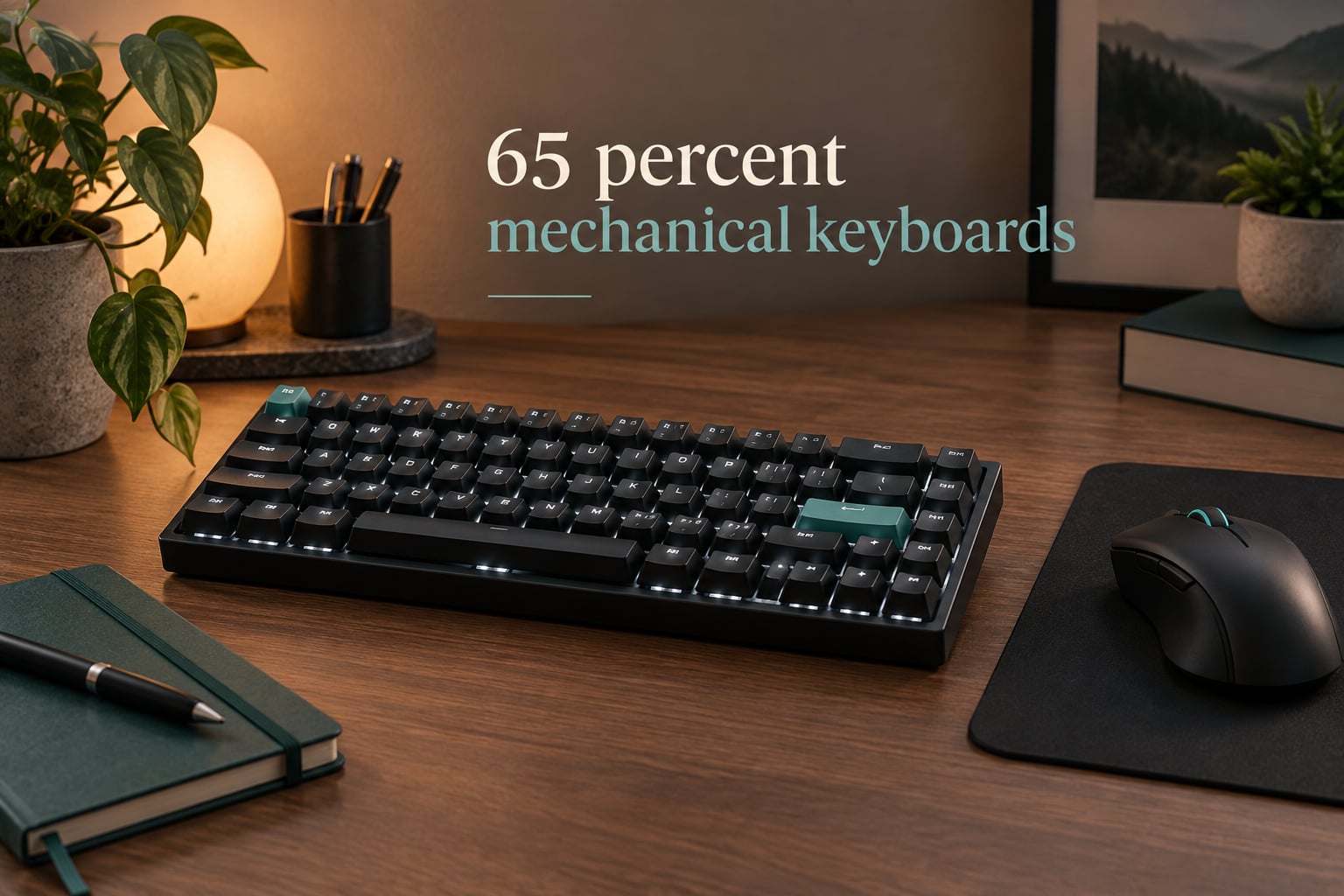
A 65% mechanical keyboard is a compact board that drops the number pad and the function row while keeping dedicated arrow keys, giving you 67 or 68 keys in a footprint roughly a third smaller than full-size. That single trade is why the layout keeps showing up at the top of recommendation threads: you get real mechanical switches, a usable arrow cluster, and a lot more room for mouse movement than a full-size board allows.
Our team spent several weeks rotating ten of these boards between a work desk and a gaming desk, typing on them, swapping switches, and comparing them against owner reviews. What follows is the shortlist we would actually hand a friend, plus the buying logic behind it.
Why choose a 65% layout?
- It frees desk space. The width you get back goes straight to mouse movement, which matters in shooters and in tight home-office desks.
- You keep dedicated arrow keys. This is the whole difference between 65% and 60%, and it is why most compact buyers settle here instead of going smaller.
- It travels well. At 13 inches or less end to end, one of these fits a laptop bag or a carry-on far more easily than a tenkeyless or full-size board.
This roundup is for first-time mechanical keyboard buyers, laptop upgraders, and anyone who wants the layout explained before they spend money. It is not for split or ortholinear boards, and it is not for people who need a number pad for spreadsheets every day. If your wrists are the deciding factor rather than desk width, read our guide to the best split mechanical keyboards instead.
One clarification up front, because it comes up constantly: a 65% board is not a 60% board in disguise. A commenter on a Linus Tech Tips forum thread assumed a 65% would fit standard 60% plates and cases, and that assumption is wrong. A 65% adds a dedicated arrow column and extra keys, so the mounting and keycap kits are different.
Our Top 3 Tested 65% Mechanical Keyboards for 2026

HyperX Alloy Origins 65
- 65-key layout
- double-shot PBT keycaps
- aluminum plate
- USB-C
- console support
The HyperX wins this list on evidence rather than on spec sheet excitement. Nothing else here combines an aluminum plate, double-shot PBT keycaps, and roughly 900 owner reviews at a price the mainstream gaming crowd already accepts.
Comparing the Best 65% Mechanical Keyboards in 2026
| Product | Specifications | Action |
|---|---|---|
| HyperX Alloy Origins 65 |
|
Check Latest Price |
 LTC NB681 Nimbleback LTC NB681 Nimbleback |
|
Check Latest Price |
 EPOMAKER Aula F65 EPOMAKER Aula F65 |
|
Check Latest Price |
 Keychron K6 Keychron K6 |
|
Check Latest Price |
 G.SKILL KM250 RGB G.SKILL KM250 RGB |
|
Check Latest Price |
 Ranked G65 Guardian Ranked G65 Guardian |
|
Check Latest Price |
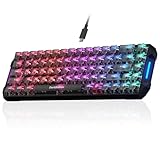 DarkBeacon Blade68 DarkBeacon Blade68 |
|
Check Latest Price |
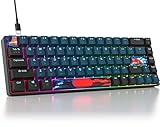 Ussixchare 68 Monster Ussixchare 68 Monster |
|
Check Latest Price |
 RK Royal Kludge RK68 RK Royal Kludge RK68 |
|
Check Latest Price |
 Akko MU01 Walnut Akko MU01 Walnut |
|
Check Latest Price |
Key counts in this category are not a ranking. Some boards ship 67 keys and some ship 68, and the difference is usually one extra key in the navigation column rather than anything you will miss on day one.
1. HyperX Alloy Origins 65 – The One Almost Everyone Ends Up On
- Large owner review base
- USB-C wired connection with broad console compatibility
- double-shot PBT keycaps
- compact footprint frees desk space
- RGB with NGENUITY software
- No dedicated media or macro keys
- Supplied switches and PBT caps limit out-of-the-box acoustics
The Alloy Origins 65 is the board most people in our circle already own, and it is the reason a lot of 65% recommendations online skip past enthusiast territory entirely. It weighs 2.3 pounds, measures 13.7 by 5.7 by 1.8 inches, and lists compatibility with Windows along with PlayStation 4, PlayStation 5, Xbox One, and both current Xbox Series consoles.
It also has the largest owner-review base of anything in this roundup, which means the consensus about it is settled rather than speculative. Buyers consistently point at the build, the keycaps, and the fact that it just works with whatever is on the desk.
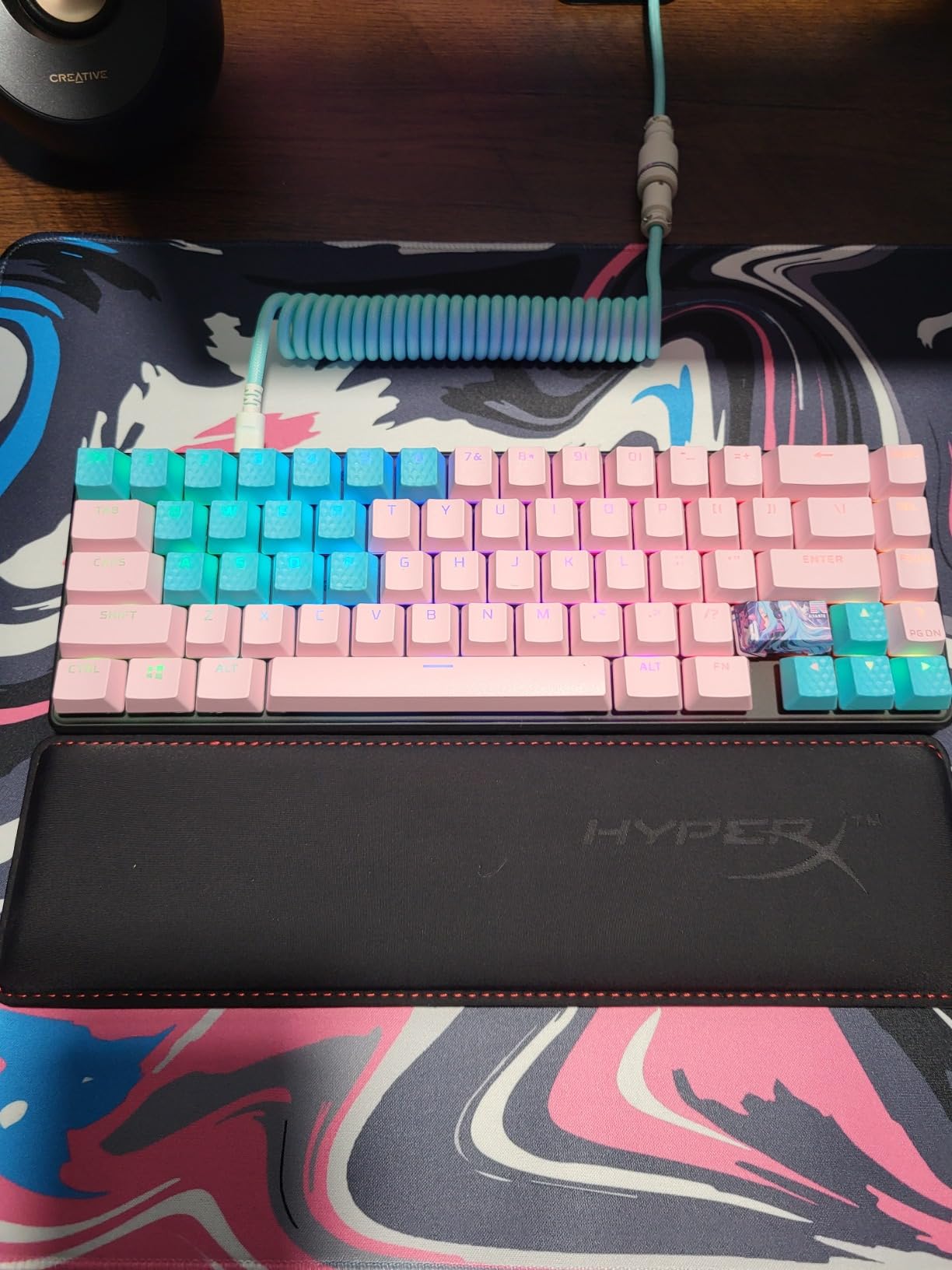
Aluminum Plate and PBT Keycaps on a 65-Key Frame
Two details set this board apart from plastic tray-mount boards at the same tier. The plate is aluminum, which gives a firmer bottom-out and a louder, more defined report, and the keycaps are double-shot PBT, which resists the greasy shine that ruins cheaper legends after a few months of daily typing.
The box also includes alternate Esc and spacebar keycaps plus a keycap puller, which is a nice touch that lets you change the look without buying anything else.
Console Support and NGENUITY Software
Broad console compatibility is the underrated feature here. A board that lists PS4, PS5, Xbox One, Xbox Series S, and Xbox Series X support means one peripheral works across every console generation, and the USB-C connection means you are not hunting for a legacy port.
NGENUITY handles lighting and macro programming. It is a simpler tool than QMK or VIA, and for a board like this that is a feature rather than a limitation.
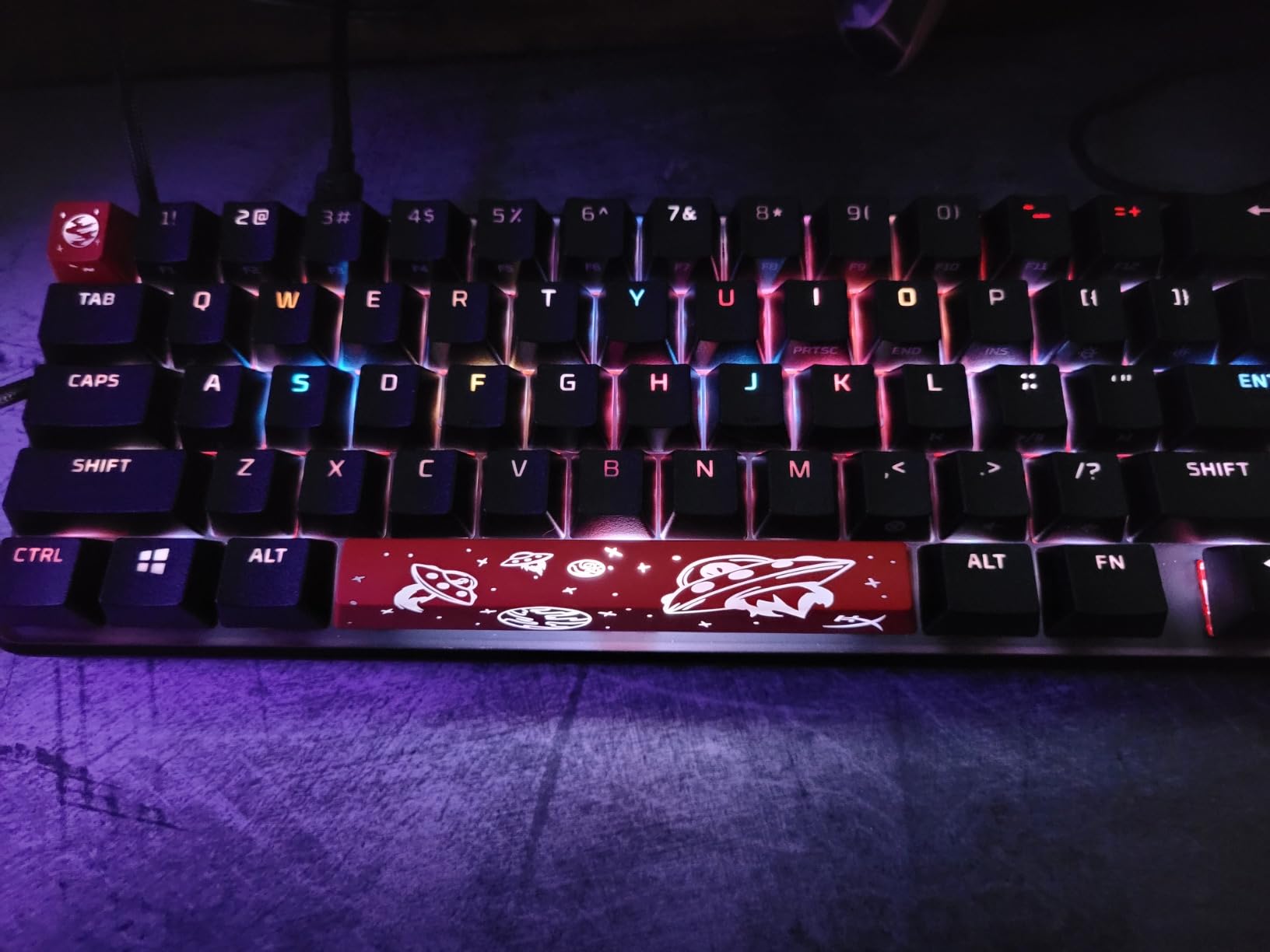
Who This Board Suits
Buy this if you want a 65% mechanical keyboard that plays well with consoles, survives being moved between a PC and a laptop, and needs no firmware tinkering. It also ranks high in PC Gaming Keyboards, so gaming-focused owner feedback is easy to find.
Where It Falls Short
There are no dedicated media or macro keys, and the compact layout means the function row is gone entirely. Owners also note that the supplied switches and the PBT keycaps produce less of the deep, muted sound that gasket-mounted boards deliver, so it is not the board to buy if sound profile is your top priority.
2. LTC NB681 Nimbleback – Best Rated and the Easiest Board to Mod
- Compact 68-key layout with dedicated arrow and control keys
- Hot-swappable PCB accepting any MX-style switch
- Two USB 2.0 passthrough ports plus Type-C
- 18 RGB backlight modes
- Case foam and pre-lubed stabilizers included
- Supplied linear switches are very light
- Bundled Windows keycaps only
- Windows software is awkward
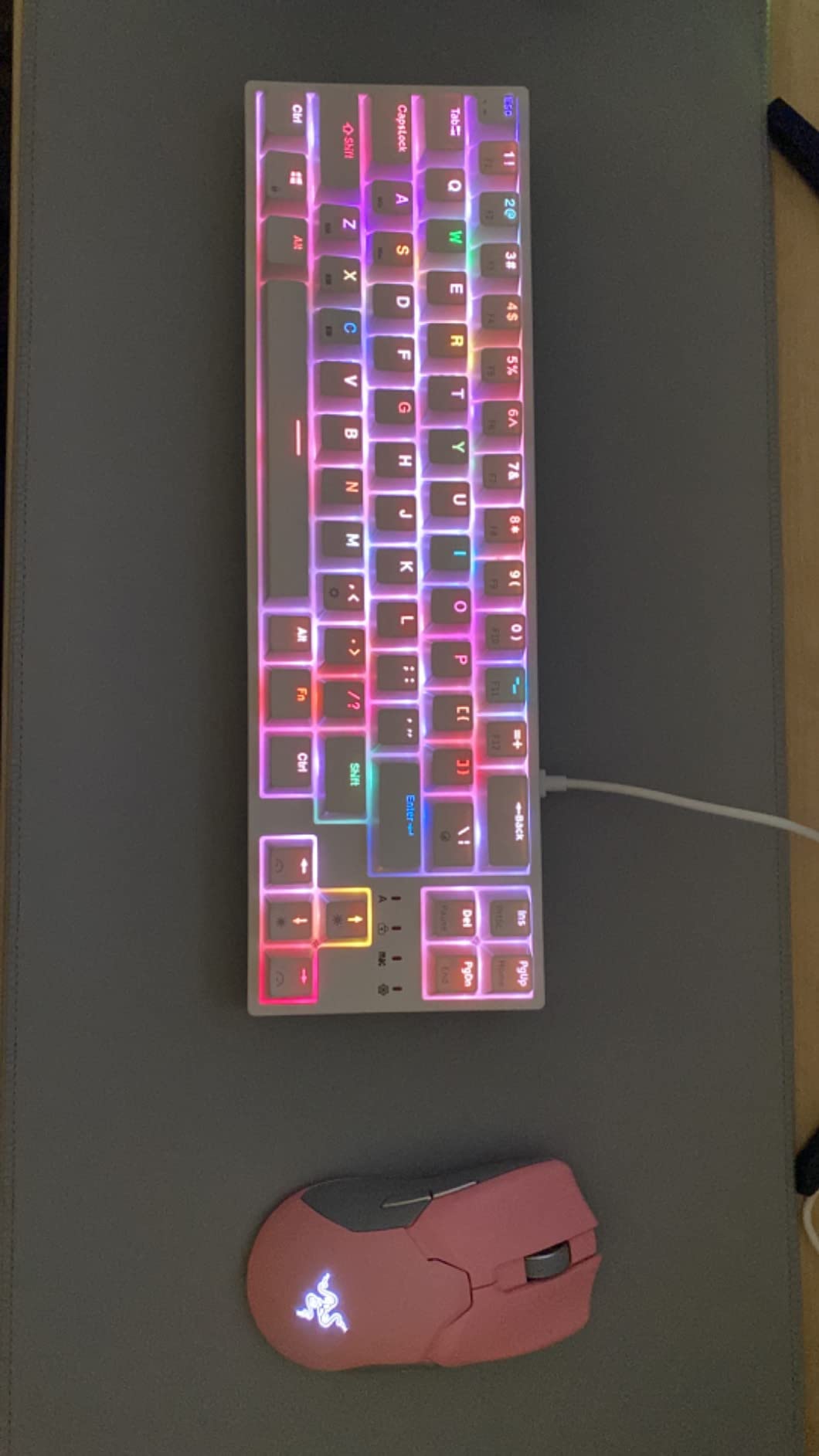
The Nimbleback is the board we recommend to anyone whose real goal is to switch switches later. Its hot-swap PCB takes any three-pin or five-pin MX-style switch, and the package already includes case foam and pre-lubed stabilizers, which are the two things most beginners forget to buy.
At 4.6 across 592 owner reviews, it also holds the highest average rating in this group. The enclosure is plastic rather than metal, but the 68-key layout is genuinely practical at 13.3 by 4.1 by 1.6 inches.
Hot-Swap Sockets and Two USB Passthrough Ports
Hot-swap sockets mean you can pull a switch out with the included tool and press a new one in, no soldering iron required. On a 65% board this matters more than on a full-size, because the layout is small enough that experimenting is cheap and the fit is easy to check.
The two USB 2.0 passthrough ports are a rarity at this level. They let you keep a wired mouse, a receiver, or a drive plugged into the keyboard instead of fighting for the ports behind your monitor.
RGB Modes and On-Board Control
There are 18 backlight modes with five brightness levels and five flow speeds, which covers everything from a static glow to a cycling effect. The included LTC software handles remapping, macros, and lighting, and settings persist on the board once you set them.
Owners do describe that software as awkward. Plan on spending fifteen minutes with it rather than assuming it works like a mainstream peripheral tool.
Who This Board Suits
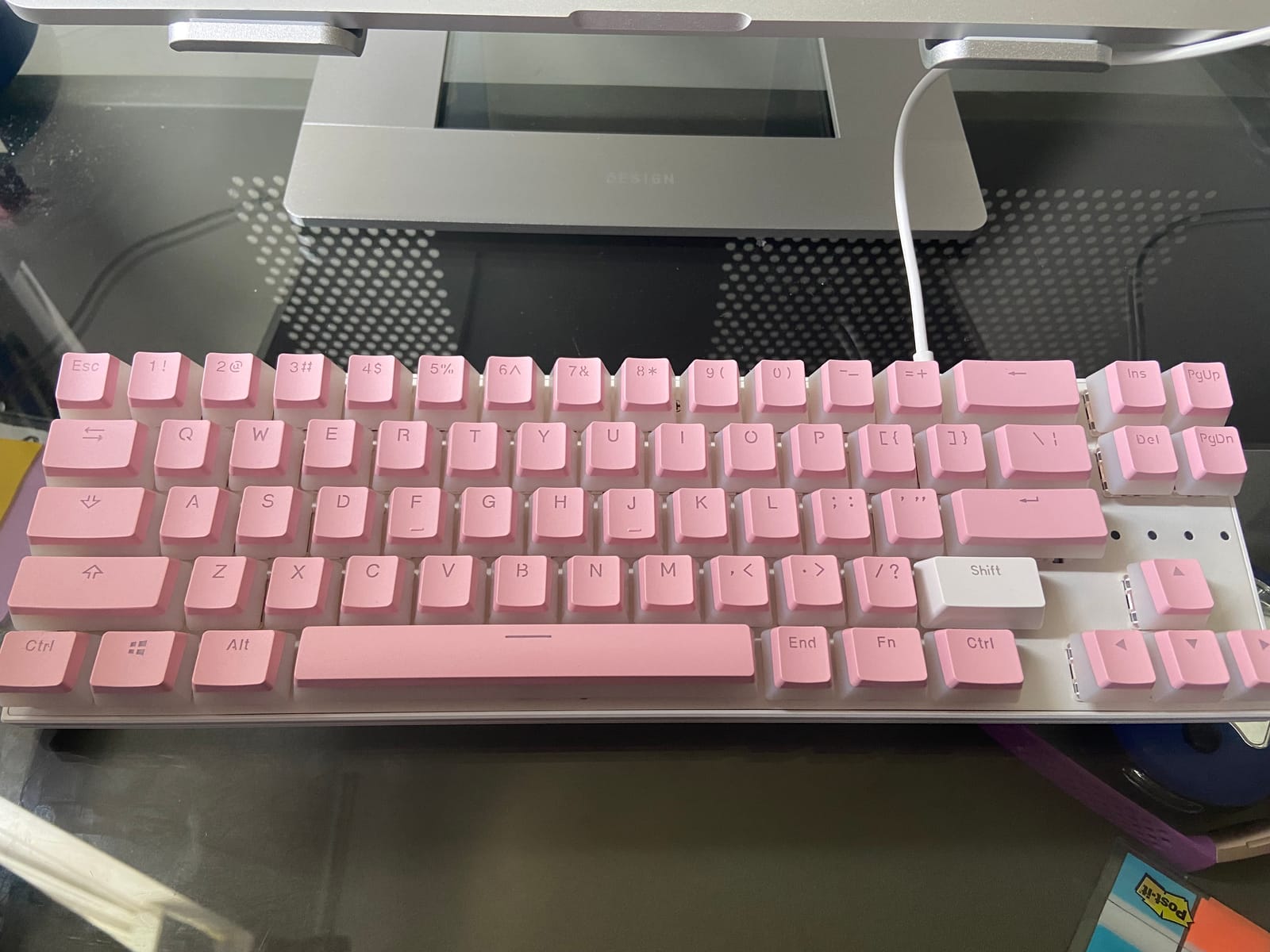
This is the first mechanical keyboard to buy if you want to learn hot-swap, tune stabilizers, and try a different switch feel next month without buying another board. It lists compatibility with both MacOS and Windows, which helps if you move between machines.
Where It Falls Short
The supplied linear switches are very light, and owners report accidental presses as a result. The keycaps are thin double-shot ABS rather than PBT, and only Windows caps are bundled, so Mac users should budget for a replacement set.
3. EPOMAKER x Aula F65 – Best Sound and Best Feature Set for the Money
- Gasket mount with five layers of sound dampening
- Flex-cut polycarbonate plate
- Tri-mode Bluetooth 2.4GHz and USB-C
- 4000mAh battery with 1000Hz polling
- Full-key hot-swap and pre-lubed stabilizers
- VIA and QMK remapping setup is difficult
- RGB has no static single-color mode
- Some 2.4GHz latency and battery drain reports
The Aula F65 is the board in this roundup that sounds like a gasket-mounted board should sound, and it does that without a barebones kit or an assembly session. Five layers of dampening sit between the plate and the case: two Poron foam layers, an IXPE switch pad, a PET pad, and a bottom silicone pad.
Owners describe it consistently as outstanding value, with the supplied switches getting particular praise for their sound. The physical footprint is 12.8 by 4.55 by 1.72 inches with 67 keys, and a one-year warranty covers it.
Gasket Mount and the Five-Layer Foam Stack
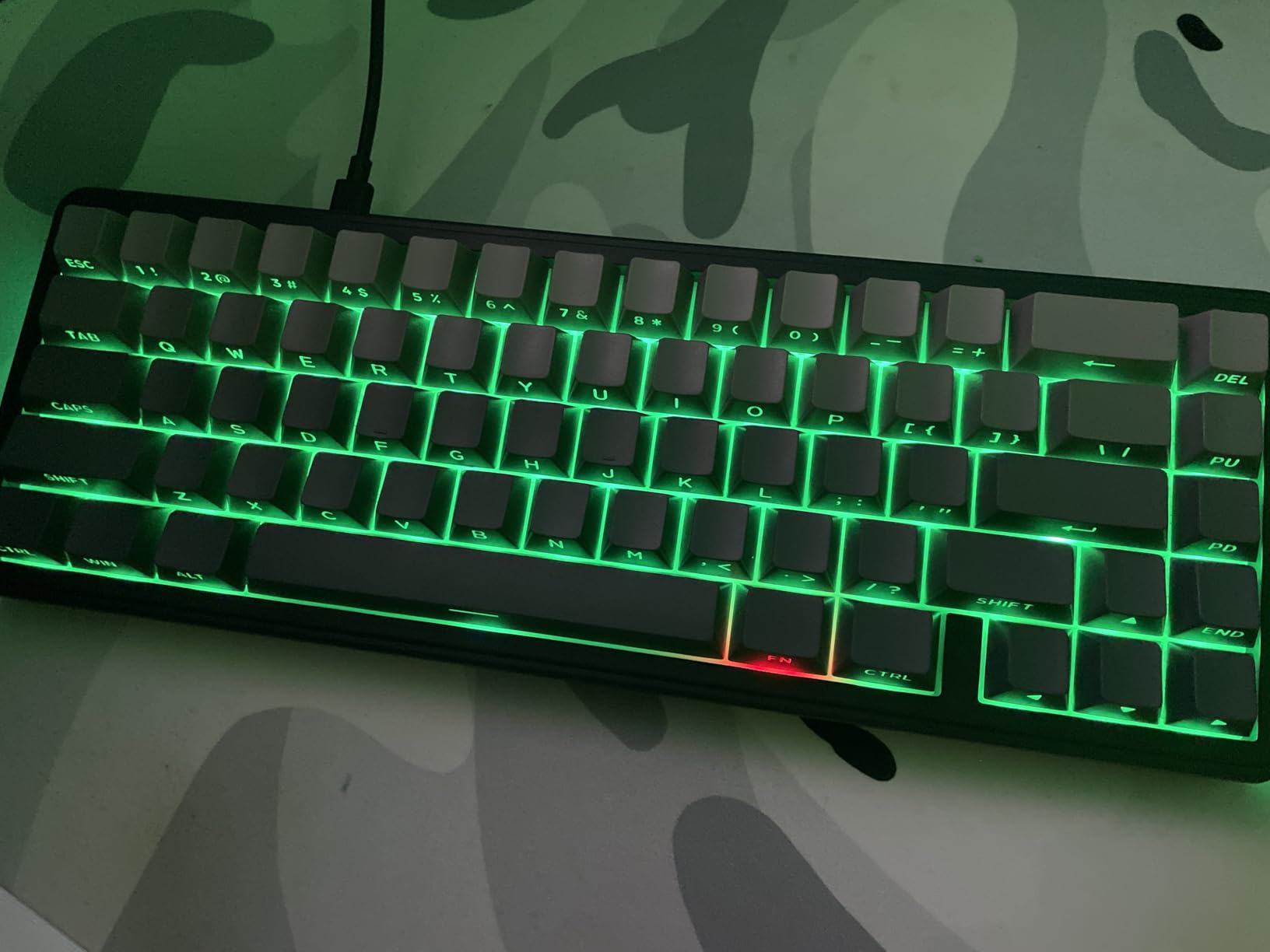
Gasket mount means the plate is held by soft pads rather than screwed rigidly into the case, which absorbs some of the shock of a bottom-out. Paired with the foam layers and a flex-cut polycarbonate plate, the result is a softer, deeper, more muted typing feel than a bare tray-mount board can produce.
The plate material matters too. Polycarbonate is lighter and springier than aluminum, and the flex cut softens the bottom-out and reduces harshness rather than adding the sharp clack aluminum produces.
Tri-Mode Wireless and 1000Hz Polling
Connectivity covers all three options: Bluetooth 5.0, 2.4GHz wireless, and USB-C wired, driven by a 4000mAh battery. A 1000Hz polling rate is a genuine gaming-relevant number here, and the south-facing RGB LEDs mean the lighting works with Cherry-profile keycap sets.
Owners do report 2.4GHz latency and battery drain over long sessions, so keep the wired mode in your back pocket for competitive play.
Who This Board Suits
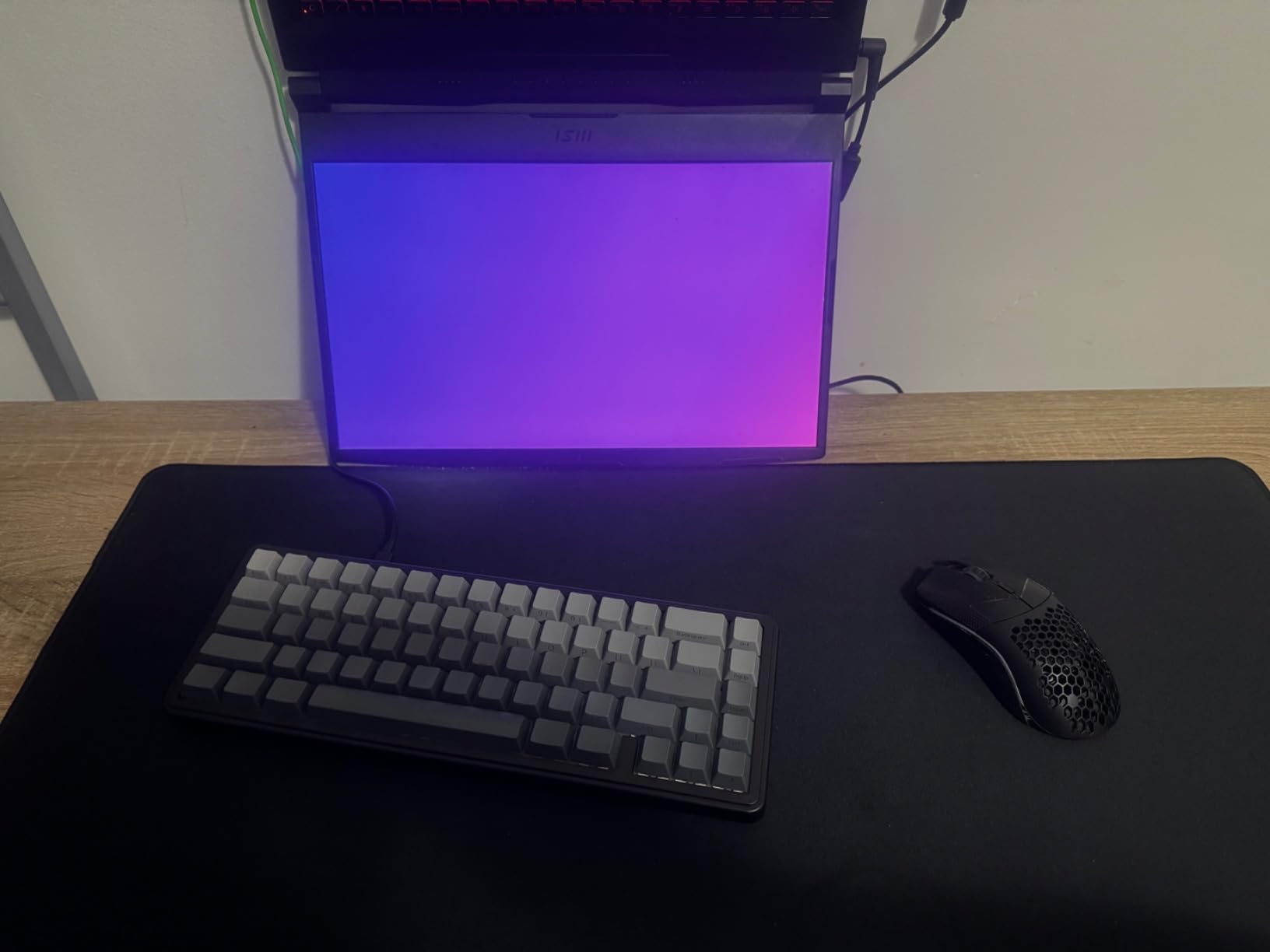
Pick this if sound quality is the thing you care about most and you want wireless without giving up gasket mounting. It is also the most complete first board here for someone planning to mod, since hot-swap sockets and pre-lubed stabilizers are already fitted.
Where It Falls Short
The remapping setup is the main friction point. Owners describe VIA and QMK configuration as difficult, which matters if you want layers or macros straight away. The RGB also lacks a true static single-color mode, and some users find the key legends hard to read with the lighting off.
4. Keychron K6 – Best for Three-Device Wireless Work
- Tight aluminum frame with minimal panel gaps
- Connects to three devices over Bluetooth plus USB-C
- 4000mAh battery rated up to 72 hours with static lighting
- N-key rollover wired and 6KRO wireless
- Mac and Windows keycaps included
- Backlight is dim
- This variant is not hot-swappable
- Stabilizers ping
- Tilde needs an Fn combination
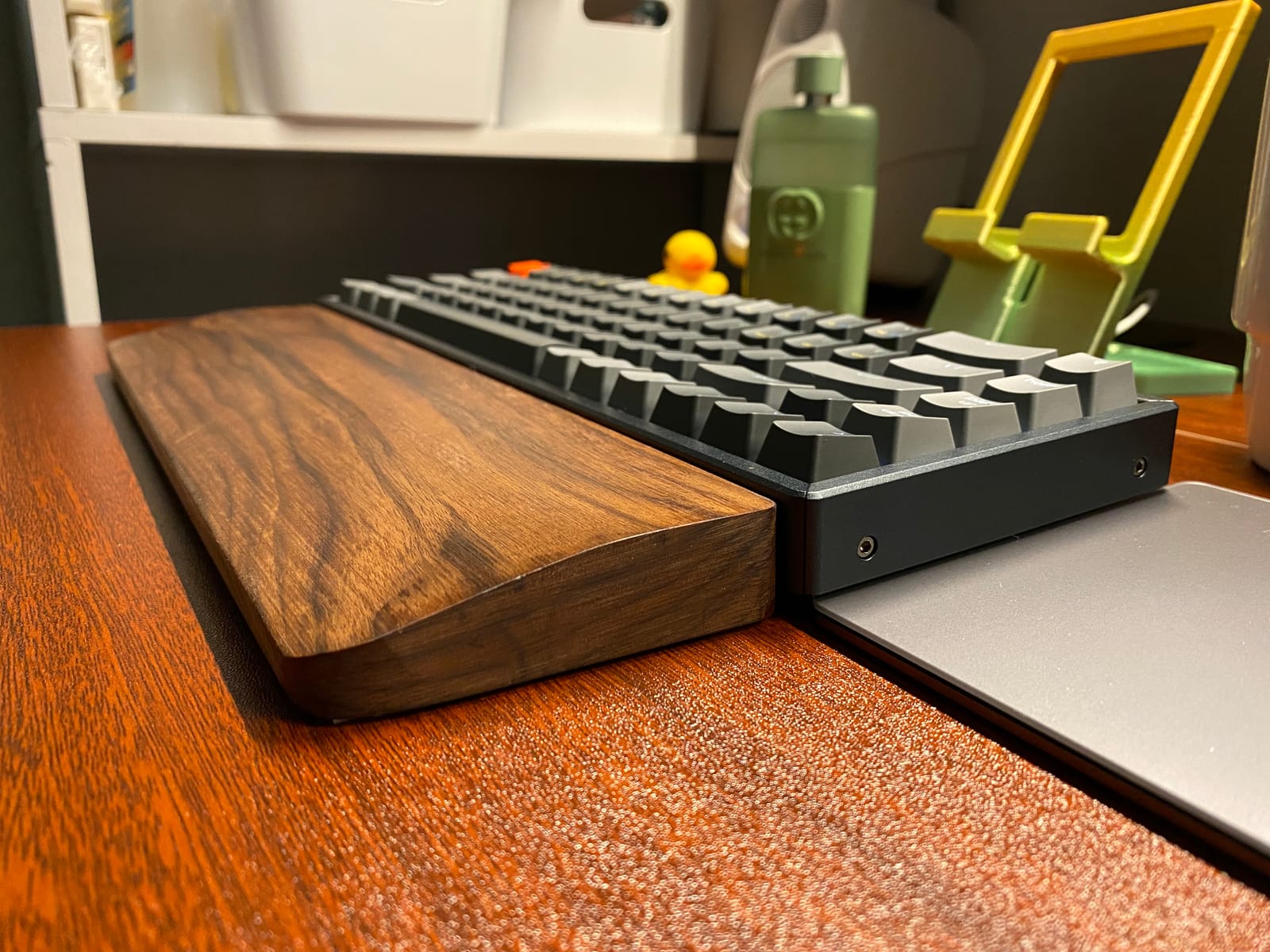
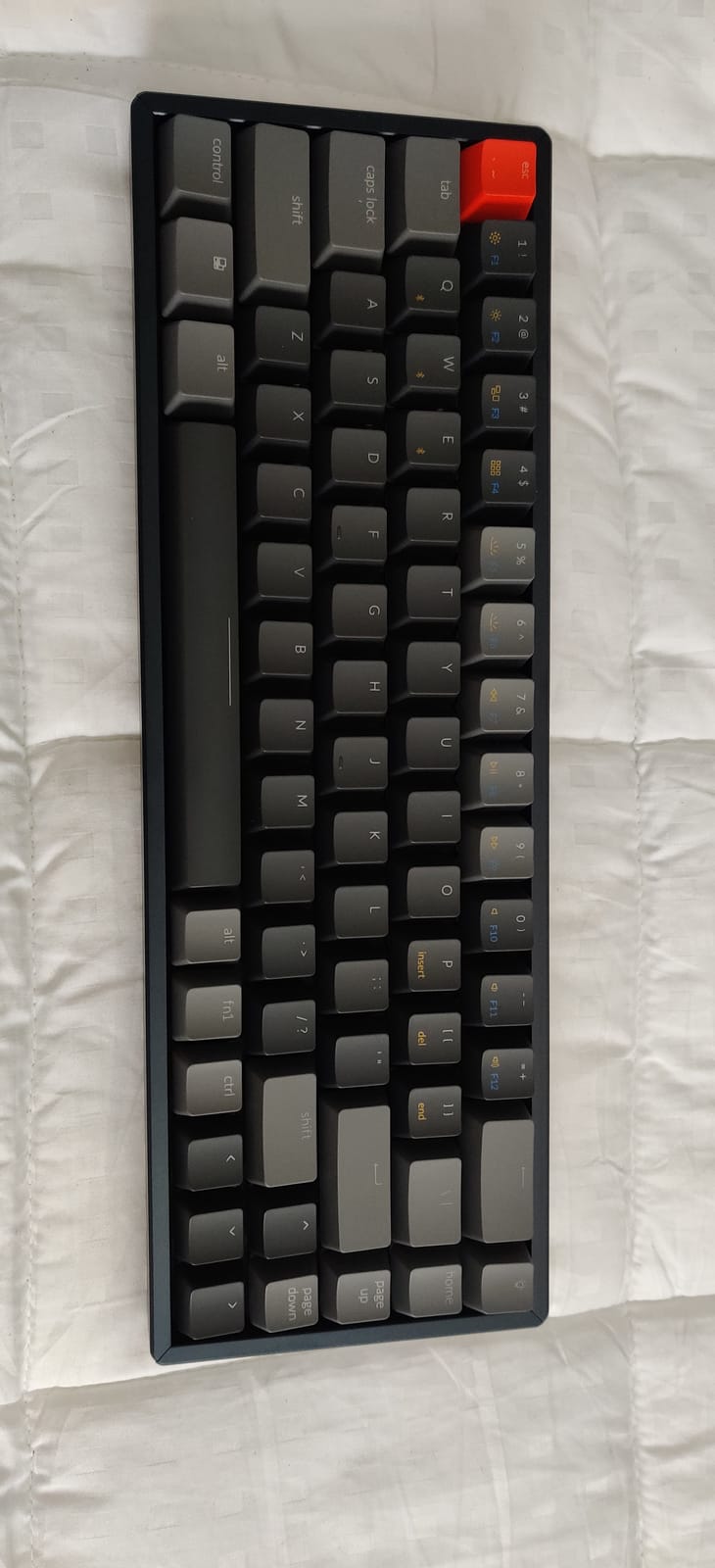
The K6 is the board we suggest for anyone moving between a work laptop, a personal machine, and a tablet. A Broadcom Bluetooth chipset pairs up to three devices, and the USB-C port doubles as the wired mode when the battery is low or you are gaming.
The frame and plate are both aluminum, and the supplied Gateron G Pro yellow switches are rated for 50 million keystrokes. Alternate Mac keycaps ship in the box, which saves a lookup later.
Aluminum Frame and Multi-Device Pairing
Owners consistently single out the build quality for a board at this level, describing tight panel gaps and a chassis that feels more substantial than the price suggests. At 68 keys, the footprint is still compact without hitting the extreme width that makes some 65% boards awkward to place.
The multi-device pairing is the reason this board keeps coming up in office-focused recommendation threads. Switching machines takes a key combination rather than a cable.
Battery Life and Rollover Behavior
The 4000mAh battery is rated at up to 72 hours with static RGB lighting, or about nine days at eight hours of use per day. That estimate assumes static lighting; animated effects and backlight-heavy use pull it down.
Rollover is full N-key over the wired connection and 6KRO on wireless, which is fine for gaming and typing but worth knowing if you ever hold many keys at once.
Who This Board Suits
This suits office and study setups where one keyboard serves several machines, especially if the aluminum construction matters to you. It also works well for Mac and Windows users because both keycap sets are included.
Where It Falls Short
Enthusiasts point out three limits: the backlight is dim compared with boards from larger brands, this particular variant is not hot-swappable, and the stabilizers ping noticeably. The tilde also requires an Fn combination, which programmers dislike, and there is no dedicated software for custom RGB programming.
5. G.SKILL KM250 RGB – Best for a Volume Knob on a Small Desk
G.SKILL KM250 RGB 65% (67-Key) Mechanical Keyboard, PBT Dual Injection Keycap (Black)
- PBT dual-injection pudding keycaps resist shine
- Hot-swappable sockets with pullers included
- Detachable braided USB-C cable
- Click-style volume knob with two-stage standoff feet
- On-board control with no software needed
- Loud Model O-like acoustic profile
- Knob press acts as mute
- No wireless
- Pudding keycaps are polarizing
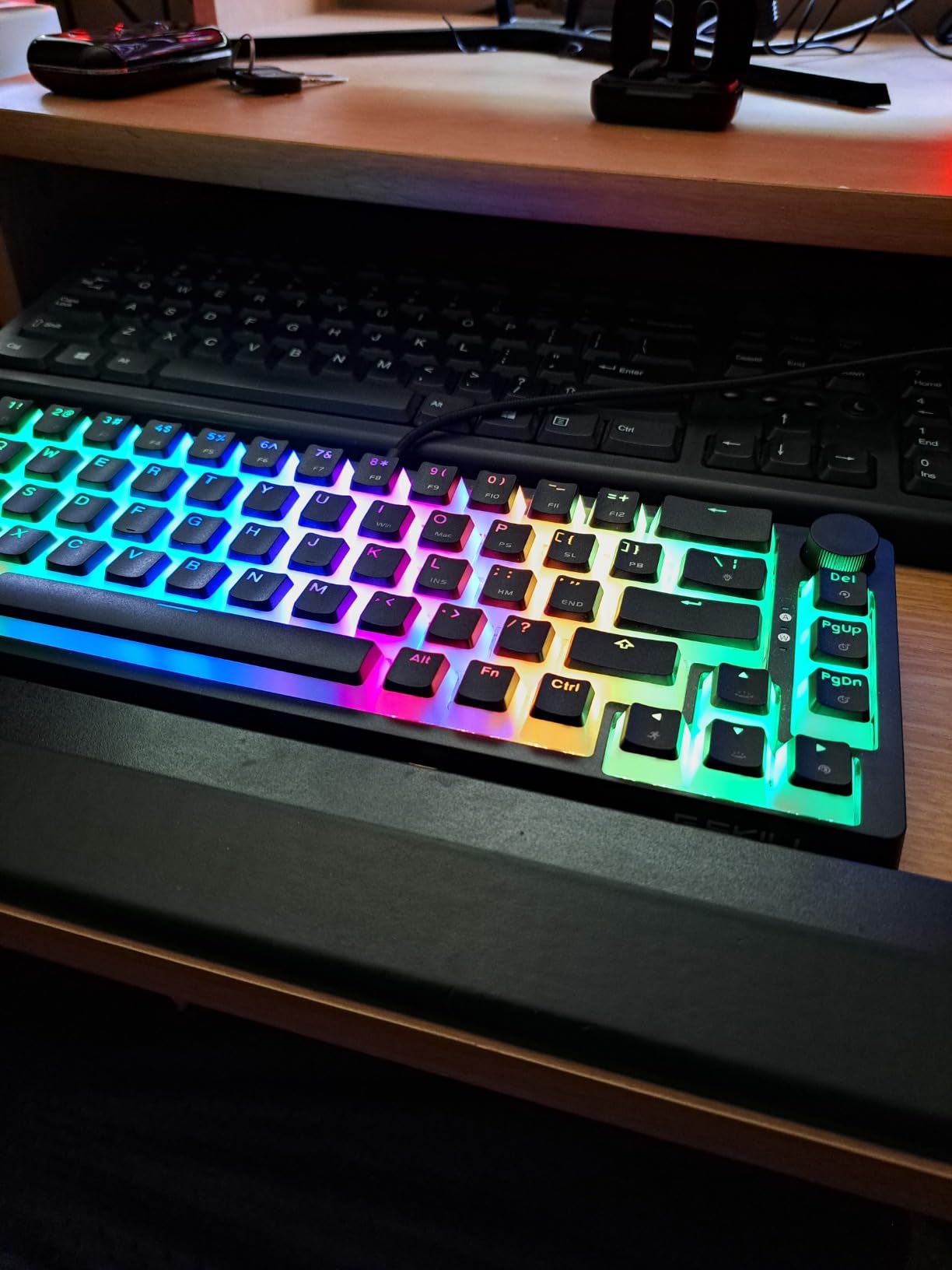
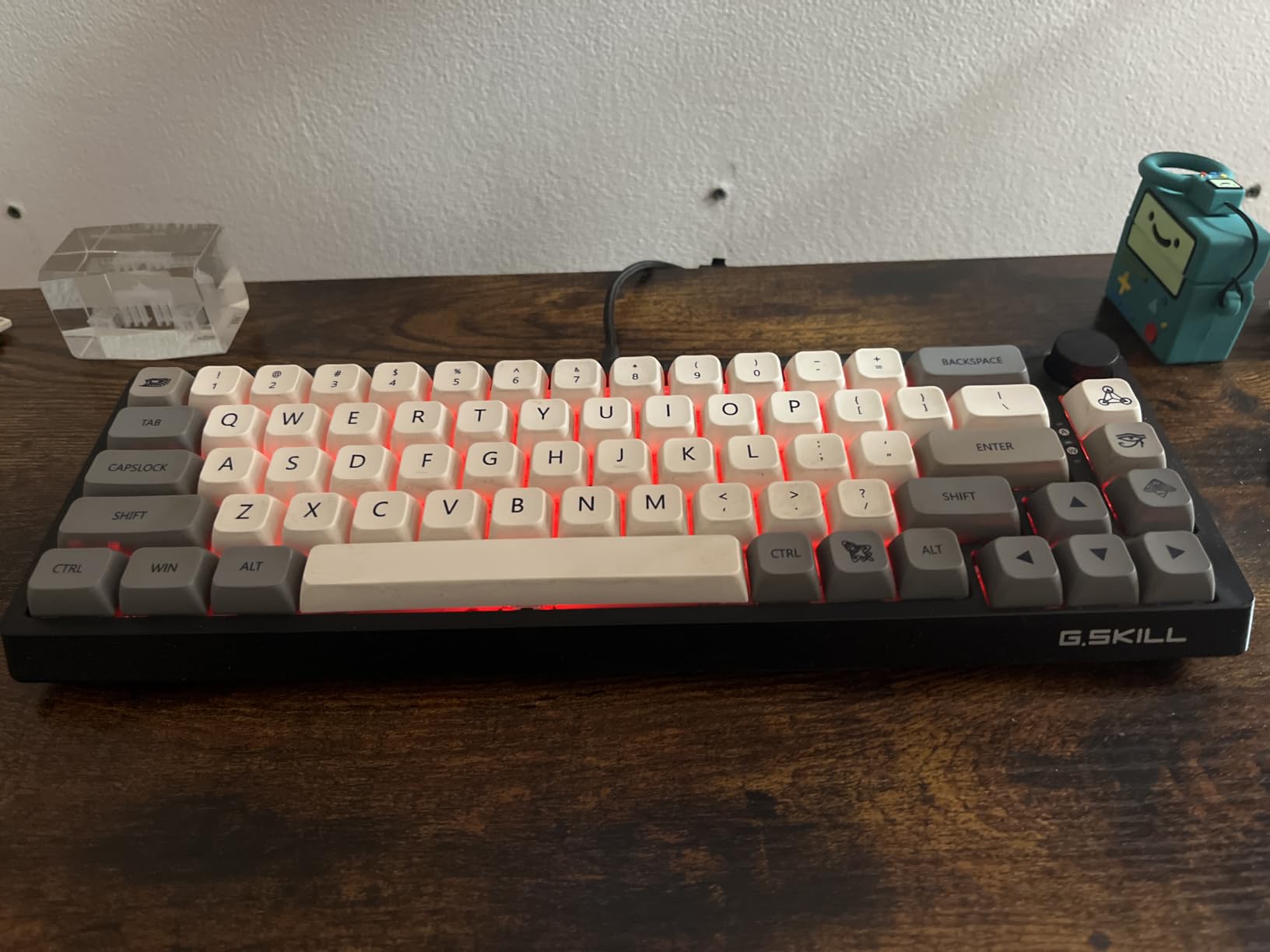
The KM250 is the unusual pick in this list, and the reason is one control. It has a click-style volume knob on a 67-key tray-mount board, and everything else on it, from the hot-swap sockets to the PBT keycaps, is closer to what you would find on a board costing several times more.
Owners call it an underrated value. The one-year limited warranty and the detachable braided USB-C cable make it feel like a proper daily board rather than a novelty.
PBT Pudding Keycaps and Hot-Swap Sockets
The pudding keycap profile has a raised rim around each legend and is molded from PBT, so the text resists both fading and shine. That is a genuine durability advantage over thin ABS caps on cheaper boards, though the shape is a matter of taste and some people find it dated.
Hot-swappable switches mean you can change the feel later, and a keycap puller ships in the box. The supplied Kailh red linears give a smooth bottom-out, which is where this board starts to reveal its tradeoffs.
The Volume Knob and On-Board Controls
Two-stage standoff feet let you set the typing angle, and the detachable braided USB-C cable is a nicer touch than a fixed cable at this level. Lighting and every other feature run through on-board key combinations, so there is no software to install and nothing to configure before you start typing.
One thing to know: pressing the knob acts as mute rather than play or pause, which catches people out for the first few days.
Who This Board Suits
This is a strong first mechanical keyboard for someone who wants media control and a keycap set that will not age badly, without opening a configuration utility. It is a good fit for a Windows desk where the keyboard lives next to speakers.
Where It Falls Short
The acoustic profile is loud and closer to a Model O than to a muted thock, which is the most common complaint. There is no wireless on this version, the knob press behaves as mute, and pudding keycaps split opinion. Some units also arrive with partial key backlighting or a mislabeled dash key.
6. Ranked G65 Guardian – Budget Pick With a Metal Case
- Full aluminum sandwich construction
- Ultra-slim low-profile Gateron red switches
- Hot-swappable sockets with pre-lubed stabilizers
- Diffused edge underglow plus per-key RGB
- Magnetic snap-on feet and detachable cable
- No QMK or VIA support
- ABS double-shot keycaps will shine
- Small magnetic feet are easy to lose
- Some input lag reports over time
The G65 Guardian is the sleeper in this roundup. A full aluminum sandwich case, pre-lubed stabilizers, hot-swap sockets, and a diffused edge light ring on a board that lands at the bottom of the price range is an unusual combination, and the 4.6 rating from owners reflects that.
It is also the thinnest board here at 0.7 inches, weighing 500 grams, and it measures 12.2 by 5.2 inches across 68 keys. That makes it the easiest one here to carry between a home and office desk.
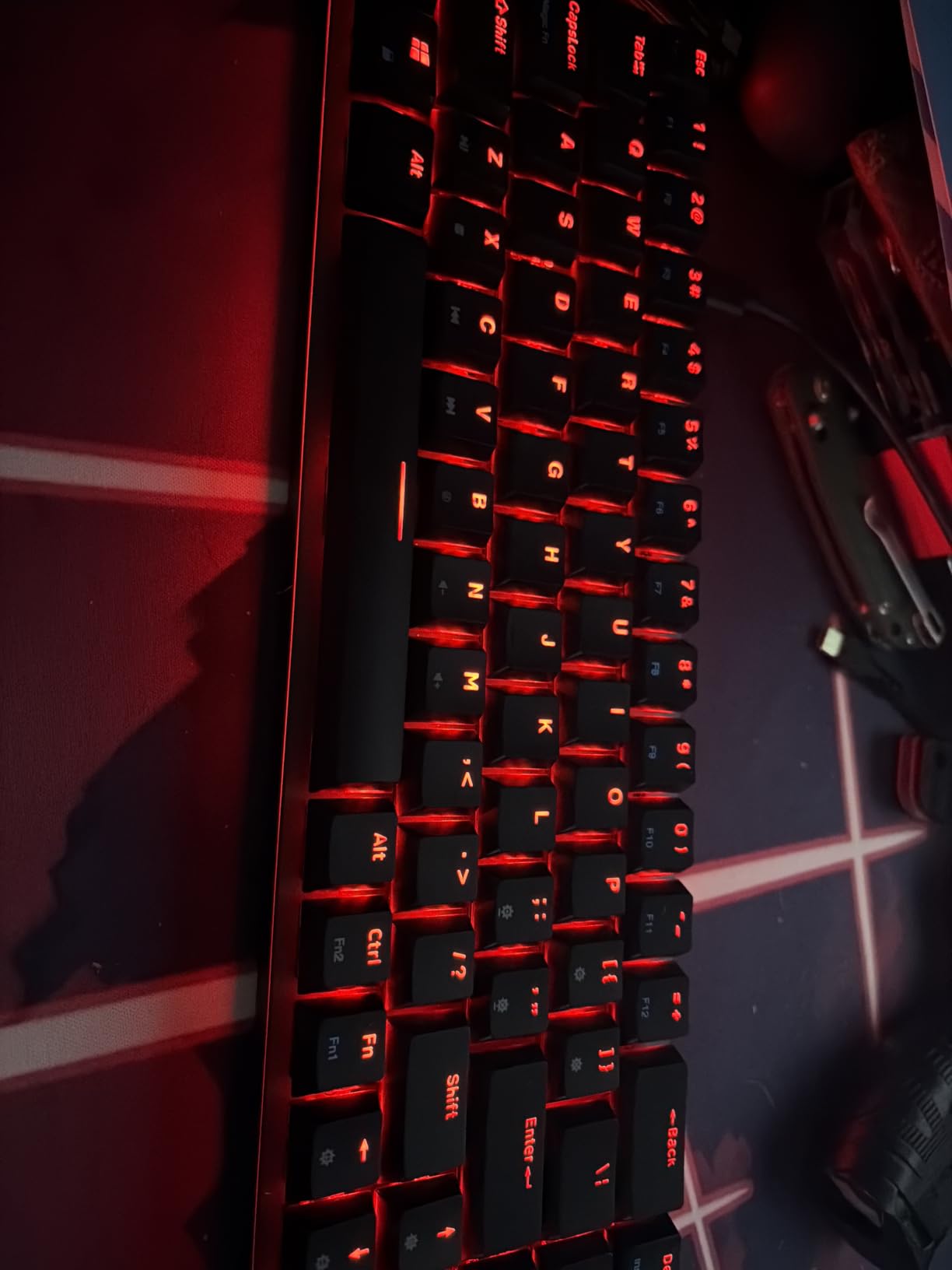
Aluminum Sandwich Case at 0.7 Inches Thick
The case is matte aluminum, which gives a firmer feel and a deeper acoustic profile than the plastic boards at this level. Pre-lubed stabilizers are fitted, so the rattle that normally shows up on a new budget board is largely handled from the first session.
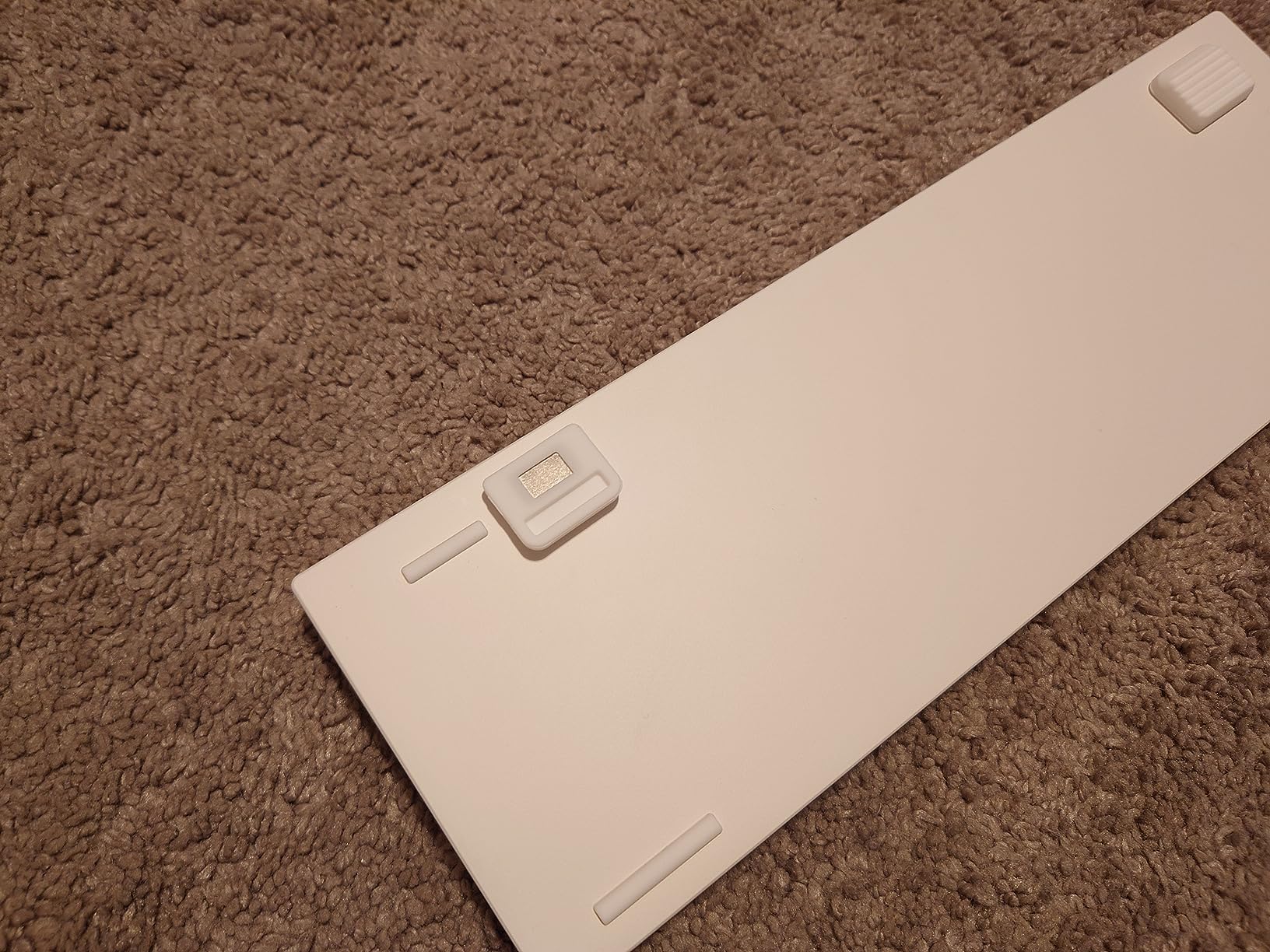
Per-key RGB sits alongside the edge underglow ring, with 16.8 million colors and five backlight pattern sets. The magnetic snap-on feet and a detachable five-foot USB-C cable are both aimed at moving the board around.
Low-Profile Switches and the Remapping Catch
The supplied Gateron low profile red switches are unusually thin, and the low-profile design shortens travel for fast actuation in a competitive setting. A 32-bit ARM processor handles the input, with Mac and Windows compatibility listed.
The catch is firmware. There is no QMK or VIA support, so remapping, macros, and lighting all run through proprietary Ranked Utility software. The tilde also needs remapping, which means moving Caps Lock to an Fn layer.
Who This Board Suits
Choose this if you want metal construction, hot-swap sockets, and a genuinely portable board without moving up a tier. It suits a shared desk or a travel setup where the 0.7-inch profile and 500-gram weight are real advantages.
Where It Falls Short
Owners flag the ABS double-shot keycaps, which will shine over time compared with PBT, and the small magnetic feet, which are easy to lose. Longer keys such as the spacebar and shift can stay tilted if you press off center, and some users report intermittent input lag after months of use.
7. DarkBeacon Blade68 – Best for Open Offices and Shared Desks
- Pre-lubed silent linear switches remove scratchiness and metallic noise
- Gasket mount with sound-dampening foam
- Full NKRO with 8000Hz polling and 0.125ms latency
- Hot-swap sockets with five spare switches included
- Detachable USB-C cable
- Bundled software requires a login
- Keycap sides are translucent and not standard Cherry profile
- Wired only
- Mixed long-term experiences
The Blade68 is the only board in this roundup built around silent switches from the factory, and that single decision makes it the pick for a shared office, a call center, or a study in a library. The pre-lubed silent linears are rated for up to 60 million keystrokes and remove both the scratchiness and the metallic ring that ordinary linears produce.
At 4.1 across 47 reviews, it sits at the bottom of the rating range in this group, and we want to be straight about why: the hardware is interesting and the software experience is the weak point.
Silent Switches and Gasket Mounting
Silent linears damp the stem on the way down and use a softer mechanism on the way back up, so you still get a linear feel with far less noise. Pairing that with gasket mounting and internal foams gives you a low-fatigue feel that suits long typing sessions in a quiet room.
The board measures 13.3 by 4.5 by 1.5 inches across 68 keys, and the box includes five spare switches plus a keycap and switch puller so you can experiment without ordering anything.
8000Hz Polling and NKRO
The polling rate is listed at 8000Hz with 0.125ms latency and full N-key rollover anti-ghosting, which is a strong number on paper for a board at this tier. Hot-swap sockets accept both three-pin and five-pin switches, and the detachable USB-C cable keeps the desk tidy.
RGB lighting and remapping run through bundled software that requires a login and covers Windows and Mac only, which is where the mixed owner experiences come from.
Who This Board Suits
This board is for anyone who cannot use a loud keyboard around other people. If you type all day in a shared space and would rather not swap switches afterwards, the factory silent linears save you that work.
Where It Falls Short
The bundled keycaps have translucent sides and are not standard Cherry profile, which limits which keycap sets drop straight in. There is no wireless, the software requires a login, and the 4.1 average with a comparatively high three-star share points to inconsistent experiences with build and setup.
8. Ussixchare 68 Monster – Simplest Board That Does the Job
Ussixchare 65 Percent Mechanical Gaming Keyboard 68 Keys RGB Gaming Keyboard with Red Switch Wired Keyboard for Windows PS4/5 Xbox Gamers(68 Monster)
- Quiet linear red switches with smooth full travel
- 18 RGB backlight modes and 16.8 million colors
- PBT keycaps with laser-etched grip-coated legends
- Full anti-ghosting across all 68 keys
- Works with Windows
- MacOS
- and major consoles
- Keycaps are not shine-through
- Wired only with no volume knob
- Small review base limits long-term evidence
The 68 Monster is the no-frills option, and it earns the highest average rating in this roundup at 4.8. Eighty-eight percent of its ratings are five-star across a small sample, and owners describe it as a dependable compact board that does the job without drama.
It frequently turns up as a gift purchase, which tells you something about how uncomplicated it is to set up. There is no configuration step and no software to argue with.
Linear Reds, PBT Caps, Full Anti-Ghosting
The supplied red linear switches move smoothly from top to bottom with a quiet, consistent travel. PBT keycaps come with laser-etched, grip-coated legends, and a set of extra dye-sub caps is included, which is unusual at this level.
Anti-ghosting covers all 68 keys, and the board lists compatibility with Windows, MacOS, laptops, and gaming consoles over USB-C. It is a straightforward plug-and-play device.
What the RGB Can and Cannot Do
There are 18 backlight modes across 16.8 million colors, which is the same lighting vocabulary most boards in this roundup use. That is plenty for desk matching and status indication.
The catch is that the PBT keycaps are not shine-through, so the lighting sits under the caps rather than through the legends. In a dim room that reads as a softer glow, which some owners like and others read as a weaker effect.
Who This Board Suits
This suits a first mechanical keyboard purchase, a dorm desk, or anyone who wants a compact board without learning remapping. Full anti-ghosting and console support make it a safe pick for mixed households.
Where It Falls Short
It is wired only, with no wireless and no volume knob, so it does not pair with a multi-device setup. The non-shine-through keycaps soften the RGB effect, and the review base of 36 owners is small, which means there is less long-term durability evidence than the boards with hundreds of reviews.
9. RK Royal Kludge RK68 – Built for Long Daily Gaming Sessions
RK ROYAL KLUDGE RK68 Mechanical Gaming Keyboard, 65% Compact Size, White
- 68-key layout frees significant desk space for mouse movement
- Hot-swappable five-pin red linear switches
- Pre-lubed switches and full no-conflict anti-ghosting
- RGB rainbow backlighting with macro support
- Owners report multi-year daily use
- ABS keycaps degrade faster
- Hollow pingy sound
- Wired only
- RGB cannot produce a true white
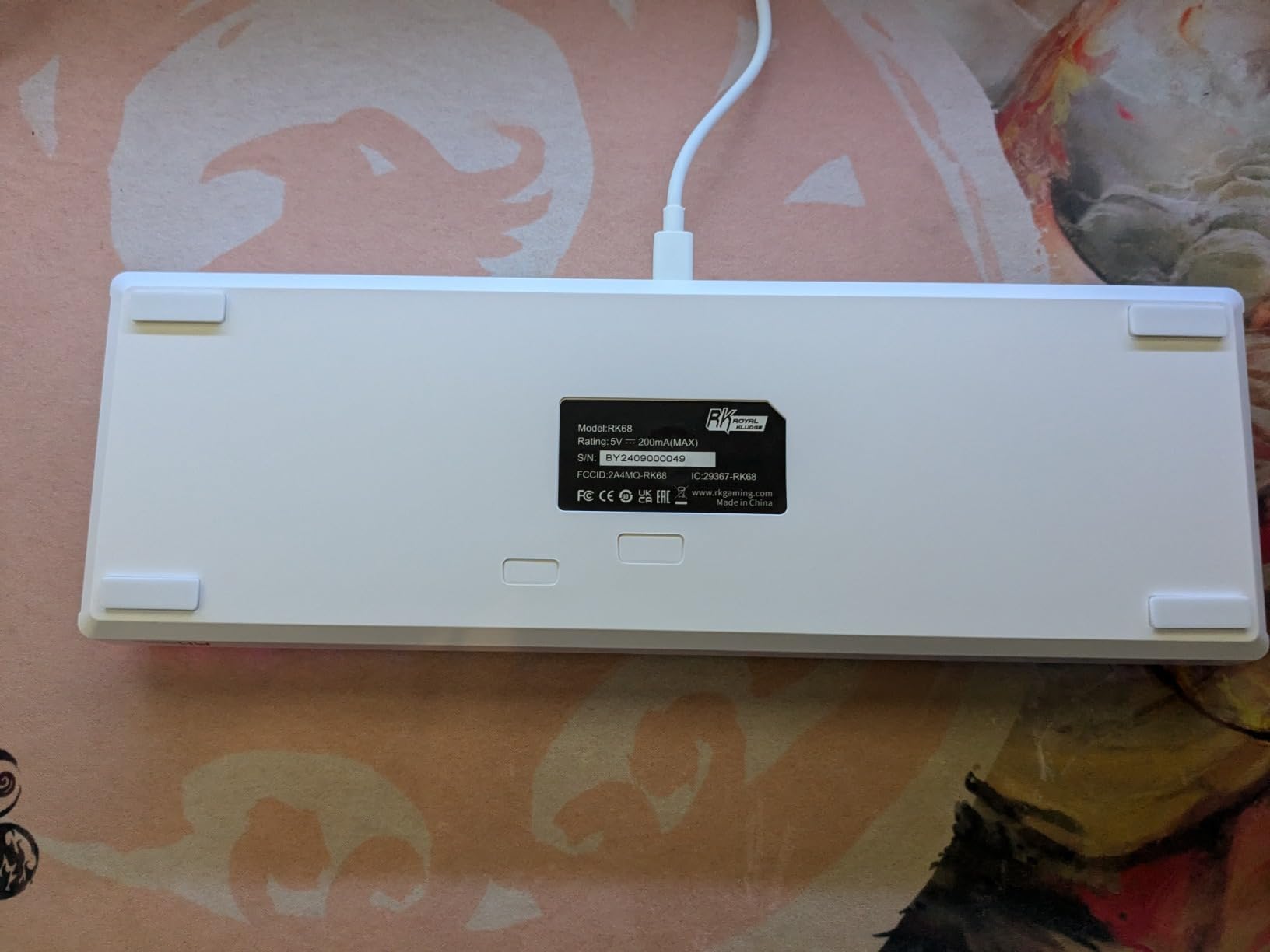
The RK68 is the gaming-focused board in this roundup, and the layout is the point. At 68 keys it leaves noticeably more desk width for mouse movement than a tenkeyless, and several owners report their units surviving years of heavy daily play.
It carries a one-year warranty, USB-C connectivity, and compatibility with PC, laptop, and gaming consoles. The switch sockets accept standard five-pin red linears, so the feel is adjustable later.
Hot-Swappable Reds and RK Software Macros
Hot-swappable five-pin red linear switches mean you can move to a lighter or heavier switch without tools beyond the puller, and the supplied switches arrive pre-lubed. Anti-ghosting is full no-conflict across the board, so nothing gets dropped when you bind several keys in a shooter.
RGB rainbow backlighting supports macros and custom colors through RK software, and the manufacturer commits to support responses within 24 hours. That software depth is more than most boards at this level offer.
Recycled ABS Case and Long-Term Wear
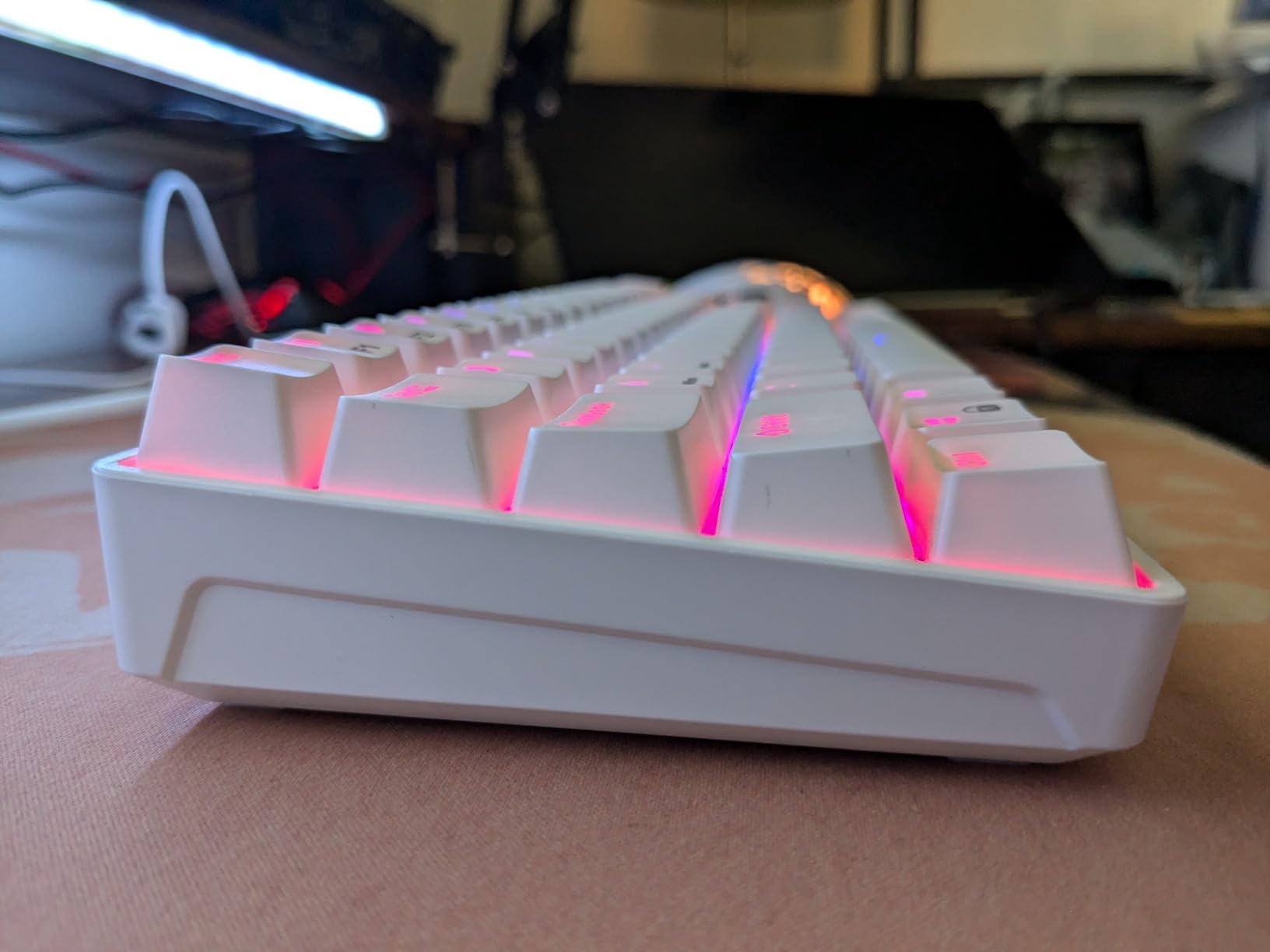
The enclosure mixes 60% recycled post-consumer ABS with other plastics and metal, which keeps the weight down and the footprint to a 68-key compact layout. Owners like the solid feel and the desk space it gives back.
The compromise is the keycaps. ABS surfaces are smooth and slippery compared with PBT and degrade faster with shine, and several owners point to a hollow, pingy sound profile from the supplied switches as a reason to consider a different board at the same money.
Who This Board Suits
This suits a gamer who wants a wide mouse area, a bundled macro tool, and a board that keeps working after a couple of years of daily play. It is a common recommendation in budget gaming threads for good reason.
Where It Falls Short
The sound profile is the main complaint, with owners describing it as hollow and metallic. It is wired only with no wireless, knob, or screen, the RGB cannot produce a true white, and some units arrive without the advertised keycap puller and spare keycaps. There is also no dedicated function row.
10. Akko MU01 Mountain Seclusion – Premium Pick for Desk Appeal
- Genuine polished solid walnut case with wood wax included
- Five-layer dampening with a PET layer and 3.0mm poron case foam
- PBT dye-sub MOA profile keycaps
- Tri-mode 2.4GHz Bluetooth and USB-C with a 4000mAh battery
- Remappable through Akko Cloud Driver
- Chassis is tall enough to need a wrist rest
- Keycaps are not shine-through
- No gasket mount
- Occasional dead keys and dongle pairing issues
The MU01 is the most expensive board here and the only one with a solid walnut case, and owners of pricier boards routinely describe its look and sound as worth the step up. The wood wax ships in the box so you can maintain the finish yourself.
It is also tri-mode with a 4000mAh battery, hot-swappable, and covered by an Akko Cloud Driver utility with more than a dozen pre-defined media hotkeys. A physical switch under the Caps key toggles Mac and Windows behavior.
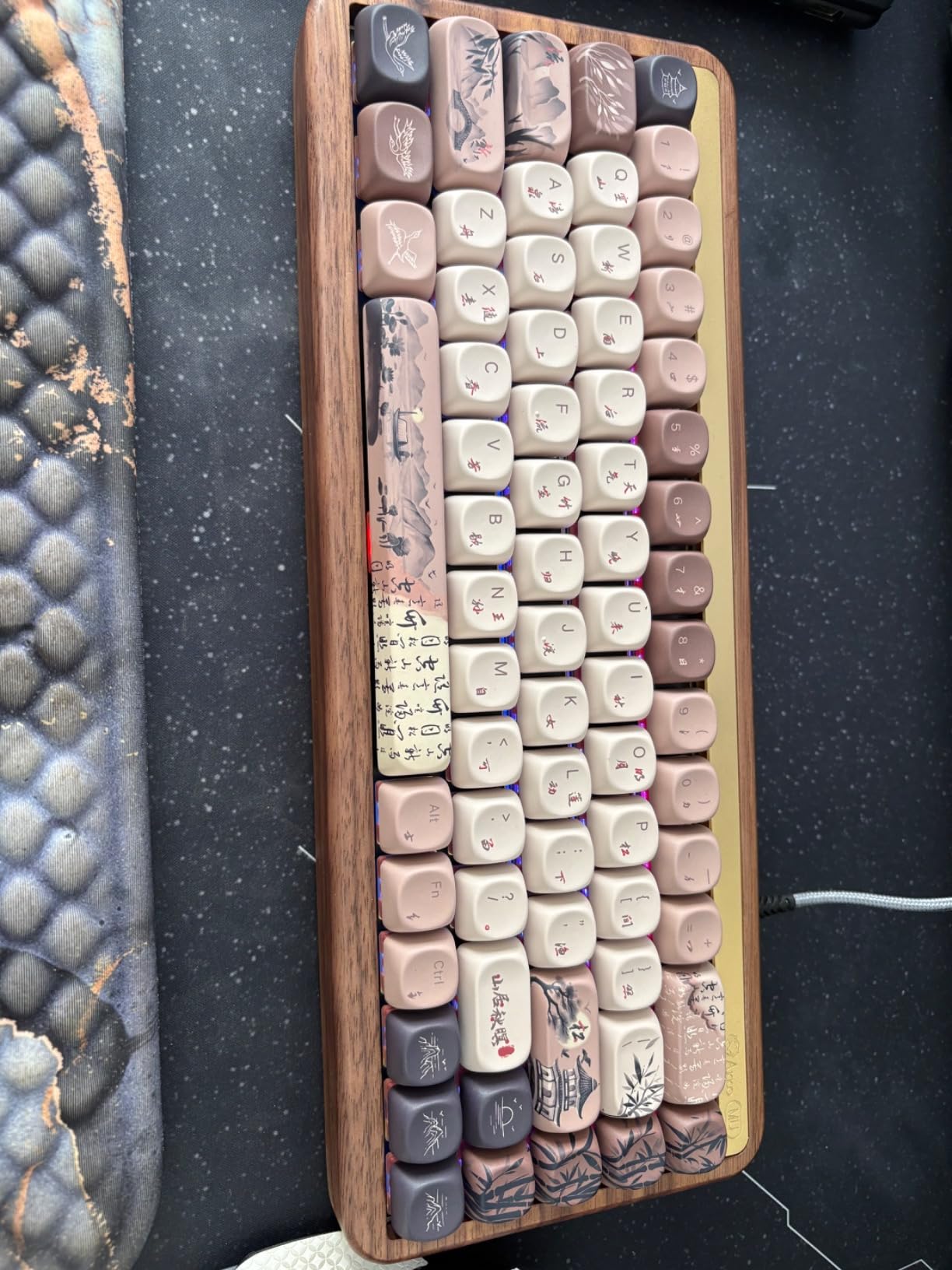
A Walnut Case with Wood Wax Included
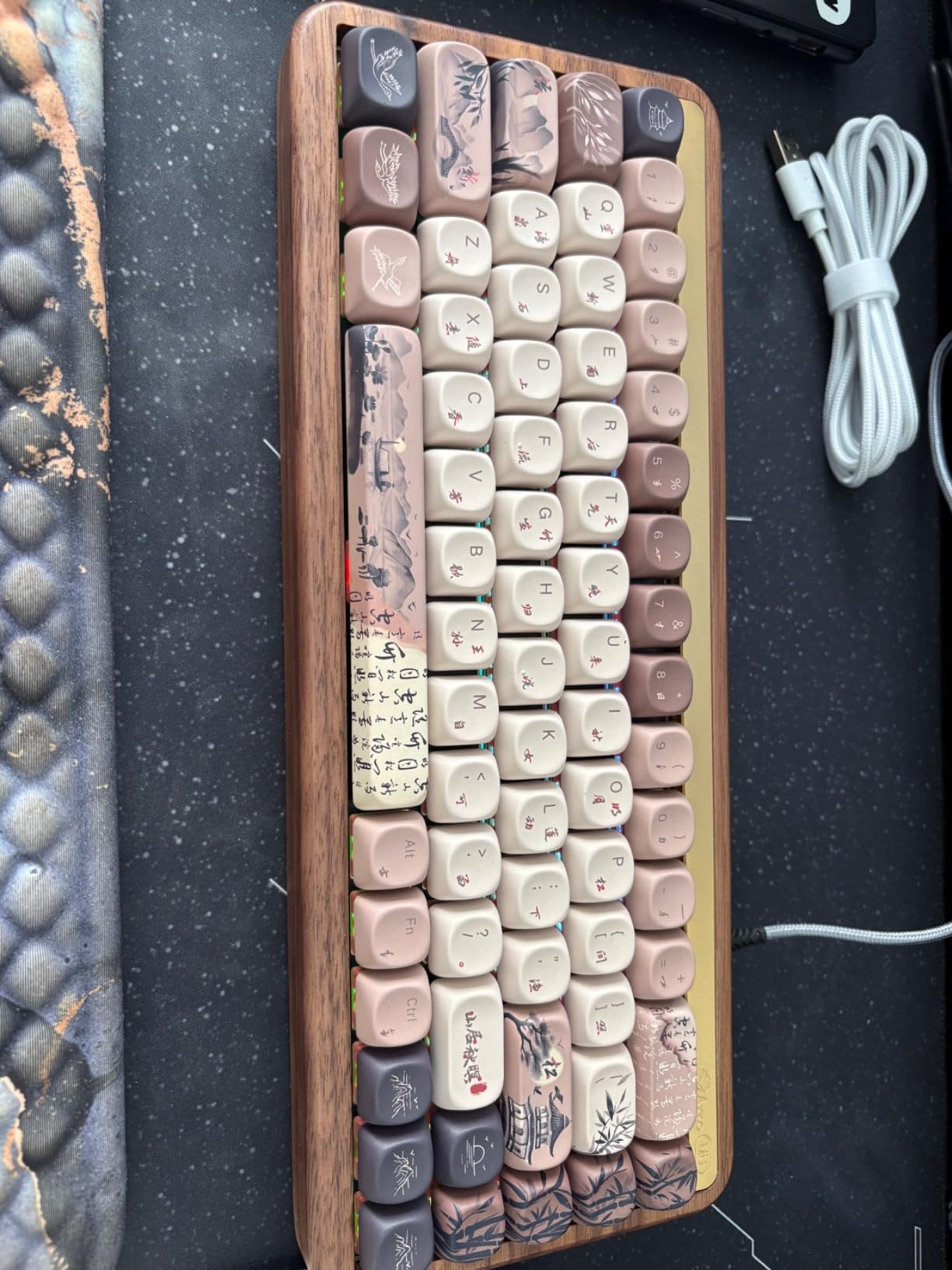
The case is polished solid walnut at 12.87 by 4.93 by 1.83 inches, which is both the heaviest-feeling and the warmest-looking board in this roundup. The weight is part of why the sound reads as muted rather than sharp.
Inside, five layers of dampening include a PET layer and 3.0mm poron case foam, and the supplied switches are Cherry MX pattern. The MOA profile PBT dye-sub keycaps resist fading and shine, and the profiles sit higher than standard Cherry caps.
Tri-Mode Wireless and Akko Cloud Driver
Connectivity covers 2.4GHz, Bluetooth 5.0, and USB-C wired from a 4000mAh battery, which puts it alongside the Aula F65 for flexibility. The listed compatible devices run from PC and laptop to smartphone, tablet, and gaming console.
Akko Cloud Driver handles programmable key definitions and per-key RGB, with more than twelve media hotkeys predefined. Owners report occasional dead keys and finicky 2.4GHz dongle pairing, so keep the wired mode close by.
Who This Board Suits
This suits someone who wants their keyboard to be part of the desk’s appearance, not just a tool, and who will notice the difference between walnut and plastic. It is a strong choice for a writing or coding desk where you type for hours.
Where It Falls Short
The chassis is noticeably tall, so plan on a wrist rest. The keycaps are not shine-through, which limits the RGB in low light, and there is no gasket mount despite the tier. The wood weight also makes it a poor travel board, and a few users report dead keys or awkward wireless pairing.
How to Choose a 65% Mechanical Keyboard
60% vs 65% vs 75% vs 80%: Pick the Right Size
- 60% (about 61 keys): No function row, no arrow keys, no numpad. Smallest footprint, most layers to learn.
- 65% (67 to 68 keys): No function row, dedicated arrow keys, no numpad. The sweet spot for most buyers, and the focus of this guide.
- 75% (about 80 to 82 keys): Adds a compressed function row above the number row while keeping arrow keys. A good step up if you use function keys daily.
- 80% and full-size: Add a numpad for spreadsheet and accounting work at the cost of desk width.
Seventy percent is not a real form factor. Listings that use the term are usually describing a 65% or a 75%, so treat it as a warning sign rather than a category.
Where Did the F-Keys Go, and Does It Matter?
The function row is the thing you give up. On a 65% board, F1 through F12 live behind a Fn or layer key, which means one extra keystroke when you need them. For most work, nothing changes. If you rely on function keys daily, a 75% board is the more honest choice.
Software solves the rest. VIA and QMK let you build a layer that puts F-keys, media controls, macros, or application launchers wherever you want them, and a few boards in this list support that out of the box. Boards with proprietary utilities, such as the Ranked G65 and the G.SKILL KM250, let you remap but do not offer open firmware layers.
Choosing Switches: Linear, Tactile, Clicky, and Silent
- Linear: Smooth from top to bottom with no bump. Best for gaming and for people who dislike accidental presses. Most boards in this roundup ship red-style linears.
- Tactile: A small bump on the way down tells you the key registered without being noisy. The Keychron K6 ships Gateron yellows, a classic tactile choice.
- Clicky: Audible click on both press and release. The noisiest option and the one most shared offices rule out.
- Silent: Damped travel that removes most of the sound. The DarkBeacon Blade68 ships with these fitted.
Force is measured in grams at actuation. Lighter switches feel fast and can cause accidental presses, which owners of the LTC NB681 note directly. Anything above 55 grams feels deliberate and suits long typing sessions.
Hot-Swap Sockets vs Soldered PCBs
A hot-swap PCB has sockets on the plate, so you pull a switch with a tool and press a new one in. Six of the ten boards here have full hot-swap sockets, and for a first mechanical keyboard that single feature changes how confident you feel experimenting.
Soldered boards, such as the Keychron K6 in this configuration, are cheaper to make and often feel more consistent, but changing a switch means a soldering iron. Buy one if you already know which switches you want.
Mounting Styles and Case Materials
Mount style is how the plate is held inside the case, and it is the biggest driver of feel and sound.
- Tray mount: The plate is screwed flat to the case body. Firm, loud, and the cheapest to produce. Common on the G.SKILL KM250 and the Royal Kludge RK68.
- Gasket mount: The plate rests on soft pads that absorb bottom-out shock. The Aula F65 and the DarkBeacon Blade68 use it, and both produce the muted sound in this roundup.
- Top mount: The plate is screwed from above into standoffs, giving a firmer, more centered feel than tray mount with less flex than gasket.
Case material follows the same pattern. Aluminum, including the aluminum sandwich on the Ranked G65, is heavy and firm. Polycarbonate, as on the Aula F65 plate and case, is lighter and springier. Plastic is light and hollow-sounding, and walnut, as on the Akko MU01, is dense and warm.
Keycap Sets That Fit a 65% Keyboard
This is the most common post-purchase surprise, so check it before you order a set. A 65% board needs a dedicated right shift at 1.75u, which a standard 60% kit does not include, and a blocker key combination that depends on the spacebar width.
- Spacebar width: A 65% board usually takes a 6.25u spacebar with a 2u right shift and standard blocker arrangement, or a 2u spacebar with a 1.75u right shift. Confirm both before buying.
- Profiles: Cherry, OEM, XDA, MT3, and MOA all fit physically, but sculpting changes the feel. The Akko MU01 ships MOA profile, and the F65 lighting is south-facing so it works with Cherry-profile sets.
- Translucency: Dye-sublimated and laser-etched PBT legends block backlight. Only shine-through sets light up, which is why the non-shine-through caps on the MU01 and the 68 Monster dim the RGB effect.
Connectivity: Wired, 2.4GHz, and Bluetooth
Wired boards like the Royal Kludge RK68, the Ussixchare 68 Monster, and the DarkBeacon Blade68 never need charging, which is a real reliability advantage. Tri-mode boards, including the Aula F65 and the Akko MU01, add a 2.4GHz dongle for gaming and Bluetooth for multi-device pairing.
Bluetooth on a 65% board is the reason people buy one, since the same keys serve a work laptop, a desktop, and a tablet. Check the battery figure and how it was measured: the Keychron K6 is quoted at up to 72 hours with static lighting, which is the most flattering way to state it.
Gaming on a 65% Board: What You Give Up and What You Gain
Players on r/keyboards regularly ask about this, and the honest answer is that most competitive shooters work fine. Losing the function row costs you nothing in a game like Apex Legends or Overwatch 2, and the arrow cluster is what most games actually need for menus and movement.
Where it gets tighter is games with heavy function-key and macro use, and in sanctioned competition, where tournament rules tend to expect full-size boards. For everyday play, prioritize anti-ghosting and polling: the DarkBeacon Blade68 lists full NKRO with 8000Hz polling, and the Aula F65 runs 1000Hz. Just keep a wired mode available, because 2.4GHz latency reports do appear.
One more consideration: a compact board pairs better with a gaming laptop setup, where the built-in keyboard and trackpad make a full-size board redundant. Our picks for gaming laptops with mechanical keyboards cover that build if you are starting from scratch.
What You Gain as You Spend More
- Entry tier: Mechanical switches, PBT or double-shot keycaps, basic RGB, and a compact layout. The Ussixchare 68 Monster and Royal Kludge RK68 sit here.
- Mid tier: Hot-swap sockets, aluminum or weighted cases, better stabilizers, and remapping software. The LTC NB681, Aula F65, and Keychron K6 are the value jumps.
- Upper tier: Gasket mounting, multi-layer foam, tri-mode wireless with a large battery, and premium materials. The Aula F65 and the Akko MU01 deliver this without a custom build.
Forum regulars on r/keyboards routinely recommend boards outside our test pool, including the Wobkey Zen65, Weikav Lucky65, Nut65, and the Womier SK65 as a budget option, with the Razor Huntsman Mini named often for gaming. Used and marketplace purchases are a common and accepted way to stretch a budget further. We did not test those models, so treat them as community recommendations rather than measured verdicts.
Frequently Asked Questions
Are 65 percent keyboards good?
Yes, for most people. A 65% mechanical keyboard keeps dedicated arrow keys while cutting the function row and numpad, so you get 67 to 68 keys in a footprint small enough to leave room for the mouse. The only real tradeoff is losing F1 to F12, which you remap to an Fn layer or with VIA software.
Do 65% keyboards have F keys?
No dedicated function row. F1 through F12 sit behind an Fn or layer key on every 65% board, and many models let you place them anywhere using VIA or QMK remapping. If you use function keys every day, a 75% keyboard with a compressed function row is the better fit.
Is there a 60% keyboard, and how is it different from a 65%?
Yes, 60% keyboards exist and are the smaller option at roughly 61 keys. A 60% has no function row, no arrow keys, and no numpad, while a 65% has 67 to 68 keys because it adds a dedicated arrow column. That single difference is why most compact buyers choose 65%.
Are 70% keyboards a thing?
No, 70% is not a standard form factor. The common sizes jump from 65% at 67 to 68 keys to 75% at about 80 to 82 keys with a function row and arrow keys. Listings using the 70% label are usually describing a 65% or a 75% board.
Is a 65% mechanical keyboard good for gaming?
Yes for everyday play. Shooters such as Apex Legends and Overwatch 2 rely on the arrow cluster, which a 65% keeps, and boards like the DarkBeacon Blade68 list full N-key rollover with an 8000Hz polling rate. Competitive play is where the missing function row and macro keys start to cost you something.
What keycap sets fit a 65% keyboard?
You need a kit with a 1.75u right shift, a 6.25u or 2u spacebar, and the matching blocker keys, which rules out most standard 60% sets. Cherry, OEM, XDA, MT3, and MOA profiles all fit physically. Backlit boards need shine-through caps, since dye-sub and laser-etched PBT legends block the light.
Which 65% Mechanical Keyboard Should You Buy?
If you want the safest all-rounder with the widest owner evidence, the HyperX Alloy Origins 65 is the 65% mechanical keyboard to buy, with an aluminum plate, PBT keycaps, and console support. If sound and acoustics matter most to you, the Aula F65 delivers gasket mounting and a five-layer foam stack that nothing else here matches at the money. If you want the highest rated board and the easiest path into hot-swap switching, take the LTC NB681.
The rest fill in the gaps. The Keychron K6 handles multi-device wireless work, the G.SKILL KM250 adds a volume knob on a tight desk, the Ranked G65 puts a metal case in a portable 0.7-inch body, the DarkBeacon Blade68 keeps a shared office quiet, the Ussixchare 68 Monster needs no setup at all, the Royal Kludge RK68 survives heavy gaming, and the Akko MU01 is the one to buy when the keyboard is part of the room’s look.
Whichever you pick, check the keycap compatibility and the missing function row before you order. Ten boards, ten different answers, and only one of them is right for your desk in 2026.